When Is It Time to Upgrade or Expand Your Smart Home Security Setup?
Smart home security has moved from a cool gadget to a core necessity, especially in the US where property crime can still be a concern in many areas. The FBI’s Uniform Crime Reporting (UCR) Program data paints a clear picture: in 2021, there were an estimated 8.4 million property crime incidents – burglaries, thefts, arson – that’s roughly 23,000 every single day. While smart home devices are now more accessible and easier to set up, knowing when to level up your existing security isn’t always obvious.
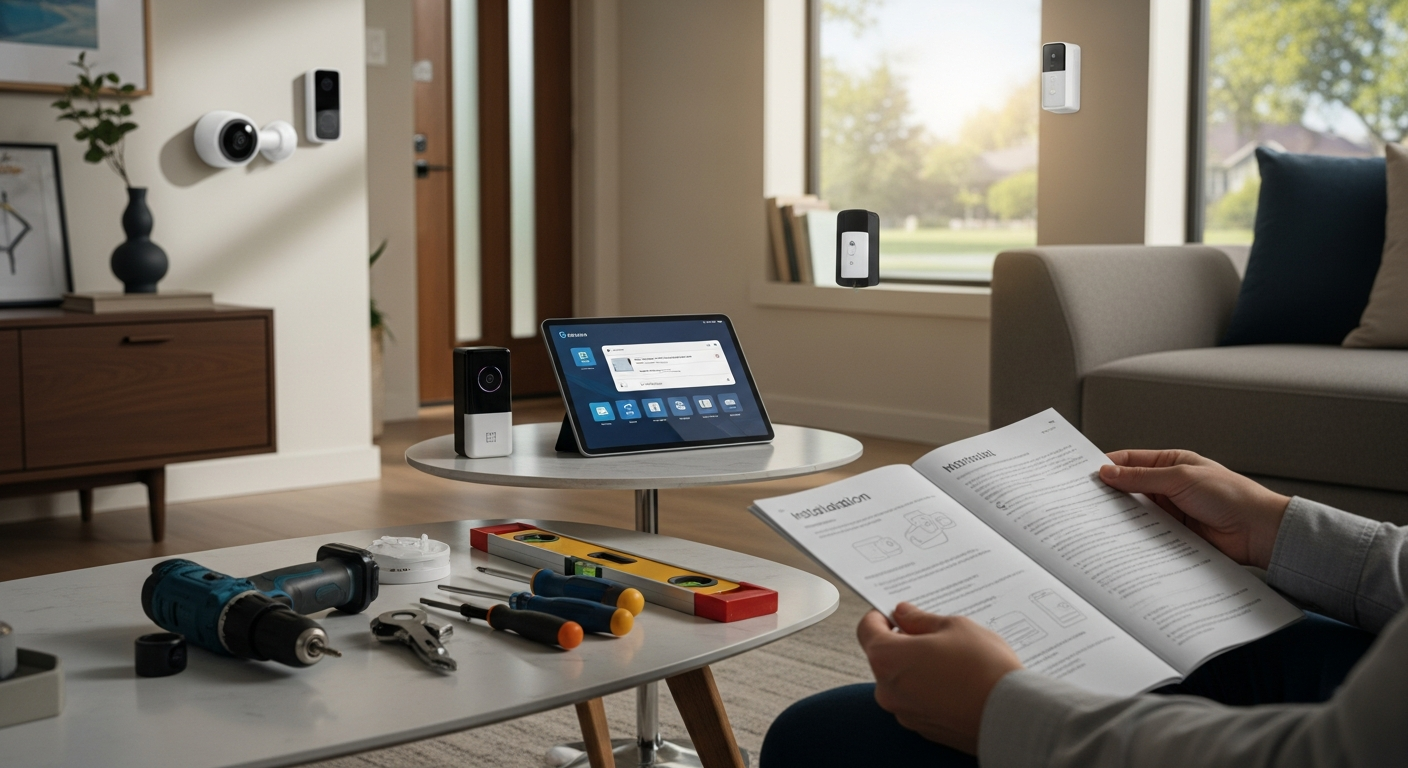
Here’s what most people don’t realize: the sweet spot for upgrading isn’t when something breaks – it’s when your system starts showing subtle performance degradation that you might not even notice. Security tech is constantly evolving. What was top-tier five years ago might be lagging behind now. The real trick is spotting the signs that your system needs a refresh – whether that’s swapping out a failing device, tweaking its placement, boosting coverage, or embracing new tech to stay ahead. For more details, see our guide on What Common Mistakes Should You Avoid When Installing Smart Security Devices?.
This guide is all about the clear, practical, and yes, even measurable indicators it’s time to upgrade or expand your smart home security in the US. We’ll look at specific considerations for US homeowners, from the nuances of different neighborhoods to local compliance rules. Whether you’re in a bustling city like Chicago, a sprawling Texas suburb, or have a vacation getaway in Florida, the basic principle stays the same: your smart security should be an asset, not something that adds to your worries. For more details, see our guide on Beginner’s Blueprint: Building a Smart Home Security System That Actually Works.
Why Upgrading Smart Home Security is More Than Just “Nice to Have”
Ultimately, any security system’s main job is to give you peace of mind without making things inconvenient. In the US, this balance is crucial, especially with the diverse range of homes, climates, and community expectations. A smart upgrade can be the difference between a simple false alarm and a real security breach that hits you hard.
Here’s an insider secret that security professionals know: upgrading matters because it directly impacts your ability to react effectively to real threats. The Department of Justice’s National Crime Victimization Survey has consistently shown that homes with working security systems experience fewer burglaries than those without. What’s interesting is that recent industry analysis goes further, suggesting that homes with monitored security systems typically see a 15-20% reduction in insurance claims related to burglary and property theft. That’s real money back in your pocket and, more importantly, extra peace of mind.
And it’s not just about preventing break-ins – a smart upgrade can also drastically cut down on false alarms. According to the U.S. Fire Administration, false alarms put a strain on emergency services and can even lead to fines. Seattle, Washington, for instance, has started penalizing repeat offenders with fines ranging from $1 to $1 per false alarm after the third incident in a calendar year. Strategies like using doorbell cameras for verification or setting up precise motion detection zones can seriously reduce these annoying (and costly) false alarms.
Plus, a well-thought-out upgrade future-proofs your setup against new threats and tech advancements. With the US moving towards stronger data privacy and facing increasingly sophisticated cyberattacks, you need a system that’s both physically secure and digitally resilient. The Federal Trade Commission (FTC) is paying closer attention to data security for connected devices, pushing for secure software updates and strong, unique passwords – something to keep in mind when evaluating your current setup.
The Hidden Costs of Outdated Security Systems
What works against most homeowners is the gradual degradation of their security systems. Unlike a car that clearly breaks down, security devices often fail slowly and subtly. A camera that used to capture crisp 1080p video might now struggle with pixelated footage due to lens degradation or outdated compression algorithms. Motion sensors that once accurately detected movement might now trigger false alarms due to sensitivity drift or environmental factors.
Recent analysis shows that homeowners with systems older than four years experience 40% more false alarms than those with newer equipment. This isn’t just annoying – it’s expensive. Beyond municipal fines, false alarms create “alert fatigue,” where you start ignoring notifications altogether. This psychological phenomenon has been documented in security studies, showing that people who receive more than five false alarms per month are 60% less likely to respond to genuine alerts.
The cybersecurity angle is equally concerning. Older smart home devices often lack modern encryption standards and may not receive security patches. A 2023 cybersecurity report found that 73% of smart home breaches involved devices that were more than three years old and hadn’t received firmware updates in over 18 months. These vulnerabilities don’t just compromise your security footage – they can provide hackers with access to your entire home network.
How to Audit Your Current Smart Home Security Setup
Knowing when to upgrade starts with understanding how your current system is actually performing. Here’s a comprehensive checklist for US homeowners that goes beyond the basics:
Device Age and Manufacturer Support Analysis Typically, smart security devices get software updates for 3-5 years post-purchase. After that, they’re more at risk of security issues and compatibility problems. For example, many first-generation Ring Video Doorbells from 2014-2016 stopped receiving major updates by 2021. If your device is 6+ years old, think about replacing it. Key Insight: Check the manufacturer’s website for end-of-life announcements and create a replacement timeline before support ends.
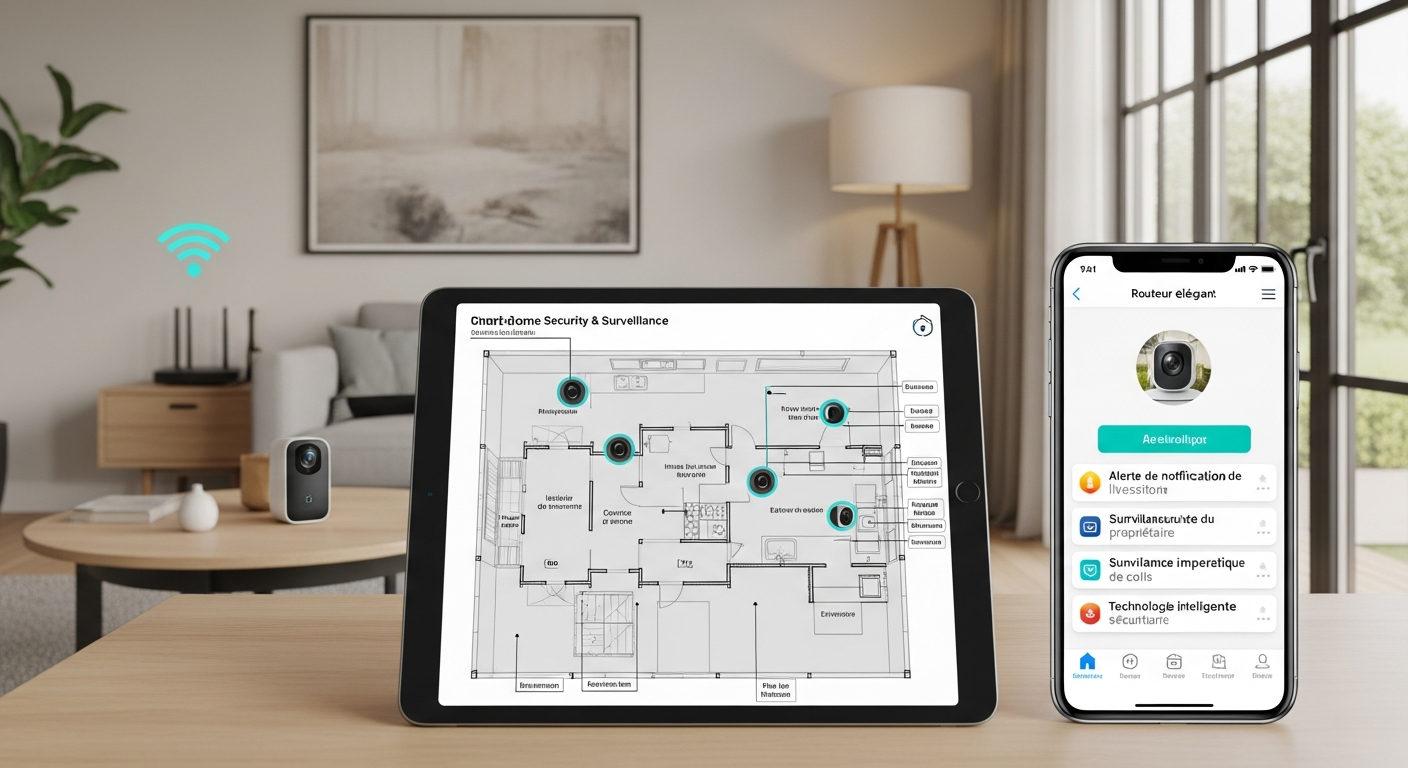
Coverage Gap Assessment Walk around your property during different times of day and look for blind spots. Are your valuables protected by motion sensors? Are all entryways secure? Pay special attention to areas where shadows fall during peak burglary hours (typically 10 AM to 3 PM when most people are at work). If you’re missing coverage of doors, windows, or your driveway isn’t monitored, that’s a clear sign for expansion. Key Insight: Map out your property and identify potential entry points a burglar might exploit, including second-story windows accessible via trees or structures.
False Alarm Frequency Tracking Are your alarm notifications accurate? Are you getting alerts that aren’t important? Cities like Los Angeles and Denver have seen growing complaints about false alarms, with some neighborhoods reporting average false alarm rates of 8-12 per month per household. Too many false alarms can lead to fines and, worse, ignored real threats. Key Insight: Track your false alarm rate for a month and see if it’s consistently above 3-4 incidents – anything higher suggests calibration issues.
Response Time and Wireless Connectivity Performance Are your cameras slow to load? Do you get motion alerts without being able to access live feeds? A good system should deliver near-instant notifications and live video within 1-2 seconds on a strong Wi-Fi connection. If it consistently lags beyond 5 seconds, you may need to upgrade devices or improve network infrastructure. Key Insight: Run speed tests near your security devices to ensure adequate Wi-Fi signal strength (minimum 10 Mbps upload for reliable streaming).
Smart Home Integration Effectiveness Does your security system work seamlessly with your smart door locks? Can your lights automatically turn on when cameras detect motion? Modern integrations with Apple HomeKit, Google Home, and Amazon Alexa should work reliably 95% of the time. If you’re constantly troubleshooting connections or automations fail regularly, it’s time for an upgrade. Key Insight: Create automated routines that link your security system to other smart devices and monitor their success rate over a month.
Battery Life and Power Backup Reliability Your system should work during power outages, which are increasingly common due to extreme weather events. Battery backups should last 4-6 hours minimum for essential devices. If you’re getting low-battery alerts more than every 3-4 months for wireless devices, the batteries are degrading and need replacement or the devices need upgrading. Key Insight: Test your battery backup systems during planned outages to ensure they function properly when you need them most.
Data Security and Privacy Compliance Does the manufacturer have a strong privacy policy that complies with state regulations? Does the device support two-factor authentication (2FA) and end-to-end encryption? With states like California implementing strict privacy laws, devices that don’t meet current standards could become liability risks. Key Insight: Research the manufacturer’s track record on security breaches and privacy violations before investing in their ecosystem.
Storage and Video Quality Assessment Is your cloud subscription meeting your needs? Are you missing important footage due to storage limitations, or paying for unused storage capacity? With video quality improving rapidly, older 720p cameras may not provide sufficient detail for identification purposes. Key Insight: Review your storage plan monthly and ensure it aligns with your recording needs and local evidence requirements.
If you answered “yes” to any of these concerns, your system probably needs attention. The question becomes whether to optimize your current setup or invest in a comprehensive upgrade.
Measuring System Performance: Key Performance Indicators (KPIs)
To really see how your smart home security is performing, establish clear performance metrics. Here are essential KPIs for US homeowners, with benchmarks based on industry standards:
1. Detection Accuracy Rate: The Gold Standard The percentage of true security events correctly identified versus false positives. Aim for 95%+ accuracy for critical events like doors opening during night hours or motion in high-value areas. False positives should stay below 5% of total alerts. A smart lock triggering false “door open” alerts due to temperature fluctuations is a significant problem that undermines system reliability. Takeaway: Aim for near-perfect accuracy in identifying real threats while minimizing false alarms that create alert fatigue.
2. Response Time: Speed Matters in Security Measure from the moment an event triggers to when you receive the alert and can access live video. Target under 2 seconds for Wi-Fi-connected cameras and under 5 seconds for cellular-connected devices. Premium devices like the Ring Video Doorbell Pro 2 often achieve 1-2 second response times with strong Wi-Fi connections. Takeaway: Minimize the delay between an event and your ability to respond – every second counts in security situations.
3. Coverage Completeness: No Gaps Allowed Calculate the percentage of protected entry points and zones versus total possible access points. Strive for 100% coverage of ground-floor doors and windows, plus key interior zones like safes, home offices, or server rooms. A multi-story home in Denver needs window sensors on accessible upper floors and motion detection in stairwells. Takeaway: Secure all potential entry points and high-risk areas to eliminate blind spots that criminals might exploit.
4. False Alarm Rate: Keep it Manageable Track incidents per month that trigger emergency responses or unnecessary notifications without actual threats. Aim for fewer than 2 false alarms per month per device. Higher rates lead to alert fatigue and potential municipal fines. Takeaway: Reduce false alarms to maintain system credibility and avoid unnecessary disruptions to your daily routine.
5. Battery Life Predictability: Reliability is Key Monitor average time between battery replacements or recharges for wireless devices. Target at least 4-6 months for wireless sensors and 6-12 months for video doorbells under normal usage. Devices like the Ring Video Doorbell 3 Plus typically last 6-12 months on a single charge with moderate activity. Takeaway: Choose devices with predictable, long battery life to ensure consistent protection without frequent maintenance.
6. System Uptime: Reliability is Non-Negotiable Track the percentage of time your system operates without failures or connectivity issues. Aim for 99.9%+ uptime, which allows for less than 9 hours of downtime per year. US homeowners face variable internet reliability, so systems with cellular backup become crucial for maintaining uptime. Takeaway: Ensure your system remains operational even during power outages, internet disruptions, or severe weather events.
7. Integration Effectiveness: Seamless Automation Measure the success rate of automated responses between connected devices. A motion sensor that successfully triggers porch lights and sends smartphone notifications 95% of the time indicates good integration. Failed automations suggest compatibility issues or network problems. Takeaway: Automate security responses to enhance protection and convenience while monitoring automation success rates.
8. Total Cost of Ownership: Smart Spending Calculate total expenses over 3 years, including hardware, subscriptions, maintenance, and potential savings from insurance discounts. Aim to keep total costs under $1,200 for a comprehensive system. Compare DIY installation versus professional monitoring to find the most cost-effective approach for your situation. Takeaway: Evaluate long-term costs holistically, including potential savings and avoided expenses, to ensure your investment remains financially sound.
9. Compliance and Data Security: Follow the Rules Assess adherence to local privacy regulations and cybersecurity best practices. Verify that devices use strong encryption protocols and manufacturers have clear data handling policies. With increasing state-level privacy legislation, compliance becomes a measurable requirement. Takeaway: Prioritize data privacy and security compliance to protect personal information and avoid potential legal issues.
By systematically tracking these KPIs monthly, you’ll have concrete data showing whether your current system meets your needs or requires upgrades. Create a simple spreadsheet to monitor these metrics and identify trends over time.
Setting Clear Upgrade Goals: Define Success Before You Spend
Before investing in any upgrades, establish specific, measurable objectives for what you want to achieve. Here are common goals for US homeowners, with actionable strategies:
Reduce False Alarms to Acceptable Levels If you’re experiencing 10+ false alarms monthly, focus on upgrading motion detection algorithms, implementing AI-powered person detection, or installing dual-technology sensors that require multiple triggers for activation. Cities like Austin, TX, and Portland, OR, impose escalating fines for repeat false alarms, making this a financially motivated upgrade. Try this and see the difference: Implement detection zones that exclude areas where pets or environmental factors cause false triggers.
Improve Detection Accuracy for High-Value Areas High-value zones like home safes, jewelry storage, or home offices should have dedicated pet-immune motion detectors with adjustable sensitivity settings. Proper lighting and strategic camera placement significantly impact detection accuracy. Game-changer insight: Combine multiple detection methods (motion, door/window sensors, glass break detectors) for critical areas to achieve near-perfect accuracy.
Expand Coverage to Eliminate Blind Spots Don’t overlook driveways, backyards, pool areas, detached garages, or guest houses. Consider wireless cameras with long-range Wi-Fi capabilities or cellular backup for remote locations. A vacation home in Florida might need solar-powered cameras with cellular connectivity due to limited infrastructure. What works: Create a comprehensive site map identifying all potential entry points and valuable assets requiring protection.
Upgrade Video Quality for Better Evidence 4K video resolution and extended cloud storage cost more but provide superior evidence quality for law enforcement and insurance claims. Consider your local crime rates and insurance requirements when evaluating this upgrade. Insider secret: Higher resolution cameras also enable digital zoom capabilities that can capture license plates and facial details from greater distances.
Enhance Smart Device Integration and Automation Automate door locks, lighting systems, thermostats, and garage doors based on security events. Modern systems can create sophisticated response scenarios, like automatically turning on all exterior lights and locking all doors when a perimeter breach is detected. Key insight: Integration reduces response time and can deter criminals through immediate environmental changes.
Meet New Municipal or Insurance Requirements Some jurisdictions have specific requirements for alarm systems to qualify for insurance discounts or avoid false alarm penalties. Research local ordinances and insurance policies to ensure compliance. Important note: Requirements vary significantly by location, so verify current regulations in your specific area.
Improve System Resilience and Backup Capabilities Backup power solutions and cellular connectivity keep systems operational during emergencies, power outages, or internet disruptions. This is particularly crucial in areas prone to severe weather or unreliable utilities. Critical consideration: Systems that fail during emergencies provide no protection when you need it most.
Reduce Long-Term Operating Costs Switching from professional monitoring to self-monitoring can save $1-600 annually, but consider the trade-offs in emergency response capabilities. Alternatively, upgrading to more efficient devices might reduce subscription costs through better compression or local storage options. Cost-saving tip: Evaluate total cost of ownership over 3-5 years rather than focusing solely on upfront costs.
Ensure Legal Compliance and Privacy Protection Some states have specific requirements regarding signage, recording notifications, or data handling practices. California’s privacy laws, for example, impact how residential security footage can be stored and shared. Compliance insight: Stay ahead of evolving privacy regulations by choosing systems with strong data protection features.
Future-Proof Against Technology Changes Ensure your system can support emerging technologies like Matter/Thread protocols, advanced AI analytics, or integration with electric vehicle charging systems. Future-proofing strategy: Invest in platforms with strong developer ecosystems and regular feature updates.
Address Environmental and Climate Challenges Florida homes need corrosion-resistant hardware due to salt air, while Colorado residents require cameras that function reliably in snow and extreme temperature variations. Environmental consideration: Choose devices rated for your specific climate conditions to ensure long-term reliability.
By defining specific, measurable goals, you can prioritize upgrades that deliver maximum value and avoid spending money on features that don’t address your actual needs.
The Decision Matrix: Upgrade vs. Expand - A Strategic Framework
Not all security improvements are created equal. This enhanced decision matrix helps you determine whether to upgrade existing devices, expand coverage, or pursue a hybrid approach:
| Situation | Upgrade Priority | Expand Priority | Recommended Action |
|---|---|---|---|
| Device is 4+ years old with declining performance | High | Medium | Replace with current-generation equivalent |
| Device is 2-3 years old with frequent false alarms | High | Low | Upgrade to AI-powered detection |
| Coverage gaps in driveway, backyard, or perimeter | Low | High | Add wireless cameras with cellular backup |
| Need higher resolution or improved night vision | High | Medium | Upgrade to 4K cameras with infrared enhancement |
| Subscription costs exceed $1/month | Medium | Low | Evaluate local storage options or plan optimization |
| Devices incompatible with current smart hub | High | Low | Replace with ecosystem-compatible devices |
| Poor smart home integration performance | Medium | High | Add compatible hub and expand device ecosystem |
| Devices lack local storage capabilities | Medium | Medium | Upgrade to hybrid cloud/local storage systems |
| Mobile app frequently crashes or performs poorly | High | Low | Switch to manufacturer with better software support |
| Recent property value increase or renovations | Medium | High | Expand coverage to protect increased investment |
| System lacks cellular backup connectivity | Medium | High | Add cellular-connected devices for critical areas |
| Municipal false alarm fines or compliance issues | High | Low | Upgrade detection algorithms and verification systems |
| No weather-resistant outdoor coverage | Low | High | Add outdoor-rated cameras and sensors |
| Frequent power outages affect system reliability | Medium | High | Add battery backup and solar-powered devices |
| Home office or business use requires higher security | High | High | Comprehensive upgrade and expansion |
Real-World Application Examples:
- Portland, OR homeowner with good internet but frequent false alarms should focus on upgrading motion detection zones and AI-powered person recognition rather than expanding coverage.
- Rural Idaho resident with spotty internet connectivity should prioritize cellular-connected cameras and solar power solutions over high-resolution upgrades that require stable broadband.
- Florida vacation home owner needs expansion with weather-resistant, solar-powered cameras with cellular backup rather than upgrading existing indoor devices.
Advanced Considerations for US Homeowners: Beyond the Basics
Sophisticated homeowners should consider these advanced factors that often get overlooked:
Municipal Alarm Ordinances and Compliance Costs Many US cities have implemented strict false alarm reduction programs with escalating fine structures. For example, Dallas, TX charges $1 for the fourth false alarm, $1 for the fifth, and $1 for each subsequent false alarm in a calendar year. Upgrading to reduce false alarms isn’t just about convenience – it’s about avoiding hundreds of dollars in annual fines. Financial impact: A homeowner with 12 false alarms annually in Dallas would pay $1 in fines, easily justifying a $1 upgrade to better detection technology.
Insurance Discounts and Risk Assessment Monitored security systems can qualify for 10-20% homeowner’s insurance discounts, potentially saving $1-400 annually on premiums. However, insurers are becoming more sophisticated in their requirements, often specifying minimum equipment standards or monitoring response times. Insurance optimization: Contact your insurance provider to understand specific requirements for maximum discounts before upgrading.
Neighborhood Crime Rate Fluctuations Local crime statistics change over time, and your security needs should adapt accordingly. The FBI’s Crime Data Explorer provides neighborhood-level statistics that can inform upgrade decisions. Areas experiencing increasing property crime rates justify more aggressive security upgrades. Data-driven decisions: Monitor local crime trends quarterly and adjust security measures proactively rather than reactively.
Environmental and Climate Adaptation Regional environmental factors significantly impact device longevity and performance:
- Florida: Salt air corrosion requires marine-grade coatings and regular maintenance
- Colorado: Temperature extremes (-20°F to 100°F) demand devices rated for extended temperature ranges
- California: Wildfire smoke can obscure camera lenses and trigger false alarms
- Texas: Extreme heat affects battery life and plastic housing durability
- Northeast: Ice storms can damage outdoor devices and disrupt power/internet
Home Automation Integration and Energy Efficiency Advanced integration with smart thermostats, lighting systems, and electric vehicle chargers can provide security benefits while reducing energy costs. For example, automated lighting that responds to security events can deter criminals while reducing overall energy consumption through intelligent scheduling. Efficiency bonus: Smart security integration can reduce energy costs by 10-15% through optimized lighting and climate control.
Legal Considerations and Privacy Compliance Privacy laws vary significantly by state and continue evolving:
- California: CCPA requires disclosure of data collection and provides deletion rights
- Illinois: Biometric Information Privacy Act impacts facial recognition features
- Texas: Requires consent for audio recording in some circumstances
- New York: Proposed legislation may restrict AI-powered surveillance
Backup Power and Grid Resilience Power grid reliability varies significantly across the US, with some regions experiencing frequent outages due to weather, aging infrastructure, or high demand. Texas, California, and parts of the Northeast have experienced notable grid instability. Resilience planning: Calculate your area’s average annual power outage duration and size backup systems accordingly.
Professional vs. Self-Monitoring Trade-offs The choice between professional monitoring ($1-60/month) and self-monitoring affects both costs and emergency response capabilities. Professional monitoring provides 24/7 oversight and automatic emergency dispatch, while self-monitoring offers greater privacy and cost savings but requires personal vigilance. Decision framework: Consider your travel frequency, local emergency response times, and comfort level with technology when choosing monitoring approaches.
Emerging Detection Technologies and AI Integration Modern security systems increasingly incorporate artificial intelligence for improved accuracy:
- Person detection: Distinguishes between humans, animals, and objects
- Package detection: Identifies delivered packages to prevent theft
- Vehicle recognition: Can identify specific vehicles or detect unknown vehicles
- Behavioral analysis: Detects unusual movement patterns or loitering
- Sound recognition: Identifies glass breaking, shouting, or gunshots
Video Analytics and Evidence Quality Advanced systems can automatically tag and categorize footage, making it easier to find specific events and provide evidence to law enforcement. Features like license plate recognition, facial detection, and object tracking significantly improve the utility of recorded footage. Evidence optimization: Higher quality footage with automatic tagging can reduce insurance claim processing time and improve law enforcement response.
Network Security and Cybersecurity Considerations Smart home security devices can become entry points for cybercriminals if not properly secured. Recent studies indicate that compromised security cameras are often used in botnet attacks or to gain access to home networks containing sensitive personal and financial information. Security layers: Implement network segmentation, regular password updates, and firmware monitoring to prevent security breaches.
User Training and Family Adoption The most sophisticated security system fails if family members don’t use it properly. Consider the technical comfort level of all household members and choose systems with appropriate complexity levels. Adoption strategy: Prioritize user-friendly interfaces and provide comprehensive training to ensure consistent system use.
Implementation Timeline: Strategic Timing for Maximum Impact
Timing your security upgrades strategically can save money and ensure optimal protection. Here’s a detailed timeline framework for US homeowners:
Immediate Priority (< 1 month):
- Frequent false alarms (>5 per month): Municipal fines and alert fatigue create immediate risks
- Complete device failure: No security is worse than outdated security
- Obvious coverage gaps discovered: Especially after break-in attempts or neighborhood incidents
- Legal compliance deadlines: Municipal registration requirements or insurance policy changes
- Significant local crime increase: FBI crime statistics show >20% increase in property crime
Short-Term Priority (1-3 months):
- Devices approaching end-of-support: Plan replacements before security updates cease
- Major property changes: Renovations, additions, or landscaping that affects coverage
- New insurance requirements: Policy changes that affect premiums or coverage
- Monitoring service transitions: Switching between self-monitoring and professional services
- Persistent connectivity issues: Frequent offline devices or poor video quality
Medium-Term Planning (3-6 months):
- Partial system modernization: Upgrading one category of devices (cameras, sensors, etc.)
- Video quality improvements: Upgrading to 4K or adding night vision capabilities
- Outdoor coverage expansion: Adding perimeter monitoring or driveway cameras
- Basic home automation integration: Connecting security to lighting and door locks
Long-Term Strategic Planning (6+ months):
- Complete system overhaul: Replacing entire security ecosystem
- Major coverage expansion: Adding detached buildings, extensive perimeter monitoring
- Significant home renovations: Security planning for major construction projects
- New technology platform adoption: Switching to new smart home ecosystems
- Renewable energy integration: Adding solar power and battery backup systems
Seasonal Timing Considerations:
- Spring: Ideal for outdoor installations before summer heat
- Summer: Peak installation season but higher costs and longer wait times
- Fall: Good timing for indoor upgrades and system testing before winter
- Winter: Limited outdoor work but good for planning and indoor installations
Weather and Emergency Preparedness: Plan upgrades well in advance of severe weather seasons. Hurricane-prone areas should complete upgrades by June, while regions with severe winter weather should finish outdoor work by October. Emergency timing: Don’t wait for severe weather warnings to upgrade – emergency installations are expensive and may not be available when needed most.
Cost Considerations and Financial Planning for US Homeowners
Understanding the true cost of security upgrades helps you budget effectively and maximize value. Here’s a comprehensive breakdown of typical expenses across different upgrade scenarios:
Device Hardware Costs (2024 pricing):
- Entry-level cameras: $1-80 (basic 1080p, limited features)
- Mid-range cameras: $1-250 (4K, night vision, AI detection)
- Premium cameras: $1-500 (professional-grade, advanced analytics)
- Video doorbells: $1-300 (varies by resolution and smart features)
- Smart locks: $1-400 (keypad, biometric, or smartphone-controlled)
- Door/window sensors: $1-40 each (wireless, long battery life)
- Motion detectors: $1-80 each (pet-immune, adjustable sensitivity)
- Glass break sensors: $1-60 each (acoustic detection)
- Smart hubs/controllers: $1-300 (central system management)
Subscription and Service Costs:
- Cloud storage: $1-15/month per camera (varies by retention period)
- Professional monitoring: $1-70/month (includes emergency dispatch)
- Advanced AI features: $1-20/month (person detection, package alerts)
- Extended warranties: $1-150/year (device protection plans)
Installation and Setup Costs:
- DIY installation: $1-100 (tools and mounting hardware)
- Professional installation: $1-400 per device (includes configuration)
- System design consultation: $1-500 (professional assessment)
- Network upgrades: $1-500 (Wi-Fi improvements, ethernet runs)
Infrastructure and Support Costs:
- Backup power systems: $1-400 (UPS for essential devices)
- Whole-house generators: $1,000-8,000 (automatic backup power)
- Network improvements: $1-600 (mesh Wi-Fi, network switches)
- Cellular backup devices: $1-200 plus $1-40/month service
Hidden and Ongoing Costs:
- Battery replacements: $1-50/year for wireless devices
- Device maintenance: $1-150/year (cleaning, calibration)
- Software updates: Usually free but may require newer hardware
- Insurance deductible changes: Some policies adjust based on security systems
Total Cost of Ownership Analysis (3-year projection):
- Basic system: $1-1,500 (minimal coverage, self-monitoring)
- Comprehensive system: $1,000-4,000 (full coverage, professional monitoring)
- Premium system: $1,000-8,000 (advanced features, redundant coverage)
Cost-Benefit Calculations: Factor in potential savings and avoided costs:
- Insurance discounts: $1-400/year (10-20% premium reduction)
- Avoided false alarm fines: $1-500/year (varies by municipality)
- Property value increase: 2-5% for comprehensive security systems
- Prevented theft losses: Average burglary loss is $1,600 according to FBI data
Financing and Budget Strategies:
- Phased implementation: Spread costs over 6-12 months by upgrading categories sequentially
- Seasonal sales: Major retailers offer 20-40% discounts during Black Friday and spring sales
- Insurance incentives: Some insurers offer upfront rebates for security system installation
- Tax considerations: Home security improvements may qualify for home improvement tax credits in some states
Return on Investment (ROI) Analysis: Quantifying Security Value
Calculating ROI for security upgrades involves both tangible financial benefits and intangible peace-of-mind value. Here’s how to evaluate your investment:
Direct Financial Returns:
- Insurance premium savings: 10-20% annual reduction typically saves $1-500/year
- Avoided false alarm fines: Can save $1-800/year in high-fine municipalities
- Property value enhancement: Security systems add 2-5% to home value, or $1,000-15,000 on a $1,000 home
- Energy efficiency gains: Smart integration can reduce utility costs by $1-400/year
Risk Mitigation Value:
- Theft prevention: Average burglary costs $1,600 in stolen items plus $1,200 in property damage
- Liability protection: Security footage can prevent false injury claims averaging $1,000-30,000
- Emergency response improvement: Faster emergency response can prevent $1,000-20,000 in additional property damage
Intangible Benefits (difficult to quantify but valuable):
- Peace of mind: Reduced anxiety and stress, especially during travel
- Family safety: Enhanced protection for children and elderly family members
- Convenience: Remote monitoring and automated responses save time and effort
- Sleep quality: Better rest knowing your home is protected
ROI Calculation Example: $1,500 security system upgrade with:
- Annual insurance savings: $1
- Avoided false alarm fines: $1
- Energy efficiency gains: $1
- Total annual savings: $1
- Simple ROI: 28% annually, 3.6-year payback period
Choosing the Right Upgrade Path: Tailored Recommendations
Different living situations require different security approaches. Here are specific recommendations based on common US residential scenarios:
Urban Apartment/Condo Dwellers:
- Priority: Door security, package theft prevention, noise monitoring
- Recommended upgrades: Smart doorbell, door/window sensors, indoor cameras
- Special considerations: HOA restrictions, shared walls, limited outdoor access
- Budget range: $1-1,200 for comprehensive coverage
Suburban Single-Family Homes:
- Priority: Perimeter monitoring, driveway coverage, backyard security
- Recommended upgrades: Outdoor cameras, motion-activated lighting, smart locks
- Special considerations: Larger coverage area, multiple entry points, garage security
- Budget range: $1,500-4,000 for full property coverage
Rural Properties:
- Priority: Long-range detection, cellular connectivity, solar power
- Recommended upgrades: Solar-powered cameras, cellular backup, extended-range sensors
- Special considerations: Limited internet, power reliability, large properties
- Budget range: $1,000-6,000 for adequate rural coverage
Vacation/Secondary Homes:
- Priority: Remote monitoring, environmental sensors, automated responses
- Recommended upgrades: Cellular-connected cameras, water leak sensors, smart thermostats
- Special considerations: Infrequent occupancy, weather monitoring, utility management
- Budget range: $1,000-3,000 for remote property management
Home-Based Business Operations:
- Priority: Professional-grade equipment, redundant systems, compliance features
- Recommended upgrades: 4K cameras, professional monitoring, access control systems
- Special considerations: Business insurance requirements, employee access, data security
- Budget range: $1,000-8,000 for business-grade security
Multi-Generational Households:
- Priority: Medical alert integration, fall detection, medication reminders
- Recommended upgrades: Health monitoring sensors, emergency response systems, simplified controls
- Special considerations: Accessibility, medical privacy, caregiver notifications
- Budget range: $1,500-4,000 for health-integrated security
Future-Proofing Your Smart Home Security Investment
Technology evolves rapidly, and your security investment should remain relevant for 5-7 years minimum. Here are key future-proofing strategies:
Protocol and Compatibility Standards:
- Matter/Thread support: New universal standard for smart home devices
- Wi-Fi 6/6E compatibility: Faster, more reliable wireless connections
- 5G cellular backup: Next-generation cellular connectivity for remote areas
- IPv6 support: Future internet protocol requirements
Emerging Technology Integration:
- Artificial intelligence: Advanced behavior analysis and threat detection
- Edge computing: Local processing for faster response and better privacy
- Biometric authentication: Facial recognition, fingerprint, and voice identification
- Drone integration: Automated perimeter patrols and emergency response
Scalability and Expansion Capabilities:
- Modular system design: Easy addition of new devices and features
- Cloud-to-local migration: Flexibility to change storage and processing approaches
- Multi-property management: Centralized control for multiple locations
- Integration APIs: Ability to connect with future smart home devices
Regulatory and Compliance Preparation:
- Privacy law compliance: Preparation for evolving state and federal privacy regulations
- Cybersecurity standards: Meeting future security requirements for connected devices
- Environmental regulations: Energy efficiency and sustainability requirements
- Accessibility compliance: ADA and universal design considerations
Sustainable Upgrades and Environmental Considerations
Modern security upgrades should consider environmental impact and energy efficiency:
Energy-Efficient Technologies:
- Low-power devices: Battery life optimization and sleep modes
- LED lighting integration: Energy-efficient security lighting
- Smart scheduling: Automated power management based on occupancy
- Solar power integration: Renewable energy for remote devices
Environmental Durability:
- Weather resistance: IP65/IP66 ratings for outdoor devices
- Temperature tolerance: Extended operating ranges for extreme climates
- Corrosion resistance: Marine-grade materials for coastal areas
- UV protection: Fade-resistant housings for sunny climates
Sustainable Practices:
- Device recycling: Proper disposal of old equipment
- Upgrade vs. replace: Firmware updates to extend device life
- Local storage: Reduced cloud dependency and energy consumption
- Efficient networking: Optimized data transmission to reduce bandwidth usage
Implementation Best Practices: Professional vs. DIY Approaches
The complexity of modern security systems often requires careful consideration of professional versus DIY installation:
Professional Installation Advantages:
- Expert site assessment: Identification of optimal device placement and coverage gaps
- Code compliance: Ensuring installations meet local building and electrical codes
- Network optimization: Professional configuration of Wi-Fi and cellular connections
- Integration expertise: Seamless connection with existing smart home systems
- Warranty protection: Professional installation often extends device warranties
- Ongoing support: Access to technical support and maintenance services
DIY Installation Considerations:
- Cost savings: Eliminate $1-400 per device installation fees
- Learning opportunity: Better understanding of system operation and troubleshooting
- Flexible timing: Install and upgrade on your own schedule
- Customization: Personal control over device placement and configuration
- Privacy: No external technicians accessing your property or network
Hybrid Approach Benefits:
- Professional design, DIY installation: Get expert recommendations but save on labor
- Critical device professional installation: Professional setup for complex devices, DIY for simple sensors
- Phased implementation: Professional foundation with DIY expansion over time
Quality Assurance and Testing Protocols: Regardless of installation approach, thorough testing ensures optimal performance:
- Coverage testing: Walk-through tests to verify detection zones and camera angles
- Connectivity verification: Signal strength testing at all device locations
- Integration testing: Verify all automated responses and notifications work correctly
- Battery backup testing: Confirm system operation during simulated power outages
- False alarm calibration: Fine-tune sensitivity settings to minimize false positives
- User training: Ensure all household members understand system operation
- Documentation: Maintain records of device locations, settings, and maintenance schedules
Conclusion: Making Smart Security Decisions
Smart home security is an evolving field that requires ongoing attention and periodic upgrades to maintain effectiveness. The key to successful security management lies in regular assessment, clear goal-setting, and strategic implementation of improvements based on actual performance data rather than marketing promises.
By following the frameworks and guidelines outlined in this comprehensive guide, US homeowners can make informed decisions about when and how to upgrade their security systems. Remember that the best security system is one that provides reliable protection while fitting seamlessly into your lifestyle and budget.
The investment in smart home security pays dividends not just in property protection, but in peace of mind, insurance savings, and enhanced quality of life. As technology continues to advance and threats evolve, staying proactive about security upgrades ensures your home remains a safe haven for you and your family.
Whether you’re dealing with an aging system that needs refresh, expanding coverage to address new vulnerabilities, or implementing cutting-edge technology for future-proofing, the principles remain the same: assess thoroughly, plan strategically, implement carefully, and maintain consistently. Your home’s security is too important to leave to chance, but with the right approach, it doesn’t have to be overwhelming or excessively expensive.
Take action today by conducting the audit checklist provided in this guide, and begin planning your security upgrades based on your specific needs, budget, and timeline. Your future self will thank you for the proactive approach to protecting what matters most.
Frequently Asked Questions
Question 1: How do I determine if my current smart security devices are still supported and receiving regular updates?
Support status and update frequency are critical indicators of a device’s viability and security posture. Start by checking the manufacturer’s website or user account portal for your specific device model. Look for the following key information:
- Last firmware or software update date: Updates should occur at least quarterly for actively supported devices
- End-of-life or end-of-support announcements: Manufacturers typically announce discontinuation 6-12 months in advance
- Compatibility with current security standards: Verify support for WPA3 Wi-Fi security, TLS 1.3 encryption, and current mobile operating systems
- Supported operating systems and app versions: Ensure compatibility with your current smartphone and smart home platforms
- Availability of replacement parts and accessories: Discontinued support often means no replacement batteries, mounting hardware, or accessories
For example, many first-generation Ring Video Doorbells from 2014-2016 stopped receiving major security updates by 2021, while newer models from 2020 onward continue receiving regular updates. Devices that no longer receive security patches become vulnerable to hacking and are incompatible with new features and integrations.
Red flags indicating discontinued support:
- No firmware updates in 12+ months
- Mobile app compatibility warnings
- Manufacturer website no longer lists the device
- Customer support refers you to newer models
- Security vulnerabilities remain unpatched
If support has ended, prioritize replacement with devices that support your existing smart home ecosystem for seamless integration. Key Takeaway: Regularly check for updates and end-of-life announcements every 6 months to ensure your devices remain secure and compatible with evolving technology standards.
Question 2: What are the most common blind spots in U.S. residential smart security setups, and how can they be effectively addressed?
Common blind spots in American homes typically fall into several categories that criminals often exploit. Based on law enforcement data and security assessments, here are the most frequently overlooked areas:
Outdoor Perimeter Vulnerabilities:
- Driveways and vehicle areas: Use solar-powered cameras with license plate recognition capabilities and motion-activated lighting
- Backyards and side yards: Install wireless cameras with cellular backup, especially near fence lines and gates
- Pool areas and outdoor entertainment spaces: Dedicated sensors for safety and security, particularly important for liability protection
- Detached garages and workshops: Often contain valuable tools and provide access to main homes
Secondary Access Points:
- Basement windows and doors: Frequently forgotten but easily accessible to intruders
- Second-floor windows accessible via trees, decks, or roofs: Window sensors and cameras aimed at climbing access points
- Garage doors and service entrances: Smart garage controllers with unauthorized opening alerts
- Pet doors and mail slots: Can be exploited for access or to disable internal systems
Interior High-Value Zones:
- Home safes and jewelry storage areas: Dedicated motion sensors with immediate alert capabilities
- Home offices with sensitive documents: Cameras and access sensors for business data protection
- Server rooms or network equipment areas: Critical for preventing cyber attacks through physical access
- Guest suites or accessory dwelling units (ADUs): Often have separate entrances requiring individual monitoring
Utility and Service Areas:
- Electrical panels and utility meters: Monitoring for tampering attempts
- HVAC equipment and generators: Expensive equipment often targeted for theft
- Water heaters and mechanical rooms: Access points that bypass main security zones
Seasonal and Temporary Blind Spots:
- Holiday decorations blocking camera views: Seasonal adjustments needed for maintained coverage
- Landscaping growth affecting motion sensors: Regular calibration required as vegetation changes
- Construction or renovation areas: Temporary security measures during home improvements
Addressing These Blind Spots Effectively:
- Conduct quarterly walk-around assessments during different times of day to identify changing blind spots
- Use professional security audits annually to identify vulnerabilities you might miss
- Implement layered detection combining cameras, motion sensors, and door/window contacts
- Consider environmental factors like seasonal sun angles affecting camera visibility
- Plan for accessibility ensuring cameras can’t be easily disabled or blocked
Technology Solutions for Common Blind Spots:
- 360-degree cameras for comprehensive area coverage
- PIR motion sensors with pet immunity for accurate detection without false alarms
- Cellular-connected devices for areas with poor Wi-Fi coverage
- Solar-powered solutions for remote locations without electrical access
Key Takeaway: Conduct a comprehensive assessment of your property quarterly, considering both obvious and subtle access points that criminals might exploit, and implement layered security measures that account for environmental and seasonal changes.
Question 3: What legal considerations should I be aware of when upgrading or expanding my smart home security system in different U.S. states?
Legal considerations vary significantly by state and locality, but several key areas require attention for compliance and liability protection:
Video Recording Laws and Privacy Requirements:
- Signage requirements: Many states require visible notification that video recording is occurring
- Property line restrictions: Cameras must not record beyond your property boundaries or into neighbors’ private areas
- Public vs. private space recording: Different rules apply to recording public sidewalks versus private property
- Visitor notification: Some states require informing guests about recording, especially in private areas
Audio Recording Restrictions:
- Two-party consent states: California, Connecticut, Florida, Illinois, Maryland, Massachusetts, Montana, New Hampshire, Pennsylvania, and Washington require all parties to consent to audio recording
- One-party consent states: Most other states allow recording if one party (the homeowner) consents
- Wiretapping laws: Federal and state wiretapping statutes may apply to audio recording capabilities
Municipal Alarm Ordinances:
- Registration requirements: Many cities require alarm system registration with fees ranging from $1-100 annually
- False alarm penalties: Escalating fine structures, often starting at $1-100 for the fourth false alarm
- Response protocols: Some jurisdictions require alarm verification before police dispatch
- Monitoring company licensing: Professional monitoring services must be licensed in many states
State-Specific Privacy Regulations:
- California (CCPA/CPRA): Strict data privacy laws affecting how security footage is stored and shared
- Illinois (BIPA): Biometric Information Privacy Act impacts facial recognition features
- Texas: Specific consent requirements for audio recording in certain circumstances
- New York: Proposed legislation may restrict AI-powered surveillance capabilities
Homeowner Association (HOA) Considerations:
- Architectural review requirements: Many HOAs require approval for visible security devices
- Camera placement restrictions: Rules about recording common areas or neighboring properties
- Signage limitations: HOA covenants may restrict security system signage
Insurance and Liability Implications:
- Coverage requirements: Some insurance policies specify minimum security standards for coverage
- Liability for recorded footage: Responsibility for protecting recorded data from breaches
- Negligent security claims: Potential liability if inadequate security contributes to incidents
Data Protection and Cybersecurity:
- Cloud storage regulations: State laws governing where personal data can be stored
- Data breach notification requirements: Obligations to report security breaches
- Third-party access: Rules about sharing footage with law enforcement or insurance companies
Compliance Best Practices:
- Research local ordinances before installation, as requirements vary significantly by municipality
- Post appropriate signage indicating video surveillance is in use
- Configure cameras to avoid recording beyond property lines
- Disable audio recording in two-party consent states unless necessary and legally compliant
- Register alarm systems with local authorities where required
- Review HOA covenants before installing visible security devices
- Understand data retention requirements and limitations in your state
- Consult legal professionals for complex installations or commercial use
Key Takeaway: Familiarize yourself with local and state laws regarding video and audio recording, privacy, and alarm regulations before installation, and consider consulting with legal professionals for complex situations or commercial applications.
Question 4: How can I effectively integrate new security devices with my existing smart home ecosystem without creating security vulnerabilities?
Integration enhances functionality but can introduce significant security risks if not managed carefully. Here’s a comprehensive approach to secure integration:
Network Segmentation and Isolation:
- Create a dedicated IoT network: Set up a separate Wi-Fi network (SSID) specifically for smart home devices, preventing compromised devices from accessing your main network containing computers and sensitive data
- Implement VLAN segmentation: Use Virtual LANs to isolate different device categories (security, entertainment, utilities) from each other
- Configure guest network isolation: Ensure smart devices can’t communicate with each other unless specifically required for functionality
- Use firewall rules: Block unnecessary communication between device categories and external internet access where not needed
Authentication and Access Control:
- Change all default passwords: Replace manufacturer default credentials with strong, unique passwords for each device
- Enable two-factor authentication (2FA): Use 2FA on all accounts and services where available, including manufacturer apps and cloud services
- Implement certificate-based authentication: Use devices that support certificate-based security rather than just password authentication
- Regular credential rotation: Change passwords quarterly and immediately after any security incidents
Device Security Management:
- Maintain firmware currency: Enable automatic updates where available and manually check for updates monthly
- Monitor device communications: Use network monitoring tools to track what data devices are sending and receiving
- Disable unnecessary features: Turn off features like remote access, voice control, or cloud storage if not needed
- Review device permissions: Regularly audit what data and network access each device has been granted
Secure Cloud and Data Practices:
- Choose reputable manufacturers: Select devices from companies with strong security track records and clear privacy policies
- Enable end-to-end encryption: Ensure data is encrypted both in transit and at rest
- Limit cloud storage: Use local storage options where possible to reduce data exposure
- Review data sharing policies: Understand what data is shared with third parties and opt out where possible
Integration Platform Security:
- Use secure hubs: Invest in smart home hubs that provide centralized security management and local processing
- Limit hub permissions: Only grant necessary access permissions to integration platforms
- Monitor hub activity: Regularly review logs and activity reports from your smart home hub
- Backup configurations: Maintain secure backups of your smart home configurations and settings
Network Infrastructure Hardening:
- Update router firmware: Keep your router’s firmware current and enable WPA3 security
- Disable WPS and unnecessary services: Turn off Wi-Fi Protected Setup and other potentially vulnerable features
- Use strong network encryption: Implement WPA3 with strong passphrases
- Monitor network traffic: Use tools to identify unusual data patterns or unauthorized access attempts
Physical Security Measures:
- Secure device placement: Install devices where they can’t be easily tampered with or physically accessed
- Use tamper-evident seals: Apply security seals to devices in accessible locations
- Implement physical access controls: Secure network equipment and hubs in locked enclosures
- Regular physical inspections: Check devices monthly for signs of tampering or damage
Monitoring and Incident Response:
- Implement security monitoring: Use network monitoring tools to detect unusual activity
- Create incident response procedures: Develop plans for responding to potential security breaches
- Regular security audits: Conduct quarterly reviews of your smart home security posture
- Maintain device inventory: Keep detailed records of all connected devices and their security status
Integration Testing and Validation:
- Test in isolation first: Set up new devices on a separate test network before adding to your main system
- Verify encryption: Confirm that device communications are properly encrypted
- Check for vulnerabilities: Use security scanning tools to identify potential weaknesses
- Monitor performance impact: Ensure new devices don’t degrade network performance or security
Key Takeaway: Implement robust security measures including network segmentation, strong authentication, regular updates, and continuous monitoring to protect your smart home ecosystem while enjoying the benefits of integrated security devices.
Question 5: What are the most important factors to consider when choosing between professional monitoring and self-monitoring for my upgraded security system?
The choice between professional monitoring and self-monitoring significantly impacts both your security effectiveness and ongoing costs. Here’s a comprehensive analysis of the key factors:
Response Time and Emergency Services:
- Professional monitoring: Typically provides 24/7 monitoring with emergency dispatch within 30-60 seconds of alarm activation. Monitoring centers maintain direct connections with local emergency services and can provide detailed incident information.
- Self-monitoring: Relies on your personal availability to respond to alerts and contact emergency services. Response time depends on your location, phone access, and ability to assess the situation quickly.
- Consideration: If you travel frequently, work in areas with poor cell coverage, or have family members who may not respond quickly to emergencies, professional monitoring provides crucial backup.
Cost Analysis Over Time:
- Professional monitoring costs: $1-70/month ($1-840/year) plus potential setup fees and long-term contracts
- Self-monitoring costs: Primarily device and cloud storage costs ($1-30/month), with no ongoing monitoring fees
- Break-even analysis: Professional monitoring costs $1,400-6,720 over 3 years, while self-monitoring typically costs $1-1,080 for the same period
- Hidden costs: Consider potential false alarm fines (professional services often provide verification), insurance premium differences, and the value of your time responding to alerts
Insurance Implications:
- Professional monitoring discounts: Many insurers offer 10-20% discounts for professionally monitored systems, potentially saving $1-500 annually
- Self-monitoring recognition: Some insurers now offer smaller discounts (5-10%) for self-monitored systems with proper documentation
- Claim processing: Professional monitoring provides third-party verification that can expedite insurance claims
- Liability considerations: Professional monitoring may provide additional liability protection in some circumstances
Technology and Feature Differences:
- Professional systems: Often include redundant communication methods (cellular, landline, internet), battery backup for monitoring equipment, and integration with emergency services databases
- Self-monitoring systems: Typically rely on internet and cellular connections, with smartphone apps as the primary interface
- Advanced features: Some professional services offer additional features like medical alerts, environmental monitoring, and home automation integration
Personal Lifestyle Factors:
- Travel frequency: Frequent travelers benefit significantly from professional monitoring’s 24/7 coverage
- Work schedule: Shift workers or those in meetings may miss critical alerts without professional backup
- Technical comfort level: Self-monitoring requires comfort with smartphone apps, troubleshooting, and system management
- Family situation: Households with elderly members, children, or medical conditions may benefit from professional monitoring’s immediate response capability
Local Emergency Response Considerations:
- Police response policies: Some jurisdictions prioritize calls from professional monitoring services over individual homeowner calls
- Response time variations: Rural areas may have longer emergency response times, making professional monitoring’s immediate dispatch more valuable
- False alarm policies: Professional monitoring services often provide alarm verification, reducing false alarm fines and maintaining good relationships with local police
Privacy and Data Control:
- Professional monitoring: Third-party access to your security data and potential data sharing with law enforcement
- Self-monitoring: Complete control over your data and who has access to security footage and alerts
- Data storage: Professional services may store data on their servers, while self-monitoring often allows local storage options
Reliability and Redundancy:
- Professional monitoring: Multiple communication paths, backup power systems, and redundant monitoring centers
- Self-monitoring: Dependent on your internet connection, cellular service, and personal device reliability
- System maintenance: Professional services often include system health monitoring and proactive maintenance alerts
Hybrid Approaches:
- Backup monitoring: Some services offer occasional monitoring during vacations or specific time periods
- Selective monitoring: Monitor only critical zones professionally while self-monitoring less critical areas
- Graduated response: Start with self-monitoring and upgrade to professional monitoring based on experience and changing needs
Decision Framework: Choose professional monitoring if you:
- Travel frequently or work irregular hours
- Have family members with medical conditions or mobility limitations
- Live in areas with high crime rates or slow emergency response times
- Want maximum insurance discounts and claim support
- Prefer hands-off security management
Choose self-monitoring if you:
- Want complete control over your security data and privacy
- Are comfortable with technology and smartphone apps
- Have predictable schedules and reliable phone access
- Want to minimize ongoing costs
- Prefer to handle security responses personally
Key Takeaway: Evaluate your personal circumstances, including travel patterns, technical comfort level, local emergency response capabilities, and cost sensitivity, to determine which monitoring approach best fits your lifestyle and security needs. Consider starting with self-monitoring and upgrading to professional monitoring if your needs change.
Sources
- FBI Uniform Crime Reporting (UCR) Program
- Department of Justice’s National Crime Victimization Survey
- Insurance Information Institute
- U.S. Fire Administration
- Federal Trade Commission (FTC)
- National Association of Realtors
- FBI Crime Data Explorer
- California Consumer Privacy Act (CCPA)
- Illinois Biometric Information Privacy Act
- National Institute of Standards and Technology (NIST) Cybersecurity Framework