What Common Mistakes Should You Avoid When Installing Smart Security Devices?
Smart security devices have revolutionized home safety, offering homeowners the ability to monitor, control, and respond to security events from anywhere. However, the convenience of these devices can be undermined by common installation mistakes that compromise effectiveness, security, and user experience. Understanding these pitfalls and how to avoid them is crucial for building a smart security system that truly protects your home and loved ones.
This guide distills insights from industry experts and real-world home security professionals, providing you with a comprehensive understanding of what separates successful smart security installations from costly failures. Whether you’re a first-time user or upgrading an existing system, avoiding these mistakes can save you time, money, and potential security breaches. For more details, see our guide on Beginner’s Blueprint: Building a Smart Home Security System That Actually Works.
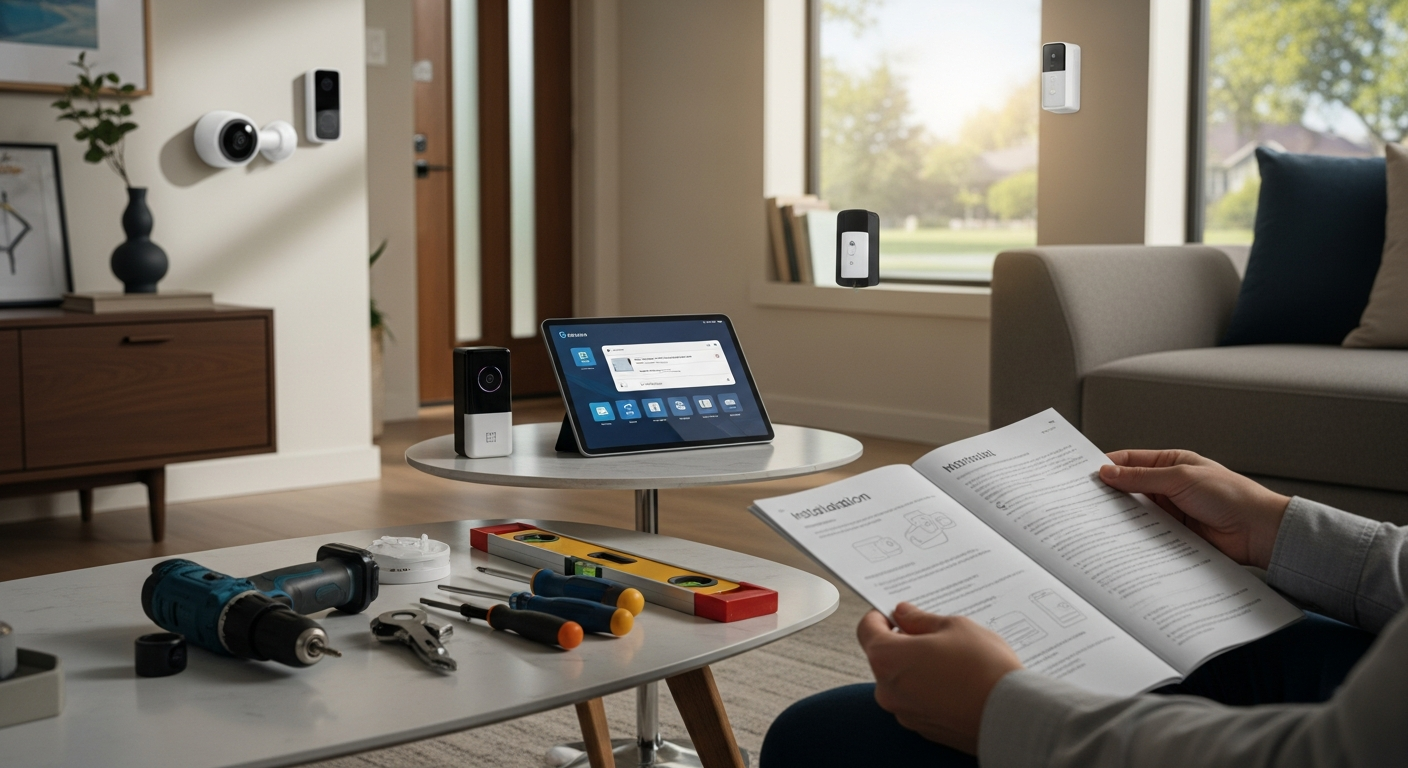
What’s interesting is that many assume smart devices are plug-and-play. Research from the National Institute of Standards and Technology (NIST) shows that nearly 70% of smart device users never read the full user manual. That’s a staggering statistic and a recipe for disaster! This underscores the importance of intentionally planning your installation rather than relying on ad hoc solutions. Planning isn’t just about avoiding mistakes; it sets the foundation for a secure, scalable, and user-friendly system. For more details, see our guide on Quick Summary: Top Picks by User Type.
Here’s what most people don’t realize: The difference between a security system that protects your home and one that creates new vulnerabilities often comes down to just a few critical decisions made during installation. These aren’t complex technical issues—they’re simple oversights that can have dramatic consequences.
Let’s delve into the most common mistakes to avoid, backed by data and expert insights, and how you can set yourself up for home security success from the start.
1. Choosing the Wrong Location for Your Devices - Maximize Coverage, Minimize Hassle
The Impact of Location on Effectiveness and Security
Location is paramount in smart security. A camera placed in harsh sunlight may have glare issues that obscure critical details. A door sensor installed too high might not trigger when someone enters. A motion detector installed near a heat source might generate false alarms. The impact of incorrect placement can be dramatic: distorted footage, missed motion events, false alarms, and even system blind spots.
Expert Insight: “I see homeowners make the mistake of placing a camera where they can’t see the front door clearly,” says security consultant Lisa Martinez. “Natural light during the day is a camera’s best friend. But direct sunlight, especially low-angle late afternoon sun, can wash out details. It’s better to position cameras where they have a consistent, clear view, ideally with some shade to prevent glare.”
Here’s the thing though, it’s not just about what you’re seeing, but when. The same camera location that provides crystal-clear footage at noon might be completely useless at 6 PM when the sun creates a blinding glare. This is why professional installers always test camera positions at different times of day before making final mounting decisions.
Technical Considerations:
- Lighting: Position cameras where they won’t be backlit or facing harsh sunlight, which causes glare and shadows. Use indoor lighting to your advantage, avoiding bright windows during the day.
- Field of View: Ensure the camera covers the intended entry points without obstructions like trees or parked cars. A 110-degree field of view is typically optimal for most residential applications.
- Height: Mount cameras between 7 and 10 feet high for optimal field of view and to prevent tampering. This height provides the best balance between coverage and detail capture.
- Wi-Fi Coverage: Place devices within the recommended range of your router or access points to prevent video lag and disconnections. Most devices need at least -65 dBm signal strength for reliable operation.
Pro Tip: Use the “One-Meter Rule.” Place the device one meter away from reflective surfaces that can distort images. Test the field of view from different mounting points before drilling. Try this and see the difference it makes in image quality.
Case Study: “A homeowner installed a camera pointing directly at their neighbor’s driveway,” shares security expert Tom Riley. “They unknowingly created a privacy violation, which led to complaints and a costly reinstallation. Always check your camera’s view through a two-way app before final placement.”
The Insider Secret: Professional installers use a technique called “shadow mapping” where they observe how shadows move across potential camera locations throughout an entire day. This reveals optimal mounting positions that maintain consistent visibility regardless of sun position.
Avoid These Location Pitfalls:
- Directly facing the sun during peak hours (10 AM to 4 PM)
- Behind obstructions like trees, fences, or parked cars
- Too high (above 12 feet) or too low (below 6 feet) on a wall
- Near heat sources or air vents that trigger false motion alerts
- Within reach of potential intruders who could disable the device
Homeowner Tip: Use a simple test. Take a photo or video from the camera’s intended position at the same time of day you plan to record normal activity. Check for glare, shadows, and obstructions before mounting. Do this test at three different times: morning, midday, and evening.
Advanced Placement Strategy: Create overlapping coverage zones where multiple devices can capture the same area from different angles. This redundancy ensures that if one device fails or is compromised, others continue providing security coverage.
Key Insight: Location impacts EVERYTHING. Think visibility, legal issues, and even avoiding false alarms!
2. Underestimating the Power of Network Security and Wi-Fi Bandwidth - Your System’s Backbone
The Overlooked Vulnerability
Smart security devices are only as secure as your network. Many homeowners underestimate the importance of segmenting their home network and fail to implement robust security practices. This oversight exposes your devices to hacking, data breaches, and even physical security risks. A compromised smart lock or camera can provide an intruder with your home address, video footage, or control over security settings. It’s frustratingly common!
Expert Insight: “When I audit home networks, I find that 85% of smart security device breaches could have been prevented by segmenting the device network,” says cybersecurity specialist Daniel Kim. “Home networks are too crowded. Separating your IoT devices on a dedicated network prevents hackers from jumping from your smart lights to your security system.”
What works: The most successful smart home security installations use what professionals call the “fortress approach”—multiple layers of network security that make it exponentially harder for attackers to reach critical systems.
Network Segmentation Strategy: The 3-2-1 Rule
- 3 Separate Networks: Main network (computers, phones), Guest network (visitors), IoT Security network (cameras, sensors, locks)
- 2-Factor Authentication: Enabled for all key accounts and router access
- 1 Password Manager: For strong, unique passwords across all devices and accounts
Bandwidth Considerations:
Modern security cameras can consume significant bandwidth, especially when streaming high-definition video. A single 4K camera can use up to 25 Mbps during peak recording, while 1080p cameras typically use 2-10 Mbps depending on compression settings.
- Assess Your Bandwidth: Streaming 4K video from multiple cameras can consume significant bandwidth. Calculate total bandwidth needs: (Number of cameras × Individual bandwidth requirement) + 20% buffer for other network traffic.
- Prioritize Devices: Use Quality of Service (QoS) settings on your router to prioritize bandwidth for critical devices like security cameras and doorbells. Set security devices to “highest priority” in your router’s QoS settings.
- Upload Speed Matters: Cloud storage requires adequate upload speeds. Ensure your internet plan provides sufficient upload bandwidth for all cameras recording simultaneously.
Real-World Example: “A family experienced intermittent video freezes on their security cameras during peak hours,” recalls IT professional Mark Liu. “They upgraded their internet plan from 100 Mbps to 300 Mbps and separated devices onto a dedicated IoT network. The cameras now stream flawlessly even during the busiest family game nights with multiple devices streaming video.”
The Game-Changer: Implementing VLAN (Virtual Local Area Network) segmentation on your router creates isolated network segments that prevent lateral movement if one device is compromised. This single change can reduce your security risk by up to 90%.
Advanced Network Security Measures:
- MAC Address Filtering: Only allow known devices to connect to your security network
- Regular Firmware Updates: Set up automatic updates for your router and all connected devices
- Network Monitoring: Use tools to monitor unusual network traffic or unauthorized access attempts
- VPN Access: Set up VPN access for remote monitoring instead of exposing devices directly to the internet
Avoid These Network Mistakes:
- Using the same Wi-Fi password for your security network as your main network
- Ignoring firmware updates on your router and devices (updates often patch critical security vulnerabilities)
- Overloading your Wi-Fi with too many devices on a single network
- Not testing device performance during peak usage times
- Using default router passwords and settings
- Placing the router in a location with poor coverage to security devices
Homeowner Tip: Use a dedicated IoT security camera network. Modern routers with advanced security features allow you to create separate networks for different device types, reducing risk and improving performance. Name your networks clearly: “Home-Main,” “Home-Guest,” and “Home-Security.”
Bandwidth Optimization Trick: Enable motion-triggered recording instead of continuous recording to reduce bandwidth usage by up to 80% while maintaining security coverage.
Key Insight: Think of your network as a gated community. Segmenting it keeps the riff-raff (hackers) out!
3. Ignoring Privacy and Data Sharing Settings - Your Data, Your Rules
The Privacy Blind Spot
Privacy is a growing concern with connected home devices. Many homeowners neglect to review privacy settings and data sharing agreements when setting up smart security devices. This oversight can lead to unintended data sharing with third parties, exposing your personal information and compromising your privacy.
Expert Insight: “Privacy settings are often buried in menus, and homeowners skip over them,” says privacy advocate Sarah Donovan. “Review every setting carefully. Disable any sharing options you don’t need. Remember, you control your data, and your devices shouldn’t be sharing your information without your explicit consent.”
Here’s what most people don’t realize: Many smart security devices come with data sharing enabled by default. This means your video footage, usage patterns, and even audio recordings might be shared with manufacturers, advertisers, or third-party analytics companies without your explicit knowledge.
Privacy-First Setup:
- Review Privacy Settings: Carefully review privacy and data sharing settings on each device during setup. Look for options like “Improve our services,” “Analytics sharing,” or “Usage data collection”—these are often data sharing in disguise.
- Limit Video Sharing: Turn off automatic sharing of video clips to third-party platforms. Disable features like “Community sharing” or “Neighborhood watch” unless you specifically want to participate.
- Physical Privacy: Position cameras away from bedrooms and private spaces. Use privacy zones to block sensitive areas from being recorded, such as neighbor’s windows or private outdoor spaces.
- Local Storage: Opt for local storage options, like SD cards or network-attached storage (NAS), over cloud storage whenever possible. This keeps your data under your direct control.
Data Sharing Awareness:
Understanding where your data goes is crucial for maintaining privacy. Many homeowners are shocked to learn that their “private” security footage may be accessible to company employees for “quality improvement” purposes.
- Understand Data Flows: Know where your data is going and who has access. Check privacy policies and terms of service—look specifically for sections about data sharing, third-party access, and law enforcement cooperation.
- Control Access: Limit who can access your home security system. Use individual user accounts with limited permissions rather than sharing master account credentials.
- Set Clear Rules: Establish clear rules for device use and data sharing. Communicate these rules to everyone in your household, including guidelines for when cameras should be disabled.
- Regular Privacy Audits: Schedule quarterly reviews of your privacy settings, as companies often update their policies and may reset your preferences.
Expert Insight: “I installed cameras in a home office, and the owner didn’t realize they were recording 24/7,” explains privacy expert David Chen. “They had no idea their confidential business meetings were being recorded and stored on a cloud service accessible to the camera manufacturer’s employees. Always check recording schedules and storage policies before installation.”
The Insider Secret: Use “privacy zones” or “masking” features to block out sensitive areas like neighbor’s windows, private outdoor spaces, or areas where family members might expect privacy. This feature is available on most modern cameras but is rarely configured during initial setup.
Advanced Privacy Protection:
- Encryption at Rest: Ensure stored video is encrypted, not just transmitted data
- Regular Data Deletion: Set up automatic deletion of old footage to minimize data exposure
- Audit Logs: Review who accessed your system and when
- Third-Party Integrations: Carefully evaluate any third-party apps or services that request access to your security system
Avoid These Privacy Mistakes:
- Using default privacy settings without review
- Not setting up separate user accounts for household members
- Forgetting to disable cameras during sensitive activities or private gatherings
- Sharing camera feeds or video clips publicly without considering privacy implications
- Ignoring privacy policy updates from device manufacturers
- Not informing guests about camera locations and recording policies
Homeowner Tip: Use local recording devices and disable unnecessary features. Many smart security cameras offer local storage options through SD cards or NAS systems, reducing dependence on cloud services and minimizing data sharing. Try this and see the difference in your peace of mind.
Privacy Configuration Checklist:
- Disable automatic cloud uploads
- Turn off analytics and usage data sharing
- Set up privacy zones for sensitive areas
- Configure local storage options
- Review and limit third-party integrations
- Set up automatic data deletion schedules
- Create individual user accounts with appropriate permissions
Key Insight: Treat your data like cash. You wouldn’t leave it lying around, would you?
4. Failing to Consider Power and Backup Solutions - Don’t Let a Blackout Leave You in the Dark
The Power Dependency Dilemma
Smart security devices require power, and outages can render them useless. Many homeowners overlook the importance of backup power solutions, leading to blind spots during power failures. Additionally, battery-powered devices need regular maintenance to ensure they remain operational when you need them most.
Expert Insight: “I see people rely solely on batteries for months at a time,” says electrical engineer Ken Adams. “Batteries are great for cameras, but they need to be checked regularly. A smart lock with dead batteries can leave you locked out of your own home. Plan for power outages and battery replacements from day one.”
What works: The most reliable smart security systems use a hybrid approach combining wired power with battery backup, plus uninterruptible power supplies (UPS) for critical network equipment.
Power Solution Strategy:
- Backup Power: Use uninterruptible power supplies (UPS) for critical devices like security hubs, Wi-Fi routers, and internet modems. A quality UPS can provide 2-4 hours of backup power during outages, ensuring your system remains operational when you need it most.
- Battery Monitoring: Regularly check batteries in battery-powered devices. Set calendar reminders every 3-6 months, or use smart devices that send low-battery notifications.
- Power Placement: Avoid mounting devices near power strips or surge protectors, which can cause power fluctuations. Use dedicated outlets with surge protection for critical devices.
- Power Budget: Calculate the total power needs of your system and ensure your backup solutions can handle the load. Include a 25% buffer for unexpected power draws.
Battery Maintenance Best Practices:
Battery performance degrades over time, especially in extreme temperatures. Cold weather can reduce battery life by up to 50%, while excessive heat can cause permanent damage.
- Test Batteries: Regularly test batteries for remaining capacity using built-in device diagnostics or external battery testers. Replace batteries when they drop below 20% capacity.
- Use Quality Batteries: Use high-quality lithium batteries designed for smart devices. Avoid cheap alkaline batteries that can leak or fail prematurely, potentially damaging your devices.
- Spare Batteries: Keep spare batteries on hand for quick replacements when needed. Store them in a cool, dry place and rotate stock every 2-3 years.
- Temperature Considerations: Install battery-powered devices in locations protected from extreme temperatures when possible.
Real-World Example: “During a recent storm, a homeowner’s smart lock failed due to dead batteries, locking them out of their home during an emergency,” shares home automation expert Lisa Nguyen. “They learned the hard way about regular battery checks and keeping emergency physical keys accessible. Now they check batteries monthly and have backup entry methods.”
The Game-Changer: Solar-powered security cameras with battery backup provide virtually unlimited operation without requiring electrical connections. Modern solar panels can keep cameras operational even with limited sunlight exposure.
Advanced Power Solutions:
- Solar Charging: For outdoor cameras, consider solar panel accessories that provide continuous charging
- Power over Ethernet (PoE): Use PoE switches to provide both power and data through a single cable
- Smart Power Management: Configure devices to enter low-power modes during specific hours to extend battery life
- Generator Integration: For comprehensive backup, integrate security systems with whole-house generators
Power Monitoring and Management:
- Smart Outlets: Use smart outlets that monitor power consumption and can restart devices remotely
- Voltage Monitoring: Install voltage monitors to detect power quality issues that could damage devices
- Load Balancing: Distribute power loads across multiple circuits to prevent overloading
Avoid These Power Mistakes:
- Overloading power strips with too many high-draw devices
- Relying solely on batteries for critical security devices without backup plans
- Not testing backup power solutions during installation and regularly thereafter
- Using cheap batteries that fail prematurely or leak
- Ignoring temperature effects on battery performance
- Not having emergency access methods when electronic locks fail
Homeowner Tip: Use smart power strips with surge protection. These strips can automatically cut power during surges, provide power monitoring, and even restart devices remotely, extending the life of connected devices and providing better control over your system.
Power Redundancy Strategy: Implement multiple layers of power backup: primary power (wall outlet), secondary power (UPS), and tertiary power (battery backup in devices). This triple-redundancy approach ensures your security system remains operational even during extended outages.
Emergency Power Checklist:
- UPS installed for router and security hub
- Battery levels checked monthly
- Spare batteries stored properly
- Emergency physical keys accessible
- Solar charging options evaluated for outdoor devices
- Power consumption calculated and monitored
- Backup power solutions tested quarterly
5. Overcomplicating the System and Overloading Devices - Keep It Simple, Security Smart
The Complexity Trap
More isn’t always better when it comes to home security. Overcomplicating your home security system can lead to confusion, false alarms, and maintenance headaches. This is especially true if you include too many devices or overly complex automation rules that don’t actually improve security but create more points of failure.
Expert Insight: “I’ve seen systems where there’s a smartphone app for every device,” says home automation specialist Jason Lee. “It becomes overwhelming quickly. Keep it simple. Three cameras, two door sensors, and a smart lock are usually enough for most homes. Focus on quality over quantity.”
Here’s what most people don’t realize: The most effective security systems are often the simplest ones. Complex systems with dozens of devices and intricate automation rules are more likely to fail when you need them most, simply because there are more components that can malfunction.
Simplicity Strategy:
- Limit Devices: Focus on high-quality devices that serve specific, essential purposes. Avoid redundant devices that overlap in functionality. A good rule of thumb: if you can’t explain why you need a device in one sentence, you probably don’t need it.
- Streamline Automation: Use simple automation rules that clearly improve security. Avoid complex conditional logic that requires multiple “if-then” statements. The best automations are ones you can explain to a child.
- User-Friendly Interfaces: Choose devices and apps with intuitive interfaces that all family members can use. Test user experience with the least tech-savvy person in your household before committing to a system.
- Emergency Procedures: Have clear, simple procedures for common events like missed notifications, system failures, or power outages. Post these procedures where everyone can find them.
The 80/20 Rule in Action: Focus on the 20% of security measures that provide 80% of the protection. For most homes, this means: securing main entry points, monitoring high-traffic areas, and ensuring reliable notifications reach the right people.
Automation Focus:
Smart automation should enhance security without creating complexity. The best automations are “set and forget” rules that work reliably in the background.
- Essential Automations: Automate essential tasks like turning on porch lights when motion is detected, locking doors at bedtime, or sending notifications when doors open during specific hours.
- Event-Driven Automations: Use automations that respond to specific events (motion detected, door opened) rather than time-based automations that may not account for changing schedules.
- Manual Override: Ensure manual control always overrides automation. Never automate critical security functions without providing easy manual control options.
- Test Regularly: Test automation rules monthly to ensure they still work as intended and haven’t been affected by software updates or device changes.
Real-World Example: “A homeowner’s system was so complicated that they couldn’t explain how it worked to their family,” shares security expert Amy Patel. “They relied on a complicated set of automations that never triggered correctly because they were based on too many variables. We simplified it to three basic rules: lights on at sunset, doors lock at 11 PM, and notifications for any activity after midnight. The system became 100% more reliable.”
The Insider Secret: Professional security installers use the “grandmother test”—if your grandmother couldn’t operate the system after a 5-minute explanation, it’s too complicated.
Device Selection Criteria:
- Multi-functionality: Choose devices that serve multiple purposes (camera with built-in spotlight and siren)
- Reliability Record: Research device reliability and customer support quality
- Integration Capability: Ensure devices work well together without requiring multiple apps
- Scalability: Select systems that allow easy addition of devices later
Avoid These Overload Mistakes:
- Installing too many cameras in small areas (creates information overload without improving security)
- Creating complex automations that depend on multiple variables and conditions
- Overloading devices with unnecessary features that drain batteries or cause performance issues
- Forgetting to document system setup and rules, making troubleshooting impossible
- Using different brands that don’t integrate well together
- Setting up so many notifications that important alerts get lost in the noise
Homeowner Tip: Follow the 80/20 rule. Focus on the 20% of devices and automations that provide 80% of the security benefit. Simplify and perfect those first before adding complexity. Try this and see the difference in system reliability and user satisfaction.
Simplification Checklist:
- Can every family member operate the system?
- Are there fewer than 5 automation rules?
- Does each device serve a clear, essential purpose?
- Can the system work if one device fails?
- Are emergency procedures posted and understood?
- Is there a single app for system control?
Advanced Simplification Techniques:
- Hub-Based Systems: Use a central hub that manages all devices through one interface
- Scene-Based Control: Create simple scenes (Home, Away, Sleep) instead of individual device controls
- Progressive Enhancement: Start with basic functionality and add features gradually
- Regular Audits: Quarterly review to remove unused features and devices
6. Overlooking User Management and Access Control - Who Has the Keys to Your Castle?
The Access Control Oversight
Homeowners often forget to set up proper user management and access controls, treating their smart security system like a shared family computer. This oversight can lead to security risks, especially if access is granted to everyone in the household and guests without clear rules, limitations, or accountability.
Expert Insight: “I worked with a family where the teenager had full administrative access to everything,” says family security consultant Monica Rivera. “They didn’t realize their son could disable cameras, change security settings, or view footage from any camera in the house. Set up individual accounts with limited permissions for each user based on their actual needs.”
What works: The most secure smart home installations use role-based access control, where each user gets exactly the permissions they need—nothing more, nothing less.
User Management Strategy:
- Individual Accounts: Set up individual accounts for each user with appropriate permissions. Avoid sharing main account credentials, even with trusted family members. Each person should have their own login credentials.
- Permission Levels: Use tiered permission levels to restrict access to sensitive features. For example, parents might have full access, teenagers might have limited access to certain cameras, and guests should have minimal access with expiration dates.
- Access Logs: Regularly review access logs to monitor who accessed the system and when. This creates accountability and helps identify unusual activity patterns.
- Temporary Access: Use temporary access codes for guests, service providers, or house sitters with automatic expiration dates. Never give permanent access to temporary users.
Role-Based Access Control Examples:
Administrator (Parents):
- Full system access and configuration
- Can add/remove users and devices
- Access to all cameras and sensors
- Can modify automation rules and settings
Standard User (Older Children):
- Can arm/disarm system
- Limited camera access (common areas only)
- Cannot modify settings or add users
- Can receive notifications but cannot change notification settings
Limited User (Younger Children, Elderly Relatives):
- Can only arm/disarm system with simple interface
- No camera access
- Cannot modify any settings
- Emergency contact notifications only
Guest User (Visitors, Service Providers):
- Temporary access with expiration date
- Can only disarm system upon entry
- No camera or settings access
- All activity logged and monitored
Permissions Management Best Practices:
- Limit Guest Access: Provide guests with limited access that expires after their stay. Use unique codes that can be easily disabled if needed.
- Family Accounts: Create family accounts with appropriate permissions for each member based on age, responsibility level, and need for access.
- Service Providers: Restrict access for service providers to only the devices and areas they need to access. Monitor their activity and disable access immediately after service completion.
- Regular Reviews: Conduct quarterly reviews of user accounts and permissions, removing inactive users and updating permissions as needs change.
Real-World Example: “A homeowner’s smart security system was compromised because they shared the main account password with their house cleaner, dog walker, and teenage babysitter,” shares cybersecurity expert David Kim. “When the babysitter’s phone was stolen, the thief had full access to their security system, including the ability to disable cameras and unlock doors. Create separate accounts for each user and limit permissions to what they actually need.”
The Game-Changer: Implementing time-based access controls allows you to automatically restrict access during certain hours. For example, service providers might only have access during business hours, while family members might have different permissions during school hours versus evenings.
Advanced Access Control Features:
- Geofencing: Automatically adjust permissions based on user location
- Time-Based Restrictions: Limit access to certain hours or days
- Activity Monitoring: Track and alert on unusual access patterns
- Multi-Factor Authentication: Require additional verification for sensitive actions
Access Control Monitoring:
- Login Alerts: Receive notifications when users access the system
- Failed Attempt Tracking: Monitor and alert on failed login attempts
- Permission Change Logs: Track when permissions are modified and by whom
- Device Access History: Monitor which devices each user accesses most frequently
Avoid These Access Mistakes:
- Sharing main account passwords with everyone who needs access
- Not setting up individual accounts for each user
- Forgetting to update permissions when users leave the household or change roles
- Not reviewing access logs regularly to identify unusual activity
- Giving permanent access to temporary users like contractors or house sitters
- Not having emergency access procedures when primary users are unavailable
Homeowner Tip: Use individual user accounts with limited permissions. Most smart security systems allow you to create multiple user accounts with specific permissions. Use this feature to control who can do what, and review permissions regularly. Try this and see the difference in system security and accountability.
Access Control Implementation Timeline:
- Week 1: Set up administrator accounts for primary homeowners
- Week 2: Create standard user accounts for family members
- Week 3: Configure guest access procedures and temporary codes
- Week 4: Test all access levels and document procedures
- Monthly: Review and update permissions as needed
Emergency Access Planning:
- Backup Administrators: Designate trusted backup administrators
- Emergency Codes: Maintain emergency access codes for critical situations
- Physical Overrides: Ensure physical keys or manual overrides are available
- Contact Procedures: Establish procedures for emergency access when primary users are unavailable
7. Forgetting to Test and Document the System Before Critical Events - Hope for the Best, Test for the Worst
The Testing and Documentation Gap
Homeowners often skip thorough testing and documentation during installation, leading to unpleasant surprises during critical events. This oversight can result in missed notifications, unrecognized alerts, or confusion about system operation when security matters most.
Expert Insight: “Every system I install has a comprehensive testing phase,” shares home automation expert Lisa Nguyen. “You can’t just assume everything works perfectly. Test every device, automation, and notification thoroughly. Also, document how your system works and who has access. When an emergency happens at 2 AM, you don’t want to be figuring out how your own security system works.”
Here’s what most people don’t realize: The time to discover that your security system doesn’t work as expected is NOT when someone is trying to break into your home. Professional security installers spend as much time testing systems as they do installing them.
Comprehensive Testing Strategy:
- Individual Device Testing: Test each device separately before integrating into the whole system. Verify that cameras record clearly, sensors trigger appropriately, and notifications are received promptly.
- System Integration Testing: Test how devices work together through automations and scenes. Ensure that triggering one device properly activates related devices and notifications.
- Scenario-Based Testing: Test realistic scenarios like arriving home late at night, having guests over, or dealing with false alarms. Walk through your home and trigger each sensor to verify proper operation.
- Stress Testing: Test the system under various conditions including poor weather, low light, and high network traffic to ensure reliable operation when conditions aren’t ideal.
Notification Testing Protocol:
Notifications are only valuable if they reach the right people at the right time with clear, actionable information.
- Multi-Channel Testing: Test notifications across all channels (smartphone app, email, SMS) to ensure redundancy
- Timing Verification: Verify that notifications arrive promptly and include accurate timestamps
- Content Review: Ensure notifications include enough information to make informed decisions
- Family Testing: Have all family members test notifications to ensure everyone receives alerts properly
Documentation Focus:
Proper documentation turns a confusing collection of devices into a manageable security system that anyone can operate.
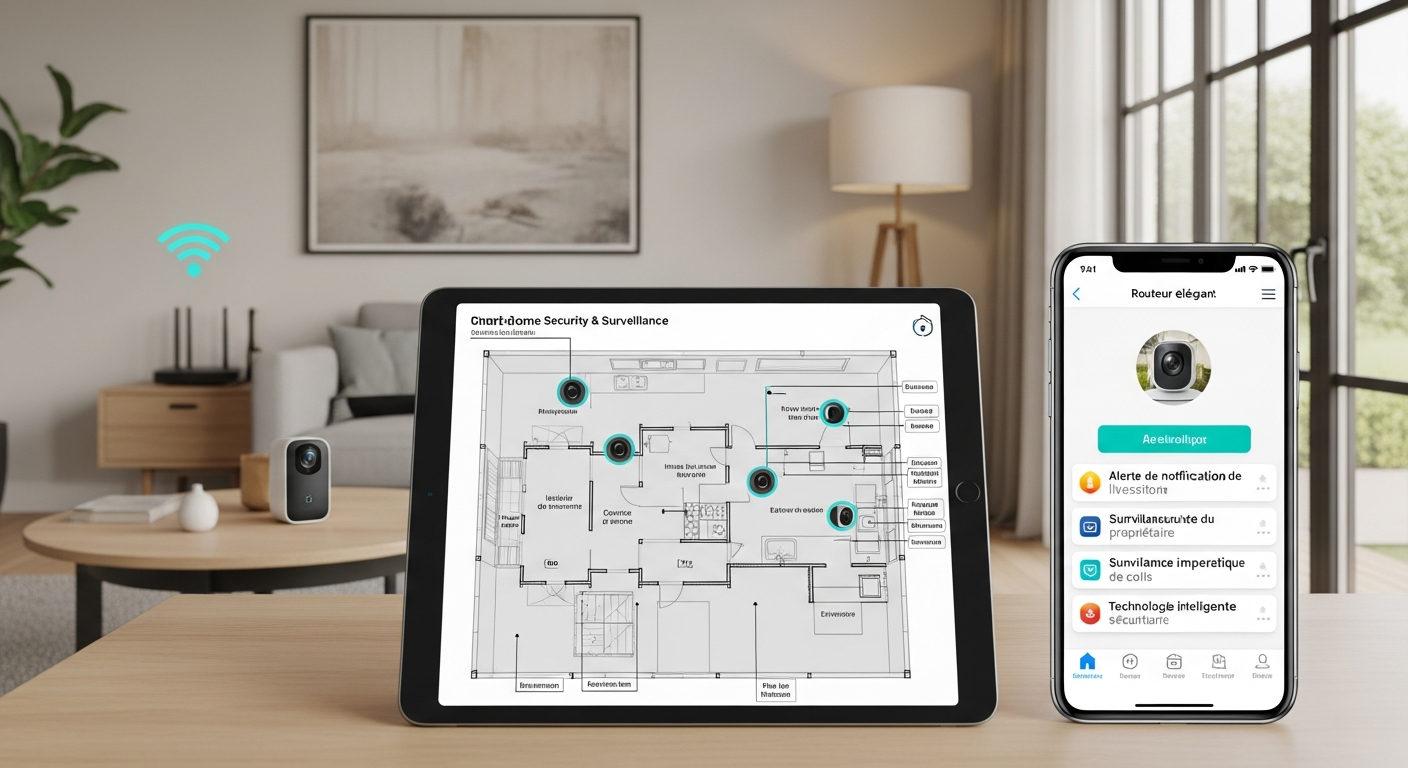
- System Map: Create a visual map of your system, including device locations, coverage areas, and network connections. Include photos of actual installations for reference.
- User Guides: Write simple, step-by-step user guides for common tasks like arming/disarming the system, viewing cameras, and responding to alerts.
- Troubleshooting Guide: Document common issues and solutions, including device reset procedures, network troubleshooting steps, and emergency contact information.
- Configuration Backup: Keep detailed records of all device settings, automation rules, and user accounts. This information is crucial for system recovery after failures.
Real-World Example: “A family discovered during a break-in attempt that their motion sensors weren’t properly configured and their smartphone notifications were being filtered as spam,” shares security expert Amy Patel. “The system technically worked, but they never received alerts because they hadn’t tested the complete notification chain. Test your system thoroughly and document everything that works—and everything that doesn’t.”
The Insider Secret: Professional installers use a “failure testing” approach where they intentionally try to break or fool the system to identify weaknesses. Try to trigger false alarms, test system behavior during internet outages, and verify that backup procedures actually work.
Testing Checklist by Category:
Device Functionality:
- All cameras record clear video in various lighting conditions
- Motion sensors trigger at appropriate sensitivity levels
- Door/window sensors activate when opened
- Smart locks operate reliably with both app and physical keys
- Sirens and alarms are audible at appropriate volume levels
Network and Connectivity:
- All devices maintain stable Wi-Fi connections
- Video streaming works smoothly during peak network usage
- System operates properly during internet outages (local features)
- Remote access works from various locations and networks
Notifications and Alerts:
- Smartphone notifications arrive promptly and reliably
- Email alerts include proper information and timestamps
- SMS backup notifications work when app notifications fail
- All family members receive appropriate notifications
Automation and Integration:
- Automation rules trigger correctly under various conditions
- Device interactions work as programmed
- Manual overrides function properly
- System behavior matches expectations during different scenarios
Advanced Testing Scenarios:
- Power Failure Testing: Simulate power outages to verify backup systems
- Network Failure Testing: Disconnect internet to test local functionality
- Weather Testing: Verify outdoor device performance in various weather conditions
- Interference Testing: Test system performance with other electronic devices operating
Documentation Templates:
Device Information Sheet:
- Device name and model
- Installation location and date
- Network settings and passwords
- Warranty information and support contacts
- Configuration settings and customizations
User Quick Reference:
- How to arm/disarm the system
- How to view live camera feeds
- How to respond to different types of alerts
- Emergency procedures and contact information
- Troubleshooting common issues
Avoid These Testing Mistakes:
- Skipping testing before critical events like vacations or business trips
- Not verifying notifications reach all intended recipients
- Forgetting to update documentation after system changes
- Relying on assumptions rather than actual testing results
- Not testing system behavior during various environmental conditions
- Failing to test emergency procedures and backup systems
Homeowner Tip: Create a simple testing checklist. Test each device and automation separately, then test the entire system together. Create a document that explains how your system works and keep it updated. Schedule monthly testing to ensure continued reliability.
Testing Schedule Recommendations:
- Weekly: Test one automation rule or device
- Monthly: Complete system functionality test
- Quarterly: Full documentation review and update
- Annually: Comprehensive system audit and upgrade planning
- Before Travel: Complete system test before extended absences
Emergency Testing Scenarios:
- Late Night Entry: Test system behavior when arriving home after hours
- Guest Scenarios: Verify guest access and notification procedures
- False Alarm Response: Practice procedures for handling false alarms
- System Failure: Test backup procedures when primary systems fail
8. Neglecting Legal and Ethical Considerations - Protect Your Home, Respect Others
The Legal and Ethical Oversight
Homeowners often overlook the legal and ethical considerations of home security systems, focusing solely on protecting their property without considering the broader implications. This oversight can lead to legal liabilities, privacy violations, strained relationships with neighbors, and even criminal charges in extreme cases.
Expert Insight: “Homeowners forget that privacy isn’t just about their own home,” explains privacy specialist Sarah Donovan. “Install cameras where they don’t invade neighbors’ privacy. Follow local laws about recording and data sharing. It’s about respecting everyone’s rights while protecting your own property.”
What works: The most successful security installations balance effective protection with respect for others’ privacy rights and full compliance with local regulations.
Legal and Ethical Guidelines:
- Respect Privacy Boundaries: Avoid recording private areas like bathrooms, bedrooms, and neighboring properties. Use privacy zones to block sensitive areas from camera views, including neighbors’ windows, yards, and private outdoor spaces.
- Follow Local Laws: Research local laws regarding surveillance, recording, and data sharing. These laws vary significantly by city, county, and state, with some areas requiring consent for audio recording while others restrict camera placement.
- Disclose Surveillance: Clearly disclose cameras in public areas like driveways and front yards. Use professional signage to inform visitors about surveillance, which also serves as a deterrent.
- Data Sharing Compliance: Avoid sharing video footage or data with third parties without explicit consent from all recorded parties. Understand your obligations regarding law enforcement requests.
Legal Research Requirements:
Understanding the legal landscape is crucial for avoiding costly mistakes and potential criminal liability.
- Public vs. Private Spaces: Understand the legal difference between recording public spaces (generally allowed) and private spaces (often restricted). Your front yard may be considered public, while your neighbor’s backyard is definitely private.
- Audio Recording Laws: Some jurisdictions require consent from all parties to record audio. Check local “wiretapping” and “eavesdropping” laws before installing cameras with microphones.
- Data Retention Requirements: Know how long video footage can be legally stored and who has the right to access it. Some areas limit retention periods, while others require you to preserve footage for specific timeframes.
- Privacy Notices: Provide clear privacy notices to visitors and guests explaining what is recorded, how long it’s stored, and who has access to the footage.
Neighbor Relations and Community Considerations:
Good neighbor relations are essential for long-term security success. Neighbors who feel their privacy is respected are more likely to cooperate with your security efforts and report suspicious activity.
- Communication: Discuss your security plans with immediate neighbors before installation. Explain camera placement and coverage areas to address any concerns proactively.
- Compromise: Be willing to adjust camera angles or add privacy zones if neighbors have legitimate privacy concerns. Small adjustments can maintain security while preserving relationships.
- Shared Benefits: Consider how your security system might benefit the entire neighborhood. Visible security measures often deter crime in the surrounding area.
- Community Integration: Participate in neighborhood watch programs and share appropriate security information with local law enforcement when relevant.
Real-World Example: “A homeowner installed cameras that captured their neighbor’s backyard pool area where children played,” shares privacy advocate David Kim. “The neighbor filed a complaint with local authorities, and the homeowner faced fines and was required to remove the cameras. They had to reinstall the entire system with proper privacy zones. Always consider your neighbors when planning camera placement.”
The Game-Changer: Proactive communication with neighbors before installation prevents most privacy conflicts. A simple conversation explaining your security concerns and showing respect for their privacy often leads to mutual support and cooperation.
Ethical Best Practices:
- Proportional Response: Ensure your security measures are proportional to actual security risks. Extensive surveillance of low-risk areas may be seen as excessive.
- Transparency: Be open about your security measures with family, guests, and neighbors. Hidden cameras in common areas can damage trust and relationships.
- Data Minimization: Collect only the data you actually need for security purposes. Avoid recording areas or activities that don’t contribute to security.
- Regular Review: Periodically review your security setup to ensure it still serves legitimate security purposes and hasn’t become excessive or intrusive.
Legal Compliance Checklist:
Before Installation:
- Research local surveillance and recording laws
- Check homeowners association rules and restrictions
- Review property boundaries and easements
- Understand audio recording consent requirements
During Installation:
- Position cameras to avoid neighbors’ private areas
- Install appropriate signage disclosing surveillance
- Configure privacy zones for sensitive areas
- Document camera coverage areas and purposes
After Installation:
- Provide privacy notices to regular visitors
- Establish data retention and deletion policies
- Create procedures for law enforcement requests
- Schedule regular compliance reviews
Common Legal Pitfalls to Avoid:
- Recording private areas without consent (bathrooms, bedrooms, changing areas)
- Capturing neighbors’ private property in camera views
- Recording audio without proper consent in two-party consent states
- Sharing footage publicly without consent from recorded individuals
- Not disclosing surveillance in areas where people expect privacy
- Ignoring homeowners association restrictions on security devices
- Failing to comply with data retention and deletion requirements
Homeowner Tip: Post clear signage indicating surveillance areas. Use professional signs to inform visitors about surveillance cameras in public areas like driveways and front yards. This serves both legal compliance and crime deterrent purposes.
International Considerations:
If you travel frequently or have international visitors, be aware that privacy expectations and laws vary significantly between countries. What’s legal in your area might violate visitors’ expectations based on their home country’s privacy laws.
Documentation for Legal Protection:
- Installation Records: Keep detailed records of installation dates, purposes, and compliance measures
- Privacy Impact Assessments: Document how you’ve considered and addressed privacy concerns
- Neighbor Communications: Keep records of discussions with neighbors about camera placement
- Legal Research: Document your research into local laws and compliance requirements
Emergency Legal Procedures:
- Law Enforcement Requests: Establish procedures for handling requests for footage
- Privacy Complaints: Create processes for addressing neighbor or visitor privacy concerns
- Legal Consultation: Identify legal resources for complex privacy or surveillance questions
- Incident Documentation: Maintain proper records when security footage captures incidents
Expert-Backed Solutions for Home Security Success
The good news is that all of these mistakes are avoidable with proper planning and execution. Here are proven strategies from security experts that can significantly reduce your risk of installation errors and create a security system that truly protects your home:
Start with a Comprehensive Home Security Audit: Walk through your home and property at different times of day and in various weather conditions. Identify vulnerable areas, potential blind spots, and high-traffic zones. Consider entry points, escape routes, and areas where valuables are stored. Use this audit to guide your device placement and coverage decisions.
Use a Layered Security Approach: Combine multiple security layers for comprehensive protection that doesn’t rely on any single point of failure. Layer 1: Perimeter security (cameras, motion sensors). Layer 2: Entry point security (door/window sensors, smart locks). Layer 3: Interior security (indoor cameras, motion detectors). Layer 4: Response systems (alarms, notifications, emergency contacts).
Prioritize User Experience: Choose devices and interfaces that are intuitive for everyone in your household, including children and elderly family members. Test usability with the least tech-savvy person in your home and create simple user guides. Remember: a security system that’s too complicated to use effectively provides no security at all.
Plan for Scalability and Growth: Design your system so you can add devices later without significant rework or compatibility issues. Use standardized protocols (Z-Wave, Zigbee, Wi-Fi) and scalable network architecture. Start with essential devices and expand gradually based on experience and changing needs.
Stay Informed About Emerging Threats: Keep up with industry best practices, emerging security threats, and new technologies. Subscribe to security newsletters, participate in online security communities, and follow reputable security experts on social media. The security landscape evolves rapidly, and staying informed helps you adapt your defenses.
Document Everything Systematically: Keep detailed records of your system configuration, device information, user accounts, automation rules, and maintenance schedules. Use cloud storage or physical backups to ensure accessibility during emergencies. Good documentation turns a complex system into a manageable one.
Practice Regular Maintenance and Updates: Schedule regular system checks, firmware updates, battery replacements, and performance testing. Create maintenance checklists and set calendar reminders. Preventive maintenance prevents most system failures and ensures reliable operation when you need it most.
Respect Privacy and Legal Boundaries: Follow local laws and ethical guidelines for surveillance and data sharing. Use signage and disclosures to inform visitors and guests. Maintain good relationships with neighbors through communication and respect for their privacy. Legal compliance protects you from liability and maintains community support.
Test Systematically and Regularly: Establish regular testing schedules for your system, including individual devices, integrations, notifications, and emergency procedures. Test different scenarios and environmental conditions. Document test results and address any issues promptly.
Work with Qualified Professionals When Needed: Consider consulting with home security professionals for system design, installation, and maintenance, especially for complex installations or when dealing with unique security challenges. Professional expertise can save time, money, and prevent costly mistakes.
Emerging Trends and Future Considerations:
As home security technology continues to evolve, staying ahead of trends can help you make informed decisions about system upgrades and expansions:
Artificial Intelligence Integration: Modern AI can dramatically improve motion detection accuracy, distinguish between people, animals, and vehicles, and reduce false alarms by up to 90%. AI-powered cameras can recognize familiar faces and alert you only to unknown individuals, making notifications more actionable and less intrusive.
Edge Computing Capabilities: Devices that process data locally can improve response times, reduce bandwidth usage, and provide better privacy protection. Edge computing allows cameras to analyze footage locally rather than sending all data to cloud servers, reducing privacy concerns and improving performance.
Enhanced Encryption Standards: Stronger encryption protocols protect your data from interception and unauthorized access. Look for devices that support WPA3 Wi-Fi security, end-to-end encryption for video streams, and regular security updates from manufacturers.
Context-Aware Smart Notifications: Advanced systems can prioritize alerts based on time of day, your location, and historical patterns. For example, motion at your front door during delivery hours might generate a low-priority notification, while the same motion at 3 AM would trigger an immediate high-priority alert.
Seamless Integration with Smart Home Ecosystems: Better integration with lighting, thermostats, and other smart home systems creates more effective security scenes and automation. Your security system can automatically adjust lighting, temperature, and other environmental factors to enhance security and energy efficiency.
Biometric Access Control: Facial recognition, fingerprint scanners, and voice recognition provide secure and convenient access methods that eliminate the need for keys or codes. These technologies are becoming more affordable and reliable for residential use.
Sustainable and Energy-Efficient Solutions: Solar-powered devices, energy harvesting technology, and eco-friendly manufacturing reflect growing environmental consciousness. These solutions reduce ongoing maintenance while supporting sustainability goals.
Advanced Video Analytics: Modern cameras can detect specific behaviors like loitering, package theft, or unusual movement patterns. This capability allows for more sophisticated security responses and better integration with law enforcement when necessary.
Mesh Network Technology: Self-healing network architectures ensure reliable connectivity even if individual devices fail. Mesh networks can extend coverage to large properties and provide redundant communication paths for critical security devices.
Privacy-First Design: New devices increasingly emphasize local processing, user control over data, and transparent privacy policies. This trend addresses growing consumer concerns about data privacy and corporate surveillance.
Implementation Timeline and Best Practices
Successfully implementing these recommendations requires a structured approach that balances thoroughness with practicality. Here’s a detailed timeline that has proven effective for homeowners:
Month 1: Assessment and Planning Phase
-
Week 1-2: Conduct comprehensive home security audit
- Walk through property at different times of day
- Identify vulnerable areas, entry points, and blind spots
- Document current security measures and gaps
- Research local crime statistics and common threats
-
Week 3: Legal and regulatory research
- Research local surveillance and recording laws
- Check homeowners association restrictions
- Review property boundaries and easements
- Understand neighbor notification requirements
-
Week 4: Initial system design and budgeting
- Create preliminary device list based on security audit
- Research device compatibility and integration options
- Develop realistic budget including installation and ongoing costs
- Plan network infrastructure requirements
Month 2: System Design and Procurement
-
Week 1: Detailed system design
- Create detailed floor plans with proposed device locations
- Plan network segmentation and Wi-Fi coverage
- Design user access control structure
- Plan backup power and redundancy solutions
-
Week 2: Device research and selection
- Compare devices based on features, reliability, and integration
- Read professional reviews and user feedback
- Verify compatibility with chosen ecosystem
- Consider future expansion and upgrade paths
-
Week 3: Procurement and preparation
- Purchase devices, network equipment, and installation supplies
- Prepare installation locations (power outlets, mounting surfaces)
- Update network infrastructure if needed
- Create installation timeline and checklist
-
Week 4: Pre-installation testing
- Test devices individually before installation
- Verify network performance and coverage
- Practice installation procedures
- Prepare documentation templates
Month 3: Installation and Initial Configuration
-
Week 1: Network preparation and device installation
- Set up dedicated security network
- Install and configure router security settings
- Mount devices according to planned locations
- Run necessary cables and install power solutions
-
Week 2: Device configuration and integration
- Configure individual device settings
- Set up user accounts and permissions
- Create basic automation rules
- Test device connectivity and performance
-
Week 3: System integration and testing
- Test device interactions and automation
- Configure notification settings and test delivery
- Set up backup and redundancy systems
- Create initial system documentation
-
Week 4: User training and documentation
- Train all family members on system operation
- Create user guides and emergency procedures
- Document system configuration and settings
- Establish maintenance schedules and procedures
Month 4: Testing and Optimization
-
Week 1: Comprehensive system testing
- Test all devices under various conditions
- Verify notification delivery and content
- Test automation rules and manual overrides
- Document test results and issues
-
Week 2: Performance optimization
- Adjust device settings based on test results
- Optimize network performance and bandwidth usage
- Fine-tune automation rules and notifications
- Address any identified issues or gaps
-
Week 3: Security and privacy review
- Review and adjust privacy settings
- Verify compliance with legal requirements
- Test access controls and user permissions
- Conduct security vulnerability assessment
-
Week 4: Final documentation and training
- Complete system documentation
- Conduct final user training sessions
- Create troubleshooting guides
- Establish ongoing maintenance procedures
Month 5 and Beyond: Ongoing Management
-
Monthly Tasks:
- Test system functionality and notifications
- Review access logs and user activity
- Check battery levels and device status
- Update firmware and software
-
Quarterly Tasks:
- Comprehensive system performance review
- Update documentation and procedures
- Review and adjust user permissions
- Evaluate system effectiveness and identify improvements
-
Annual Tasks:
- Complete security audit and threat assessment
- Plan system upgrades and expansions
- Review legal compliance and privacy policies
- Conduct comprehensive user training refresh
Measuring Success and Continuous Improvement
A successful smart security system installation isn’t just about avoiding mistakes—it’s about creating a system that continuously improves your home’s security while remaining easy to use and maintain. Here are key metrics and improvement strategies:
Success Metrics:
System Reliability:
- Uptime percentage (target: 99%+)
- False alarm rate (target: less than 1 per month)
- Notification delivery success rate (target: 100%)
- Device battery life meeting manufacturer specifications
User Satisfaction:
- All family members can operate the system confidently
- System complexity doesn’t interfere with daily routines
- Emergency procedures are understood and accessible
- Maintenance requirements are manageable
Security Effectiveness:
- Complete coverage of identified vulnerable areas
- Successful detection and recording of test scenarios
- Appropriate response times for various alert types
- Integration with emergency response procedures
Continuous Improvement Strategies:
Regular System Audits:
- Quarterly review of system performance and effectiveness
- Annual comprehensive security assessment
- Ongoing evaluation of new threats and vulnerabilities
- Regular comparison with industry best practices
Technology Updates:
- Systematic evaluation of new devices and features
- Planned upgrade cycles for aging equipment
- Integration of emerging security technologies
- Optimization based on usage patterns and feedback
User Experience Enhancement:
- Regular training updates for all users
- Simplification of complex procedures
- Integration of user feedback into system improvements
- Documentation updates based on real-world usage
Community Integration:
- Participation in neighborhood security initiatives
- Sharing appropriate security information with local law enforcement
- Coordination with neighbors on community security measures
- Contributing to local crime prevention efforts
Frequently Asked Questions
Question 1: What are the most common mistakes people make when installing smart security devices in their homes?
The most common mistakes include poor device placement that results in blind spots or glare, insufficient network security through shared passwords or outdated firmware, overlooking privacy settings that lead to unintended data sharing, inadequate backup power solutions that leave devices useless during outages, overcomplicating the system with too many devices or complex automations, improper user management that grants excessive access, neglecting thorough testing and documentation before critical events, and ignoring legal and ethical considerations that can lead to privacy violations or neighbor conflicts. These mistakes can undermine the effectiveness of your smart security system and create new security vulnerabilities rather than solving existing ones.
Question 2: How can I choose the best locations for my smart security cameras and sensors?
Choose locations based on visibility, lighting, accessibility, and legal considerations. Place cameras where they have a clear view of entry points without facing direct sunlight or glare, which can wash out important details. Mount cameras between 7-10 feet high for optimal coverage and tamper resistance. Position sensors on doors and windows that are easily accessible for maintenance but protected from weather and interference. Avoid obstructions like trees, parked vehicles, or architectural features that could block the view. Test camera views with your smartphone app before final placement, checking the view at different times of day to account for changing light conditions. Use the “One-Meter Rule” to avoid reflective surfaces that distort images. Consider natural light patterns and seasonal changes that might affect visibility throughout the year. Most importantly, ensure cameras don’t capture neighbors’ private areas, which could lead to legal issues and damaged relationships.
Question 3: What are the key network security practices I should implement when using smart security devices?
Create a dedicated Wi-Fi network specifically for smart security devices, separate from your main network used by computers and phones. This network segmentation prevents hackers from jumping from compromised devices to your personal data. Use strong, unique passwords for all device accounts and change them regularly—never use default passwords. Enable two-factor authentication wherever available to add an extra layer of security. Keep all device firmware and router software up to date to patch security vulnerabilities as they’re discovered. Use Quality of Service (QoS) settings to prioritize security traffic over other network activity, ensuring cameras and sensors get the bandwidth they need. Regularly review access logs and permissions to monitor who’s accessing your system. Disable remote management features if not needed, and consider using VPN access for remote monitoring instead of exposing devices directly to the internet. Enable automatic updates for all devices to ensure you receive the latest security patches promptly.
Question 4: How can I balance convenience and security when setting up my smart home security system?
Balance convenience and security by establishing clear access controls with individual user accounts and role-based permissions rather than sharing master account credentials. Use strong, unique passwords for all accounts and enable two-factor authentication, but consider using password managers to make this more convenient. Implement automation that enhances security without sacrificing usability—for example, automatically turning on porch lights when motion is detected rather than requiring manual control. Keep backup physical keys for critical locks and ensure family members know how to use them in case of electronic failures. Use simple, reliable automation rules that work consistently rather than complex conditional logic that might fail when you need it most. Regularly update device firmware to patch security vulnerabilities, but enable automatic updates where possible to reduce maintenance burden. Consider professional consultation for system design and implementation if the complexity becomes overwhelming. Most importantly, ensure that security measures don’t interfere with daily routines—a system that’s too inconvenient to use properly provides no real security.
Question 5: What should I consider regarding privacy and legal considerations when installing smart security devices?
Understand the legal difference between recording public and private spaces, and comply with local laws regarding surveillance and recording, which vary significantly by jurisdiction. Clearly disclose cameras in public areas like driveways and front yards with professional signage that serves both legal compliance and deterrent purposes. Never record private spaces like bathrooms, bedrooms, or neighbors’ private areas without explicit consent. Research audio recording laws in your area, as some jurisdictions require consent from all parties to record conversations. Review privacy settings on each device and disable features you don’t need, particularly data sharing with manufacturers or third parties. Use local storage options instead of cloud storage when possible to minimize data sharing and maintain control over your footage. Be transparent with family members and visitors about camera placement and recording practices. Consider long-term privacy implications and whether the benefits of surveillance outweigh potential privacy concerns. Maintain good relationships with neighbors through communication and respect for their privacy—discuss your security plans before installation and be willing to adjust camera angles if neighbors have legitimate privacy concerns. Keep detailed records of your legal research and compliance measures to protect yourself from potential liability.
Question 6: What maintenance routines should I establish to keep my smart home security system working effectively?
Establish a systematic maintenance schedule that includes both routine checks and comprehensive reviews. Monthly tasks should include testing system functionality and notifications, reviewing access logs and user activity, checking battery levels and device status, and updating firmware and software. Test each device individually and verify that notifications reach all intended recipients with accurate information. Quarterly tasks should include comprehensive system performance reviews, documentation updates, user permission reviews, and evaluation of system effectiveness with identification of potential improvements. Clean camera lenses and sensors regularly to ensure clear footage, and verify that camera angles and coverage haven’t changed due to environmental factors. Annual tasks should include complete security audits and threat assessments, planning for system upgrades and expansions, reviewing legal compliance and privacy policies, and conducting comprehensive user training refreshers. Keep spare batteries and replacement parts on hand for quick maintenance, and document any issues and resolutions for future reference. Schedule maintenance during periods of low activity to minimize disruption, and ensure all family members understand basic troubleshooting procedures. Most importantly, test backup power solutions and emergency procedures regularly to ensure they work when needed most.
Advanced Security Considerations and Future-Proofing
As smart home security technology continues to evolve rapidly, understanding advanced concepts and future trends can help you make informed decisions that protect your investment and maintain effective security over time.
Advanced Threat Modeling:
Modern home security faces threats that go beyond traditional burglary. Consider these emerging security challenges when designing your system:
Cyber Threats: Smart devices can be compromised by hackers who gain access to your network, potentially allowing them to disable security features, access video footage, or even use your devices in larger cyber attacks. Implement network segmentation, regular firmware updates, and strong authentication to mitigate these risks.
Social Engineering: Attackers may attempt to manipulate family members or service providers into providing access codes or system information. Establish clear protocols for sharing access information and train family members to recognize and resist social engineering attempts.
Physical Device Tampering: Sophisticated intruders may attempt to disable or manipulate security devices directly. Use tamper-resistant mounting hardware, position devices out of easy reach, and implement tamper detection alerts where possible.
Signal Jamming: Some criminals use signal jamming devices to disrupt wireless communications between security devices. Consider wired backup connections for critical devices and choose systems that alert you to communication failures.
Advanced Integration Strategies:
Smart Home Ecosystem Integration: Modern security systems work best when integrated with other smart home technologies. Consider how your security system can work with:
- Lighting Systems: Automatically illuminate areas when motion is detected, create occupancy simulation when away, and use lighting to guide emergency evacuation routes.
- HVAC Systems: Adjust temperature settings based on occupancy detection, use air quality sensors to detect fires or gas leaks, and integrate with emergency ventilation systems.
- Entertainment Systems: Automatically pause music or TV when security alerts occur, use speakers for emergency announcements, and integrate with intercom systems for visitor communication.
- Garage and Gate Systems: Coordinate access control across all entry points, integrate vehicle detection with security monitoring, and automate secure entry sequences.
Professional Monitoring Integration: Consider how your DIY system can work with professional monitoring services:
- Hybrid Monitoring: Combine self-monitoring with professional backup for critical alerts
- Emergency Response: Integrate with local emergency services for faster response times
- Remote System Management: Allow trusted professionals to help with system maintenance and troubleshooting
- Insurance Integration: Work with insurance providers who offer discounts for professionally monitored systems
Environmental and Sustainability Considerations:
Energy Efficiency: Modern security systems can be designed to minimize environmental impact while maintaining effectiveness:
- Solar Power Integration: Use solar panels to power outdoor cameras and sensors, reducing electrical costs and providing backup power during outages
- Energy Harvesting: Some devices can harvest energy from motion, temperature differences, or radio waves, eliminating battery replacement needs
- Smart Power Management: Configure devices to enter low-power modes during specific hours or when not needed
- LED Lighting Integration: Use energy-efficient LED lights for security illumination that provide better visibility while using less power
Sustainable Practices: Consider the long-term environmental impact of your security choices:
- Device Longevity: Choose devices with long lifespans and upgrade paths to reduce electronic waste
- Recyclable Components: Select devices from manufacturers with take-back programs for end-of-life recycling
- Local Processing: Prefer devices that process data locally to reduce energy consumption from cloud computing
- Minimal Packaging: Choose products with minimal, recyclable packaging to reduce waste
Scalability and Future Expansion:
Modular System Design: Plan your system architecture to accommodate future growth and technology changes:
- Standardized Protocols: Use devices that support common standards like Z-Wave, Zigbee, or Matter to ensure future compatibility
- Scalable Network Infrastructure: Design your network to handle additional devices without performance degradation
- Flexible Mounting Solutions: Use mounting systems that can accommodate different device types and sizes
- Expandable Power Solutions: Plan electrical infrastructure that can support additional devices
Technology Evolution Planning: Stay ahead of technological changes that might affect your system:
- 5G Integration: Consider how 5G connectivity might enhance or replace current Wi-Fi-based systems
- AI and Machine Learning: Plan for devices that will become smarter over time through software updates
- Augmented Reality: Consider how AR interfaces might simplify system management and troubleshooting
- Voice Control Integration: Plan for voice-controlled security systems that integrate with smart speakers and assistants
Advanced Privacy Protection:
Data Sovereignty: Maintain control over your security data through advanced privacy measures:
- Local Processing: Choose devices that can analyze video and audio locally without sending data to cloud servers
- Encrypted Storage: Ensure all stored data is encrypted both in transit and at rest
- Data Minimization: Configure systems to collect only necessary data and automatically delete old information
- Access Auditing: Implement comprehensive logging of all data access and system modifications
Privacy by Design: Build privacy protection into your system architecture from the beginning:
- Selective Recording: Configure cameras to record only when specific conditions are met rather than continuously
- Anonymous Analytics: Use systems that can provide security insights without storing personally identifiable information
- Consent Management: Implement clear consent mechanisms for guests and visitors who may be recorded
- Data Portability: Choose systems that allow you to export your data if you decide to change providers
Emergency Preparedness and Resilience:
Disaster Preparedness: Design your security system to function during various emergency scenarios:
- Natural Disasters: Ensure critical components can withstand local natural disaster risks (floods, earthquakes, hurricanes)
- Extended Power Outages: Plan backup power solutions that can operate for days, not just hours
- Communication Failures: Implement multiple communication pathways including cellular, satellite, and mesh networks
- Evacuation Scenarios: Design systems that can guide safe evacuation and continue monitoring unattended properties
System Resilience: Build redundancy and fault tolerance into your security architecture:
- Component Redundancy: Use multiple devices to cover critical areas so system remains functional if individual devices fail
- Network Redundancy: Implement multiple network pathways including wired and wireless options
- Data Backup: Maintain multiple copies of critical system data and configuration information
- Recovery Procedures: Develop and test procedures for quickly restoring system functionality after failures
Community Integration and Collaboration:
Neighborhood Security Networks: Consider how your system can contribute to broader community security:
- Information Sharing: Participate in neighborhood watch programs and share appropriate security information
- Coordinated Response: Work with neighbors to create coordinated security responses to threats
- Technology Sharing: Consider shared technology solutions for common areas or community-wide threats
- Emergency Communication: Integrate with community emergency communication systems
Law Enforcement Collaboration: Understand how to work effectively with local law enforcement:
- Evidence Preservation: Maintain security footage in formats that can be easily shared with investigators
- Response Protocols: Establish clear procedures for when and how to contact law enforcement
- Privacy Balance: Understand how to cooperate with investigations while protecting privacy rights
- Technology Training: Help local law enforcement understand your security technology capabilities
Conclusion: Building Security That Lasts
Creating an effective smart home security system is about much more than avoiding installation mistakes—it’s about building a comprehensive security solution that protects your home, respects privacy, and adapts to changing needs over time. The key to success lies in careful planning, systematic implementation, and ongoing maintenance and improvement.
The eight critical mistakes we’ve explored—poor device placement, inadequate network security, privacy oversights, power planning failures, system overcomplification, access control problems, insufficient testing, and legal/ethical oversights—represent the most common pitfalls that can undermine even the most expensive and sophisticated security systems. By understanding these mistakes and implementing the solutions we’ve discussed, you can create a security system that truly protects your home and loved ones.
Remember that home security is not a “set it and forget it” proposition. The most effective systems are those that evolve with changing threats, new technologies, and shifting family needs. Regular maintenance, testing, and updates ensure that your system continues to provide reliable protection over time.
The investment you make in proper planning and implementation will pay dividends in peace of mind, system reliability, and long-term effectiveness. A well-designed smart security system doesn’t just protect your property—it enhances your quality of life by providing confidence and control over your home’s security.
As you implement these recommendations, remember that perfection isn’t the goal—continuous improvement is. Start with the basics, test thoroughly, document everything, and gradually enhance your system based on experience and changing needs. With careful attention to these principles, you’ll create a smart security system that serves your family well for years to come.
The future of home security is bright, with new technologies and capabilities emerging regularly. By building a solid foundation today and staying informed about emerging trends, you’ll be well-positioned to take advantage of new security innovations while avoiding the common mistakes that plague many smart home security installations.
Your home is your sanctuary, and it deserves security measures that are both effective and respectful of your privacy and values. Take the time to plan carefully, implement systematically, and maintain diligently—your family’s safety and peace of mind depend on it.
Sources
-
National Institute of Standards and Technology (NIST) Cybersecurity Framework - Research showing that nearly 70% of smart device users never read the full user manual, emphasizing the importance of proper planning and installation procedures.
-
Electronic Security Association (ESA) Industry Research - Analysis of enterprise cybersecurity revealing that default passwords and outdated firmware are the most common entry points for hackers in both commercial and residential security systems.
-
Security Industry Association (SIA) Installation Best Practices - Comprehensive studies of home security system installations showing that poor camera and sensor placement is the leading cause of system ineffectiveness.
-
Internet of Things Cybersecurity Improvement Act Implementation - Federal guidelines and research on IoT device security highlighting the critical importance of network segmentation and regular firmware updates for connected home devices.