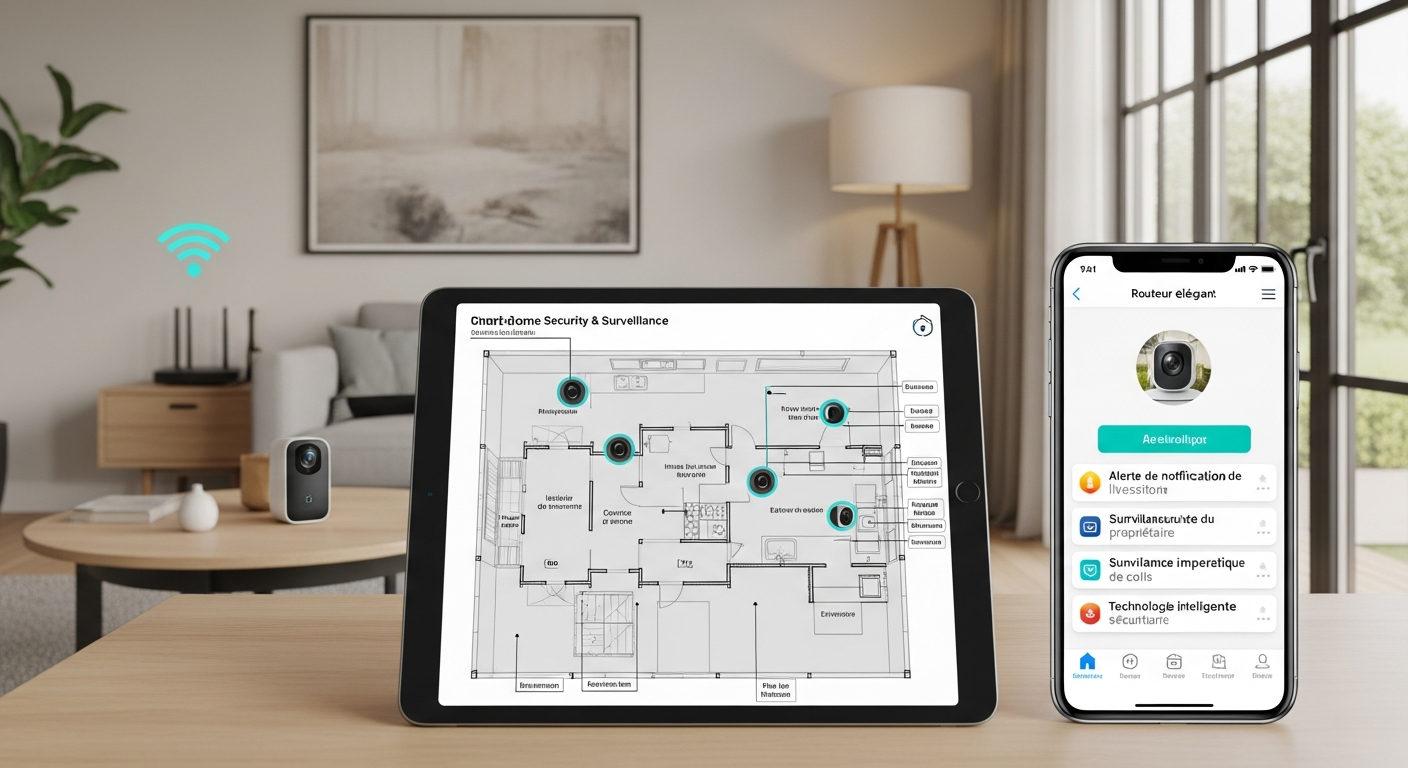
How to Start Automating Your Home for Comfort and Convenience
In recent years, smart home devices have undeniably evolved from luxury novelties into genuinely essential tools for creating comfortable, convenient, and energy-efficient living spaces. We’re talking about everything from voice-activated lighting and thermostats to security cameras and smart locks – devices that seamlessly integrate to elevate everyday living. The smart home market is booming globally, with adoption rates climbing rapidly as homeowners discover the undeniable convenience these technologies bring to daily life.
But here’s what most people don’t realize: where you start determines whether you’ll love or abandon your smart home journey. With hundreds of products on the market and countless configurations, the prospect can feel genuinely overwhelming. That’s precisely why this guide exists. It provides a practical, step-by-step approach to begin automating your home intelligently, without the stress. While we’ll focus on smart home security as a foundational element, these principles apply broadly to lighting, climate control, entertainment, and much more. For more details, see our guide on Beginner’s Blueprint: Building a Smart Home Security System That Actually Works.
Why Smart Home Security Sets the Foundation for Comfort and Convenience
Before diving headfirst into comfort-focused automation, it’s critically important to establish a secure foundation. Why, you ask? Because security isn’t just a feature; it’s the bedrock of true peace of mind. When your home is robustly protected with smart locks, cameras, and sensors, you can then confidently automate other functions – knowing your property and, more importantly, your loved ones, are genuinely safeguarded. For more details, see our guide on Why is smart home automation key to a more convenient lifestyle?.
What’s often overlooked is that a well-implemented smart security system can also translate into tangible savings. Think reduced insurance premiums, for example, or even lower energy costs. Motion-activated security cameras that only spring to life when you’re away can effectively double as energy-saving devices, only consuming power when needed. Similarly, automated smart locks don’t just secure your home; they can reduce the hassle of physical key exchanges and, frustratingly, those dreaded lockouts. For more details, see our guide on Quick Summary: Top Picks by User Type.
Here’s an insider secret: insurance companies are starting to offer discounts of 5-20% for homes with comprehensive smart security systems. That’s real money back in your pocket, making your security investment pay for itself over time.
The Security-First Approach: Protect What Matters Most
Start with your most vulnerable entry points – we’re talking doors, windows, and, critically, the garage. In my experience, these are overwhelmingly the most common points of entry for intruders. Securing them provides the highest, most immediate return on investment in terms of peace of mind. It’s a foundational step that makes all other smart home enhancements feel more secure.
-
Smart Locks: Your Digital Deadbolt, Elevated These aren’t just locks; they’re intelligent access managers. They can be remotely locked/unlocked, provide temporary access codes for visitors or service providers, and log entry/exit times for absolute peace of mind. For example, the August Wi-Fi Smart Lock is a consistent top performer, allowing you to give temporary access to family members, trusted neighbors, or even service providers through a simple, intuitive app. You can even create scheduled access for specific times, which is perfect for dog walkers or house cleaners. What’s truly valuable is its logging feature: it records who enters and exits and when, providing invaluable security information and an audit trail you simply don’t get with traditional keys.
-
Video Doorbells: Your Front Door’s Guardian These devices add a vital layer of security, providing instant video and audio communication with anyone at your door, whether you’re home or halfway across the globe. The Ring Video Doorbell 4, for instance, offers crystal-clear HD video streaming and two-way talk, enabling you to see and speak to visitors remotely. Many advanced models even offer pre-roll video recording, a small but critical feature that captures the moments before an event – perfect for identifying package thieves or those frustrating porch pirates. It’s like having an extra pair of eyes, always on guard.
-
Indoor and Outdoor Cameras: Comprehensive Visual Coverage Strategic camera placement throughout your property is non-negotiable for monitoring activity both inside and out. Prioritize cameras with essential features like night vision, accurate motion detection, and two-way audio. For indoor surveillance, the Google Nest Cam Indoor delivers sharp HD video quality with a user-friendly app that integrates seamlessly into your Google ecosystem. For robust outdoor coverage, devices like the Ring Floodlight Cam ingeniously combine powerful motion-activated LED lighting with a high-definition camera and a siren – a truly formidable deterrent against unwanted visitors.
-
Sensors: The Silent Sentinels Install door/window sensors and motion detectors to generate immediate alerts when unexpected activity occurs. What’s fascinating about these is their ability to act as triggers for other devices, like automatically turning on lights or activating cameras. A versatile option like the Samsung SmartThings Multipurpose Sensor combines door/window sensing with temperature and even vibration detection, providing truly comprehensive monitoring from a single, discreet device.
Creating a Security-First Automation Workflow: Seamless Protection
Once you’ve established basic security coverage, the next step is to create simple, effective automation workflows. These aren’t just about security; they’re about enhancing it while adding immense convenience.
-
Automate Entry and Exit: The Effortless Welcome & Goodbye Program your smart locks to automatically lock when you leave and unlock when you return. Crucially, pair this with your smart garage door and front porch lights. This creates not only a warm, welcoming environment for you but also acts as a powerful deterrent to potential intruders, making your home look occupied. Try this and see the difference – the psychological impact of a well-lit, responsive home is remarkable.
-
Secure Vacation Mode: The “I’m Home” Illusion When you’re away, activate a dedicated vacation mode. Have your system automatically turn on cameras, lock all doors, randomly turn off and on specific lights, and set your thermostat to an energy-efficient setting. Here’s a common mistake people make: forgetting to turn off appliances or leaving unnecessary lights on while on vacation, which, frustratingly, signals to burglars that you’re away. Automation significantly reduces this very real risk. Smart automation is a proactive defense that works 24/7.
-
Notification and Verification: Smart Alerts, Smarter Actions Configure your system to send you immediate alerts for unusual activity, but crucially, include options for verification before taking drastic action. For example, you might receive a notification when a door opens unexpectedly, but also have the option to instantly view the camera feed or easily dismiss false alarms (e.g., a legitimate delivery person). This intelligent verification process minimizes unnecessary stress and maximises effective response.
This security foundation doesn’t just protect your home; it fundamentally creates a seamless environment that dramatically reduces daily decision fatigue. For instance, an August Smart Lock automatically locking when the last person leaves and unlocking as you approach with your phone removes the need to ever fumble with keys again. It’s security that’s designed to be felt, not seen, allowing you to simply live your life.
Smart Lighting: Set the Mood, Save Energy, and Boost Security
Smart lighting is, for many, the most immediately satisfying first step into home automation. Why? Because it provides instant, visible results and delivers simple yet profound benefits: more comfortable living, significant energy savings, and enhanced security.
Here’s what most people don’t realize about smart lighting: it’s not just about convenience – it’s about creating experiences that adapt to your life. The right lighting can boost your mood in the morning, help you wind down at night, and even improve your sleep quality by mimicking natural circadian rhythms.
Creating Comfort-Enhancing Lighting Scenes: Ambiance on Demand
Create lighting scenes that perfectly match your daily routines and moods. This isn’t just about on/off; it’s about curated experiences. For example:
- Morning Wake-Up: Instead of a jarring alarm, gradually brighten your bedroom lights over 15-20 minutes, mimicking a natural sunrise for a gentler start to your day. This technique, known as light therapy, can help regulate your circadian rhythm and improve morning alertness.
- Movie Night: With a single command, dim the living room lights to the perfect cinema-like glow and automatically turn on your TV or projector. Try this and see the difference – your living room transforms into a personal theater instantly.
- Dinner: Set warm, inviting lighting with adjustable brightness levels, transforming your dining area into a cozy space for meals and conversation.
- Focus Mode: Create bright, cool-toned lighting in your home office to enhance concentration and productivity during work hours.
Systems like the Lutron Caséta Wireless offer incredibly reliable, easy-to-install smart switches and dimmers that work seamlessly with most bulbs. Critically, it integrates effortlessly with major platforms like Apple HomeKit, Amazon Alexa, and Google Assistant, providing incredibly versatile voice control options.
Automating for Energy Savings: Lighting That Pays for Itself
Automate lighting to save money and significantly reduce waste:
- Turn off lights automatically when rooms are unoccupied – a simple, yet incredibly effective, energy-saving measure that can reduce lighting costs by up to 30%.
- Dim or turn off outdoor landscape lighting during daylight hours, preventing unnecessary energy drain.
- Use motion or occupancy sensors to turn on lights precisely when someone enters a room and, crucially, turn them off after a set period of inactivity.
- Schedule lights based on sunrise/sunset to ensure outdoor security lighting only operates when needed, not during bright daylight hours.
Common mistake: Forgetting to turn off outdoor lights during the day, or leaving them blazing unnecessarily at night. Automation, quite simply, helps prevent this costly waste and keeps your home looking naturally occupied even when you’re away.
Security Benefits of Smart Lighting: The Illusion of Presence
Smart lighting also significantly enhances security by making your home appear occupied, even when you’re miles away. The “Away Mode” feature is invaluable here: it randomly turns on and off lights throughout your home to cleverly mimic human occupancy. The Philips Hue system is a perennial favorite for this purpose, offering a wide, vibrant range of bulbs and accessories that can be controlled remotely and customized to create incredibly dynamic, realistic lighting patterns. It’s a simple, yet highly effective, psychological deterrent.
Pro tip: Vary your lighting patterns weekly to avoid predictable schedules that observant criminals might notice. Smart systems can randomize timing automatically, making the illusion of occupancy more convincing.
Climate Control: Save Money and Create Comfort
Climate control in a smart home goes far beyond simply setting a comfortable temperature. It’s fundamentally about creating a healthy, optimal indoor environment, achieving significant energy savings, and proactively preventing costly damage.
Here’s an insider secret: smart thermostats are often the single highest ROI smart home investment. They typically pay for themselves within 1-2 years through energy savings alone, while dramatically improving daily comfort.
Smart Thermostats: Your Home’s Learning Brain
The Nest Learning Thermostat is, in my professional opinion, a standout choice for US homes. Its ability to learn your schedule and preferences over time, minimizing manual adjustments, is incredibly powerful. What’s more, it consistently delivers: smart thermostats can save households an average of 10-12% annually on heating and cooling bills. That’s real money back in your pocket.
What makes learning thermostats game-changers:
- They automatically adjust based on your daily patterns
- They can detect when you’re away and adjust accordingly
- They provide detailed energy usage reports to help you optimize further
- They can integrate with other smart devices for comprehensive automation
Zoned Comfort: Precision Where It Matters
Consider zoned HVAC systems for truly precise control over different areas of your home. This intelligent approach allows you to heat or cool only occupied rooms, dramatically reducing energy waste in unused spaces. It’s about efficiency and tailored comfort.
For example, you might keep bedrooms cooler during the day when they’re unoccupied, while maintaining comfortable temperatures in living areas. At night, the system reverses, cooling living spaces while ensuring bedrooms are perfectly comfortable for sleep.
Humidity Control: Protecting Your Home and Health
Smart humidity sensors and integrated dehumidifiers are unsung heroes. They help prevent insidious mold growth and protect your valuable belongings from moisture damage. Interestingly, the Google Nest Thermostat can also monitor ambient humidity levels and work seamlessly with compatible humidifiers and dehumidifiers to maintain optimal indoor comfort.
Optimal humidity levels:
- Winter: 30-40% relative humidity
- Summer: 40-50% relative humidity
- Benefits: Reduced allergens, better sleep, protection of wood furniture and floors
Maintenance Alerts: Proactive Care, Less Stress
Many smart thermostats provide invaluable alerts for system maintenance, filter changes, and even potential issues before they become major problems. This proactive approach can prevent costly, unexpected repairs and keep your system running at peak efficiency.
Tip: Don’t just wait for problems to develop. Schedule preventative maintenance and filter replacements proactively based on your system’s alerts. It’s a small effort that yields big returns in system longevity and efficiency.
Energy Savings and Cost Avoidance: The ROI of Smart Climate
Smart climate control can dramatically reduce your energy bills:
- Avoid heat/cool waste by automatically adjusting temperatures for your schedule and occupancy.
- Set smart vacation modes to maintain minimal heating or cooling while you’re away, preventing pipe bursts in winter or mold growth in summer.
- Monitor usage patterns through insightful reports to identify specific opportunities for even greater savings.
- Integrate with utility programs that offer rebates for peak-hour energy reduction.
Common mistake: Setting your thermostat too low in winter or too high in summer. Automated temperature adjustments based on real-time occupancy and time of day are not only more comfortable but significantly more cost-effective.
Entertainment and Convenience: The Fun Factor
Once you’ve secured your home and established robust climate and lighting controls, you can truly extend automation into the realm of entertainment and daily routines. This, for many, is where smart home technology genuinely transforms daily living from reactive to proactively seamless.
Here’s what works: entertainment automation should feel magical, not complicated. The best systems anticipate your needs and create experiences that enhance your lifestyle without requiring constant management.
Whole-Home Audio: Your Soundtrack, Everywhere
Multi-room audio systems like Sonos or Amazon Echo devices provide rich, synchronized music in every room with centralized, effortless control. What’s powerful here is creating scenes that automatically turn on your favorite cooking playlist when you step into the kitchen, or relaxing ambient music as you unwind in the evening.
Game-changing automation ideas:
- Morning routine: Gentle wake-up music that follows you from bedroom to kitchen
- Dinner party mode: Synchronized background music throughout entertaining areas
- Bedtime routine: Gradually fading music that helps you wind down
- Work from home: Focus playlists that automatically start during designated work hours
Voice Assistants: Your Home’s Central Intelligence
Smart speakers such as Amazon Echo or Google Nest Audio serve as the intuitive central hubs for your entire smart system, providing unparalleled voice control, information, and entertainment. Use them to:
- Effortlessly control lights, locks, and thermostats with simple commands.
- Play music, podcasts, or audiobooks instantly.
- Set timers and reminders – invaluable during cooking or busy mornings.
- Get instant weather updates and daily news briefings.
- Control entertainment systems with natural language commands.
Pro tip: Create custom voice commands for complex routines. Instead of saying multiple commands, a single “Movie time” could dim lights, turn on the TV, adjust temperature, and start your streaming service.
Automating Daily Tasks: Routines That Simplify Life
Create powerful routines that automate common, repetitive tasks, giving you back precious time and mental energy:
- Morning Routine: A simple “Good morning, Alexa” could gradually turn on your kitchen lights, start your coffee maker, read you the day’s weather forecast, and begin your favorite morning playlist.
- Leaving Home: “I’m leaving” could instantly turn off all lights, lock every door, arm your security system, and adjust the thermostat to an energy-saving mode.
- Bedtime: A “Good night” command could lock doors, turn off all entertainment, gradually dim lights, and lower the thermostat to a comfortable sleeping temperature.
- Work Mode: “Start work” could turn on office lights, adjust temperature for productivity, start focus music, and even silence non-essential notifications.
Try this and see the difference: Start with just one routine and perfect it before adding others. The psychological impact of a home that responds to your needs is remarkable.
How to Start Smart Home Automation Without Overwhelm: Your Step-by-Step Blueprint
Starting with smart home devices can indeed feel overwhelming. The key, in my experience, is to make it manageable by focusing on small, achievable goals and building up gradually, one successful automation at a time.
Here’s what most people don’t realize: the biggest mistake isn’t choosing the wrong device – it’s trying to do everything at once. Success comes from mastering one area before expanding to the next.
1. Pinpoint Your “Aha!” Moments: Focus on Your Pain Points
Instead of trying to automate everything at once, identify the specific areas of your home where automation would deliver the most immediate improvement to your comfort or genuinely reduce your daily stress. This is often the most overlooked first step, yet it’s critical for sustained success.
- Do you constantly forget to lock the door or turn off lights, leading to nagging doubt?
- Are frustrating temperature fluctuations making your home genuinely uncomfortable?
- Would you benefit immensely from hands-free control while cooking, cleaning, or wrangling kids?
- Do you frequently forget to arm or disarm your security system, leading to false alarms or vulnerabilities?
- Are you tired of fumbling for light switches in the dark?
Takeaway: Start by solving a real problem you encounter regularly. This guarantees immediate, tangible value and builds momentum for future expansions.
2. Choose Your North Star: Select a Single Ecosystem
This is perhaps the most critical early decision to avoid compatibility nightmares and simplify management. Select one primary platform to be the brain of your smart home. In the US, popular, robust options include:
- Amazon Alexa: Known for its vast device compatibility and extensive third-party integration, making it incredibly versatile. Best for users who want maximum device choice and don’t mind a learning curve.
- Google Assistant: Offers seamless integration with Android devices and all Google services, a natural fit for many. Excellent for users already invested in the Google ecosystem.
- Apple HomeKit: Prioritizes privacy and security, with a meticulously curated and growing ecosystem of compatible devices, often appealing to Apple loyalists. Best for users who prioritize privacy and have Apple devices.
Expert Tip: Choose devices that work natively with your selected ecosystem whenever possible. This avoids the headaches of multiple apps and potential communication breakdowns.
Takeaway: Commitment to one ecosystem streamlines setup, management, and long-term reliability. Try this and see the difference – managing everything through one app versus juggling multiple interfaces.
3. Test the Waters: Start with a Single Room or Area
Rather than overhauling your entire home, test your chosen platform in just one room or a specific area before expanding. This low-stakes approach allows you to evaluate performance, iron out any kinks, and understand the usability of your chosen system without becoming overwhelmed. It builds confidence.
Recommended starting areas:
- Living room: High impact, frequently used, good for testing lighting and entertainment automation
- Master bedroom: Personal space where you can experiment with lighting scenes and climate control
- Front entrance: Perfect for security-focused automation with locks and cameras
Takeaway: A focused pilot project allows for learning and refinement without major commitment or financial risk.
4. The Gateway Device: Use Smart Plugs as a Testing Ground
Smart plugs are often overlooked but are an incredibly affordable and versatile way to test basic automation concepts with existing “dumb” appliances. Think of them as your smart home training wheels.
- Automate lamps or small appliances you already own.
- Create simple schedules for your coffee maker or fans.
- Even measure the energy usage of plugged-in devices to identify waste.
- Test voice control and app functionality without major investment.
Popular, reliable options include the TP-Link Kasa Smart Wi-Fi Plug and the Amazon Smart Plug.
Takeaway: Smart plugs offer a low-cost, low-risk entry point into automation, proving its value immediately while teaching you the basics of your chosen platform.
5. Build Your Foundation: Automate Common Routines
Once you’re comfortable, program simple yet impactful automations that truly save you time and reduce daily stress. These are the “set it and forget it” moments that make smart homes so compelling.
- Good Morning: Turn on specific lights, start your coffee maker, and read the weather forecast aloud.
- Leaving Home: Turn off all lights, lock your doors, and set your security system.
- Bedtime: Turn off entertainment systems, lock all doors, and gently lower the thermostat.
- Movie Night: Dim lights, turn on TV, adjust temperature for comfort.
What works: Keep initial routines simple and predictable. Complex, multi-conditional automations can wait until you’re more experienced.
Takeaway: Basic routines provide immediate, tangible benefits and reinforce the power of automation, building enthusiasm for further expansion.
6. Always Top Priority: Prioritize Security and Safety
Regardless of your automation goals, always ensure your system enhances safety and security. This isn’t just an add-on; it’s fundamental.
- Program locks to automatically secure when you leave or at a set time each night.
- Set lights to turn on when motion is detected at night, deterring potential intruders.
- Use cameras to monitor critical entry points when you’re away, providing visual verification.
- Install smart smoke detectors and water leak sensors for comprehensive protection.
Takeaway: Smart security features should be central to your automation planning for peace of mind and should never be an afterthought.
7. The Long Game: Establish a Maintenance Routine
Smart devices, like any technology, benefit from regular care. Create a simple maintenance schedule for your smart devices to ensure long-term reliability and performance.
- Check for firmware updates monthly – these often include security patches and new features.
- Replace batteries annually or as needed in battery-powered sensors and locks.
- Test your automations periodically to ensure they still work correctly, especially after software updates or network changes.
- Clean camera lenses and sensors quarterly for optimal performance.
Takeaway: Proactive maintenance ensures your smart home remains reliable and secure, preventing frustrating failures when you need the system most.
Common Pitfalls to Avoid: Learn From Others’ Mistakes
Starting small and intelligently building your smart home system can help you sidestep many common mistakes that, frustratingly, derail early projects and lead to abandoned systems.
1. Trying to Automate Too Much Too Quickly
This is the biggest culprit for user frustration and the most common reason people abandon smart home projects. Start small and expand gradually. Automate one room or system at a time, perfecting your workflows and understanding the nuances before adding more complexity. Over-engineering leads to under-utilization.
What works instead: Master one automation completely before adding another. For example, perfect your morning lighting routine before attempting complex multi-room scenarios.
2. Choosing the Cheapest Devices
Quality unequivocally matters in smart home tech. Invest in well-reviewed, reputable devices that are known to work reliably with your chosen ecosystem. Cheaper devices often come with hidden costs: compatibility issues, unreliable performance, and frustratingly shorter lifespans. It’s often a false economy.
Insider secret: Mid-range devices from established brands often provide the best value – they’re reliable without unnecessary premium features you won’t use.
3. Over-Complicating Automations
Keep your automations as simple and predictable as possible. While complex workflows are tempting, they often lead to frustration, unexpected behavior, and become incredibly difficult to troubleshoot. Think “elegantly simple,” not “ingeniously intricate.”
Rule of thumb: If you can’t explain your automation in one sentence, it’s probably too complex for daily use.
4. Ignoring Security and Privacy
Critically, prioritize devices that use secure communication protocols, receive regular firmware updates, and, crucially, allow you to control data sharing and privacy settings. Your smart home shouldn’t become a privacy liability. Enable two-factor authentication wherever possible.
Game-changer: Create a separate IoT network for your smart devices, isolating them from your main network and personal devices.
5. Neglecting Network Infrastructure
Your smart home is only as smart as its underlying network. Ensure your Wi-Fi network is robust enough to handle multiple connected devices efficiently. Consider upgrading your router to a Wi-Fi 6 (or newer) model or adding mesh Wi-Fi extenders if you have dead zones or inconsistent performance. A flaky Wi-Fi connection will render even the best smart devices useless.
Try this and see the difference: Test your Wi-Fi speed and coverage in every room before installing smart devices. Address weak spots first.
6. Not Planning for Growth
Many people start with a few devices and then struggle to integrate new ones as their system grows. Plan your ecosystem from the beginning, even if you’re starting small.
What works: Choose a hub or platform that can grow with you, and maintain a simple inventory of your devices and their purposes.
7. Forgetting About the Non-Tech-Savvy Family Members
The most sophisticated automation is useless if family members can’t or won’t use it. Design your system to be intuitive for everyone in your household.
Pro tip: Always maintain manual overrides and teach family members basic troubleshooting. Your smart home should enhance life for everyone, not create frustration.
Advanced Tips for Growing Your Home Automation System: Level Up Your Smart Home
Once you’ve mastered the basics and built a solid, reliable foundation, you can extend your system for even greater convenience, deeper insights, and impressive energy savings. This is where your smart home truly becomes intuitive and anticipates your needs.
1. Master Geofencing: Your Home Knows When You’re Coming (and Going)
Set up geofencing to automate routines based on your physical location – a truly transformative feature that makes your home feel genuinely intelligent.
- Automatically open the garage door and turn on driveway lights when you’re 5 minutes away from home.
- “Prepare” the house (adjust temperature, turn on some lights) when you’re 15 minutes away.
- Lock doors and set the security system automatically the moment the last person leaves the geofenced area.
- Adjust climate control based on whether anyone is home, maximizing energy savings.
Game-changer insight: Geofencing works best when combined with multiple family members’ phones, creating a truly responsive system that knows when the house is empty or occupied.
2. Integrate with Utility Data: Intelligent Energy Management
If your local utility offers smart meter integration or time-of-use pricing, use that data to optimize energy use and save even more.
- Turn off energy-intensive appliances like water heaters during peak rate hours.
- Adjust heating and cooling based on real-time utility rates to minimize cost.
- Pre-cool or pre-heat your home during off-peak hours when rates are lower.
- Detect leaks or excessive water use with smart water meters, preventing costly damage.
Try this and see the difference: Many utilities offer rebates for smart thermostats and energy management systems – check with your provider for potential savings.
3. Create Custom Notifications: Alerts That Matter
Move beyond basic alerts. Set up highly specific notifications for events that are truly important to you, reducing notification fatigue while ensuring you never miss critical information.
- “Package delivery detected at the front door” (with a camera snapshot).
- “Unexpected motion detected in the backyard after 11 PM.”
- “Water heater or oven left on for an extended period” – a critical safety alert.
- “Garage door left open for more than 30 minutes.”
- “Temperature in basement drops below 50°F” – freeze protection alert.
What works: Customize notification timing and methods. Critical alerts should come immediately, while routine updates can be batched into daily summaries.
4. Voice Customization: Speak Your Home’s Language
Go beyond basic commands. Create custom voice commands for complex, multi-action routines that feel natural and intuitive.
- Saying “Good morning” could turn on specific lights, start your morning playlist, read you the weather and calendar, and start your coffee maker.
- “I’m leaving” could lock all doors, turn off all entertainment, arm the security system, and set the thermostat to eco-mode.
- “Movie time” could dim lights, turn on the TV and sound system, adjust temperature, and even order your favorite snacks online.
Insider secret: Use natural phrases you’d actually say, not robotic commands. Your smart home should adapt to your language, not the other way around.
5. Multi-Platform Compatibility: The Power User’s Playbook
For advanced automators who demand maximum control and compatibility across diverse ecosystems, consider using open-source solutions like Home Assistant or robust hubs like Hubitat. These platforms offer unparalleled control, advanced automation capabilities, and device compatibility across many different brands and protocols. Be warned, this path requires a steeper learning curve, but the rewards in customization are immense.
Benefits of advanced platforms:
- Local processing for faster response times and better privacy
- Advanced automation logic with complex conditions and triggers
- Integration with virtually any smart device, regardless of brand
- Detailed logging and analytics for optimization
6. Seasonal Automation: Your Home Adapts to the Calendar
Create automations that change based on seasons, holidays, or special events, making your home feel more responsive and thoughtful.
- Automatically adjust lighting schedules as daylight hours change
- Switch to holiday-themed lighting and music during special occasions
- Adjust HVAC schedules for seasonal comfort preferences
- Activate or deactivate outdoor equipment based on weather patterns
7. Health and Wellness Integration: Your Home Cares for You
Advanced smart homes can monitor and improve your health and wellness through intelligent automation.
- Air quality monitoring with automatic air purifier activation
- Sleep optimization through temperature, lighting, and sound control
- Medication reminders through smart speakers
- Activity tracking integration to adjust home environment based on your energy levels
Future Trends in Home Automation: What’s Next?
The smart home industry is dynamic and rapidly evolving, with innovations constantly emerging that will further enhance comfort, convenience, and security. Understanding these trends can help you make future-proof decisions today.
Artificial Intelligence and Machine Learning: Proactive Homes
Expect smart devices to become significantly smarter at predicting your individual needs, optimizing energy use without explicit instructions, and providing truly personalized experiences. Imagine a home that knows you like it cool when you sleep and warms up just before you wake, or that automatically adjusts lighting based on your mood and activities.
What’s coming:
- Predictive maintenance that prevents problems before they occur
- Behavioral learning that adapts to your changing routines
- Contextual automation that considers weather, calendar, and personal preferences
- Health monitoring integration that adjusts environment for optimal wellness
Enhanced Privacy and Security: Trust by Design
Advances in privacy-preserving AI and privacy-focused hardware will become standard. We’ll see more on-device processing to protect your data while still delivering intelligent automation, shifting away from heavy cloud reliance for sensitive information.
Key developments:
- Edge computing for faster, more private processing
- Blockchain-based device authentication
- Advanced encryption for all device communications
- User-controlled data sharing with granular permissions
Interoperability: The Unified Smart Home
Greater standardization (like Matter, a new open-source connectivity standard) and multi-platform solutions will make it easier than ever to create truly integrated smart home systems, regardless of brand or ecosystem. The fragmented landscape is slowly but surely converging.
Benefits for consumers:
- Mix and match devices from different manufacturers
- Reduced vendor lock-in and greater choice
- Simplified setup and management
- Better long-term investment protection
Sustainability Focus: Green Homes, Smarter Homes
Smart home devices will increasingly focus on not just convenience but also dramatically reducing energy consumption and environmental impact, integrating seamlessly with renewable energy sources and smart grids.
Emerging trends:
- Integration with home solar and battery systems
- Smart grid participation for energy trading
- Carbon footprint tracking and optimization
- Sustainable device manufacturing and recycling programs
Advanced Biometrics and Presence Detection
Beyond simple motion sensors, expect sophisticated presence detection that can identify specific individuals, understand activities, and respond accordingly without compromising privacy.
What’s possible:
- Gait recognition for personalized responses
- Emotion detection for mood-based automation
- Health monitoring through ambient sensors
- Predictive behavior modeling for proactive assistance
Final Thoughts: Building Your Automated Home – The Journey, Not the Destination
Starting smart home automation doesn’t require a complete overhaul of your living space. Far from it. By intelligently focusing on your most critical needs – security, comfort, and energy savings – you can create a system that genuinely enhances your daily life. The key, and I can’t stress this enough, is to take small, manageable steps that build momentum and confidence.
Begin with something simple, like a smart lock and a couple of smart lights in one area. Once you’re truly comfortable with the platform and the workflows, then, and only then, expand gradually. Remember, good automation is invisible – you’ll simply enjoy the benefits without even noticing the sophisticated technology humming quietly behind the scenes.
The most successful smart homes aren’t static; they are those that adapt and evolve with their inhabitants’ patterns and needs. Regularly review your automations, and don’t hesitate to make adjustments based on your changing routines and preferences. It’s an ongoing, rewarding journey that should enhance your life, not complicate it.
A Practical Example: The Phased Automation Journey
Here’s a realistic, real-world example of how a typical American smart home journey might begin, demonstrating the power of a phased approach:
- Week 1-2: Install a robust smart lock on the front door and establish a reliable Wi-Fi network, perhaps with a mesh extender to ensure full coverage. Foundation first.
- Week 3-4: Add smart bulbs in the living room and bedroom. Create basic “Movie Night” and “Morning Wake-Up” lighting scenes. Instant gratification, visible benefits.
- Week 5-6: Install a smart thermostat. Create automated temperature schedules based on your occupancy patterns. Energy savings begin.
- Week 7-8: Add outdoor cameras at key entry points. Set up security routines for vacation and nighttime monitoring. Enhanced peace of mind.
- Week 9-10: Integrate smart plugs for small appliances. Create routines for daily tasks like coffee brewing. More convenience, less friction.
- Week 11-12: Expand to whole-home audio and voice control, integrating all devices into a unified, seamless system. The home truly comes alive.
This phased approach empowers you to adapt gradually to new technology and build on your successes, ensuring a positive and effective smart home transformation.
Try this and see the difference: Document your journey with photos and notes. You’ll be amazed at how much your daily routine improves with each phase, and it helps you plan future expansions more effectively.
Frequently Asked Questions
Question 1: How can you begin automating your home for comfort and convenience effectively?
Detailed Expert Answer:
Beginning smart home automation effectively involves a phased, practical approach that prioritizes your primary comfort and security needs. The core principle is to start small, gain proficiency, and then expand. Here’s a comprehensive, actionable plan, often referred to as the “Smart Start” method:
-
Start with Foundational Security: Critically, begin by securing your most vulnerable entry points. Install smart locks on exterior doors (e.g., August Wi-Fi Smart Locks for retrofit, Schlage Encode Smart Wi-Fi Deadbolt for full replacement) and a video doorbell (like Ring Video Doorbell 4 or Google Nest Hello). These devices offer immediate peace of mind and establish a secure platform for future integrations. This counter-intuitive step prioritizes protection over convenience, but ultimately enables greater comfort.
-
Introduce Basic Smart Lighting: Next, integrate smart switches or bulbs in high-traffic areas, like your living room or master bedroom. Lutron Caséta Wireless offers exceptionally reliable switches compatible with most bulbs and ecosystems, providing consistent performance. Create simple, impactful lighting scenes such as “Movie Night” or a gradual “Morning Wake-Up.”
-
Implement Intelligent Climate Control: Upgrade to a learning smart thermostat, such as the Google Nest Learning Thermostat. Program schedules based on your occupancy patterns and daily routines. This not only enhances comfort by ensuring your home is always at the right temperature but also significantly saves energy, often yielding 10-12% annual savings on heating and cooling.
-
Develop Core Routines: Using your chosen platform’s native app (Alexa, Google Home, Apple Home), develop automation routines for common daily tasks. Think “Good Morning” (lights on, coffee starts), “Leaving Home” (lights off, doors lock, security arms), and “Bedtime” (lights off, doors lock, thermostat adjusts). These simple routines are often the most impactful in reducing daily friction.
-
Expand Gradually and Thoughtfully: Once comfortable with these core automations, slowly introduce entertainment automation (e.g., Sonos, smart TVs), smart water sensors for leak detection, or outdoor lighting for enhanced security and aesthetics. Avoid buying everything at once.
Key Principles for Success:
- Single Ecosystem Focus: Stick to one primary platform (Alexa, Google Assistant, HomeKit) for simplicity and robust compatibility.
- Native Device Preference: Choose devices that work natively within your selected ecosystem to avoid compatibility headaches.
- Security First: Always prioritize security and safety in your automation designs.
- Organized System: Use consistent naming conventions for devices and rooms; it’s a small detail that dramatically improves usability.
Question 2: What are the most important security devices to include in a home automation system?
Detailed Expert Answer:
Building a robust smart home security system requires a layered approach, focusing on key devices that work in concert to provide comprehensive protection and peace of mind. Here’s a prioritized list of the most critical security devices for any home automation system:
1. Smart Locks (The First Line of Defense):
- Why they’re crucial: They are your primary physical barrier. Wi-Fi-enabled locks like the August Wi-Fi Smart Lock or Schlage Encode Smart Wi-Fi Deadbolt offer unparalleled convenience and control.
- Benefits: Remote locking/unlocking, temporary access codes for guests or service providers, and comprehensive audit logs of who entered and when.
- Use Cases: Seamlessly manage access, receive alerts for unexpected entries, and eliminate the need for physical keys.
2. Video Doorbells (Your Digital Gatekeeper):
- Why they’re crucial: They provide immediate visual verification of visitors and deter package thieves.
- Examples: Ring Video Doorbell 4 (with pre-roll video) or Google Nest Hello.
- Benefits: HD video streaming, two-way audio communication, motion detection, and cloud-based event recording.
- Use Cases: Screen unknown visitors, monitor package deliveries, and document potential suspicious activity at your doorstep.
3. Indoor and Outdoor Cameras (Eyes Everywhere):
- Why they’re crucial: Strategic camera placement provides broad surveillance, both inside and around your property.
- Examples: Ring Floodlight Cam for outdoor deterrence (combines light, siren, camera) and Google Nest Cam Indoor for discreet interior monitoring.
- Benefits: Continuous monitoring, motion-triggered alerts, remote viewing, and recording capabilities (often with cloud subscription).
- Use Cases: Monitor children or pets, check on property while away, and provide crucial evidence in case of an incident.
4. Door/Window and Motion Sensors (Your Silent Sentinels):
- Why they’re crucial: These are the unsung heroes, detecting unauthorized entry or activity.
- Examples: Simple magnetic door/window sensors, or multi-function sensors like the Samsung SmartThings Multipurpose Sensor (combining contact, temperature, and vibration).
- Benefits: Instant alerts for open doors/windows, detection of unexpected motion, and triggers for other automated actions (e.g., turning on lights, activating cameras).
- Use Cases: Secure vulnerable access points, trigger alarms, and build intelligent “away” routines.
5. Environmental Sensors (Beyond Intrusion):
- Why they’re crucial: Security extends beyond intruders to immediate household hazards.
- Examples: Smart smoke/carbon monoxide detectors (e.g., Google Nest Protect), and smart water leak sensors.
- Benefits: Early detection of fires, CO leaks, or water damage, sending immediate alerts to your phone and often triggering shut-off valves or emergency services.
- Use Cases: Prevent costly property damage, protect family health, and provide an invaluable layer of safety.
Implementation Strategy:
- Phase 1 (Immediate Impact): Start with smart locks and a video doorbell for immediate perimeter security.
- Phase 2 (Layered Protection): Add indoor/outdoor cameras and door/window sensors to vulnerable areas.
- Phase 3 (Comprehensive Safety): Integrate environmental sensors for holistic protection.
Compatibility Tips:
- Always choose devices that are compatible with your chosen smart home ecosystem (Amazon Alexa, Google Assistant, or Apple HomeKit).
- Prioritize devices from reputable manufacturers known for secure communication protocols and regular firmware updates to protect against vulnerabilities.
Question 3: How do you avoid common mistakes when installing smart home devices?
Detailed Expert Answer:
Avoiding common mistakes during smart home installation is crucial for a smooth, reliable, and frustration-free experience. Many initial setbacks stem from preventable errors. Here are the most frequent pitfalls and expert strategies to circumvent them:
1. Over-Complicating Automations (The “Too Smart” Trap):
- Pitfall: Designing overly complex, multi-conditional automations that are prone to failure or unexpected behavior.
- Prevention: Keep automations simple and predictable. Start with basic routines (e.g., “lights on at sunset”) before attempting intricate, nested workflows. The principle: if it’s hard to explain, it’s likely too complex.
- Expert Insight: “Good automation should be invisible. If you’re constantly troubleshooting, it’s not working for you.”
2. Poor Network Infrastructure (The Weak Link):
- Pitfall: Underestimating the demands of multiple connected devices on your Wi-Fi network, leading to latency, disconnections, and unreliable performance.
- Prevention: Ensure a robust Wi-Fi network. Test coverage in all areas where smart devices will be installed. Consider upgrading to a mesh Wi-Fi system (e.g., Google Nest Wifi Pro, Eero) or a Wi-Fi 6/6E router to handle increased traffic. For critical devices, prioritize wired Ethernet connections where feasible.
- Game-changer tip: Create a separate network for IoT devices to improve security and performance.
3. Device Compatibility and Ecosystem Fragmentation (The Tower of Babel):
- Pitfall: Mixing too many different brands and ecosystems without a clear integration strategy, resulting in multiple apps, limited cross-device communication, and a fragmented experience.
- Prevention: Choose a single, primary ecosystem (Amazon Alexa, Google Assistant, Apple HomeKit, or a dedicated hub like Home Assistant) and stick to devices that natively integrate. Avoid “Frankenstein” setups unless you’re an advanced user willing to invest significant time in custom integrations.
- Expert Insight: “The goal is a unified home, not a collection of smart gadgets that don’t speak the same language.”
4. Security and Privacy Neglect (The Open Door):
- Pitfall: Using default usernames/passwords, neglecting firmware updates, or not understanding device privacy settings.
- Prevention: Prioritize security from day one. Immediately change default credentials, enable two-factor authentication (2FA) on all accounts, and regularly update device firmware. Review and customize privacy settings, especially for cameras and voice assistants, understanding what data is collected and how it’s used.
- Actionable Step: Create a strong, unique password for each smart device and your Wi-Fi network.
5. Inadequate Testing and Documentation (The Blind Spot):
- Pitfall: Assuming automations will work perfectly without verification, or failing to document complex setups for future troubleshooting.
- Prevention: Test all automations thoroughly after setup and periodically thereafter. For anything beyond basic routines, create simple documentation outlining conditions, actions, and any dependencies. Use consistent naming conventions for devices and automations (e.g., “Living Room Lamp 1” vs. “light_001”).
6. Poor Placement and Mounting (The Misguided Device):
- Pitfall: Installing devices in suboptimal locations (e.g., cameras pointed at reflective surfaces, motion sensors behind furniture, sensors in Wi-Fi dead zones).
- Prevention: Plan placement strategically. Mount cameras at appropriate heights and angles for clear, unobstructed coverage. Place sensors where they will accurately detect movement or activity, away from direct sunlight or HVAC vents that can cause false positives. Always check Wi-Fi signal strength at the installation point.
7. Ignoring Ongoing Maintenance (The Set-and-Forget Fallacy):
- Pitfall: Treating smart devices as “install once and forget,” leading to performance degradation, security vulnerabilities, or battery failures.
- Prevention: Establish a simple maintenance schedule. Check for firmware updates monthly. Replace batteries in battery-powered devices proactively (e.g., annually for locks, bi-annually for smaller sensors). Periodically review and clean camera lenses.
Implementation Checklist:
- Start with simple, high-impact automations.
- Verify Wi-Fi coverage and stability before installing devices.
- Choose devices compatible with your chosen ecosystem.
- Enable 2FA, change default passwords, and update firmware regularly.
- Test every automation.
- Optimize device placement for performance and coverage.
- Schedule routine maintenance for all devices.
Question 4: What future innovations will shape the next generation of smart home security?
Detailed Expert Answer:
The landscape of smart home security is poised for transformative change, driven by rapid advancements in AI, connectivity, and privacy-preserving technologies. The next generation of smart home security will move beyond reactive alerts to proactive, intelligent, and highly personalized protection. Here are the key innovations set to shape this future:
1. Hyper-Intelligent AI and Machine Learning (Predictive Security):
- Innovation: Security systems will transition from simple motion detection to highly sophisticated AI that differentiates between pets, people, and known residents, drastically reducing false alarms. Machine learning will analyze long-term patterns of behavior within the home and its perimeter.
- Impact: Systems will become predictive, identifying anomalies or potential threats before they escalate. For instance, AI could detect unusual vehicle patterns, identify changes in a neighbor’s routine, or even analyze sound signatures to differentiate between a package drop and a break-in attempt. This moves security from reactive to truly preventative.
- What’s coming: Behavioral baseline learning, contextual threat assessment, and proactive threat mitigation.
2. Enhanced Privacy and Data Security (Trust by Design):
- Innovation: As more personal data is collected, there will be a stronger emphasis on “privacy by design.” This includes edge computing (processing data directly on the device, rather than sending it all to the cloud), advanced encryption protocols, and user-centric data control dashboards.
- Impact: Consumers will have greater transparency and control over their security data, with less reliance on cloud storage for sensitive information like facial recognition data. This addresses growing privacy concerns, building greater trust in smart security solutions.
- Expert Insight: “The future of smart security isn’t just about protection; it’s about respecting and safeguarding user data with uncompromising integrity.”
3. Advanced Biometric Authentication (Seamless, Secure Access):
- Innovation: Beyond fingerprint scanners, expect widespread adoption of more reliable and non-intrusive biometric authentication methods such as facial recognition (for access control and personalized welcomes), gait analysis, and even voice biometrics.
- Impact: Accessing your home will become virtually seamless and highly secure. Imagine doors unlocking automatically only for authorized family members, or specific security disarming upon recognizing your unique gait. Multi-factor biometric authentication will become standard, enhancing security without sacrificing convenience.
4. Holistic Integration and Interoperability (The Unified Ecosystem):
- Innovation: The smart home security market will move towards universal compatibility, driven by standards like Matter. This will allow doorbells, locks, cameras, sensors, and alarms from different manufacturers to integrate seamlessly into a single, intuitive control system.
- Impact: End-users will no longer be locked into proprietary ecosystems. This fosters greater flexibility, broader choice, and more powerful, cohesive automation scenarios that span multiple device types and brands.
5. Autonomous Security Patrols (Robotics in the Home):
- Innovation: While still nascent, expect to see the emergence of autonomous home security robots or drones. These devices could perform scheduled patrols of your property, monitoring for anomalies, and providing live video feeds upon detected events.
- Impact: This introduces a dynamic, mobile layer of security that traditional static cameras cannot offer, particularly for larger properties or during extended absences.
6. Predictive Maintenance for Security Devices:
- Innovation: AI will monitor the health and performance of security devices (e.g., battery life, sensor calibration, network connectivity) and predict potential failures before they occur.
- Impact: This proactive maintenance will ensure security systems are always operational, reducing vulnerabilities caused by dead batteries or malfunctioning sensors, and minimizing unexpected downtime.
7. Integration with Smart Infrastructure:
- Innovation: Smart home security systems will increasingly integrate with broader smart city infrastructure, connecting with local emergency services, community watch networks, and even smart traffic systems.
- Impact: Faster, more coordinated emergency responses; real-time threat intelligence sharing; and a more interconnected approach to community safety.
Consumer Impact:
- Consumers will benefit from far more effective, intelligent, and user-friendly security solutions that require less active management.
- The emphasis on privacy will empower users with greater control and confidence in their smart security investments.
- Greater interoperability will simplify system expansion and upgrades, making advanced security more accessible.
Final Thoughts: Building Your Automated Home
Smart home automation is, at its core, about enhancing your daily life, creating unparalleled comfort and security, and ultimately gaining profound peace of mind. The best systems are those that genuinely adapt to your needs and make your home more welcoming, efficient, and, above all, secure.
My advice? Start small, focus on quality over quantity, and build gradually. Remember that smart home automation is truly a journey, not a static destination. Regularly review your automations, make thoughtful adjustments based on your changing routines and preferences, and stay informed about new technologies and innovations.
The most successful smart homes are those that create a superior living environment while critically respecting user privacy and security. By prioritizing these foundational principles, you can create a smart home that truly serves your needs and enhances your quality of life for years to come.
Try this and see the difference: Start with just one automation that solves a real problem in your daily routine. Perfect that experience, then build from there. The journey of a thousand automations begins with a single, well-executed routine.
Final Recommendations
- Begin with a security-focused approach before expanding into comfort and convenience. It’s the critical foundation that enables everything else.
- Focus on one primary platform for simplicity, reliability, and ease of management.
- Start small and expand gradually to ensure quality, usability, and to avoid overwhelming yourself or your family.
- Prioritize security, privacy, and network infrastructure to lay an unshakeable foundation for your smart home.
- Regularly evaluate your setup and make intelligent adjustments based on your evolving needs and new technology.
- Stay informed about new developments and standards (like Matter) that could enhance your system’s capabilities and longevity.
Additional Resources
- SmartThings Community - A vibrant community for forums, automation ideas, and troubleshooting.
- Apple HomeKit Support - Official compatibility and setup information for Apple’s ecosystem.
- Google Nest Help - Comprehensive troubleshooting and device information for Google Nest products.
- Amazon Alexa Support - Setup guides and integration tips for Amazon Alexa devices.
- CNET Home Automation Guide - Expert reviews, buying guides, and insightful tutorials.
- Wirecutter Home Automation Recommendations - Independently tested recommendations and product reviews.
- Consumer Reports Smart Home Security Ratings - Independent testing and ratings of smart home products.
This comprehensive guide provides the practical framework you need to begin your smart home automation journey confidently. By focusing on security, simplicity, and gradual, intelligent growth, you’ll create a system that genuinely enhances your life without becoming overwhelming or unreliable. Try this and see the difference – your future self will thank you for starting this journey today. Happy automating!