The Smart Home Energy Savings Playbook No One Tells Beginners About
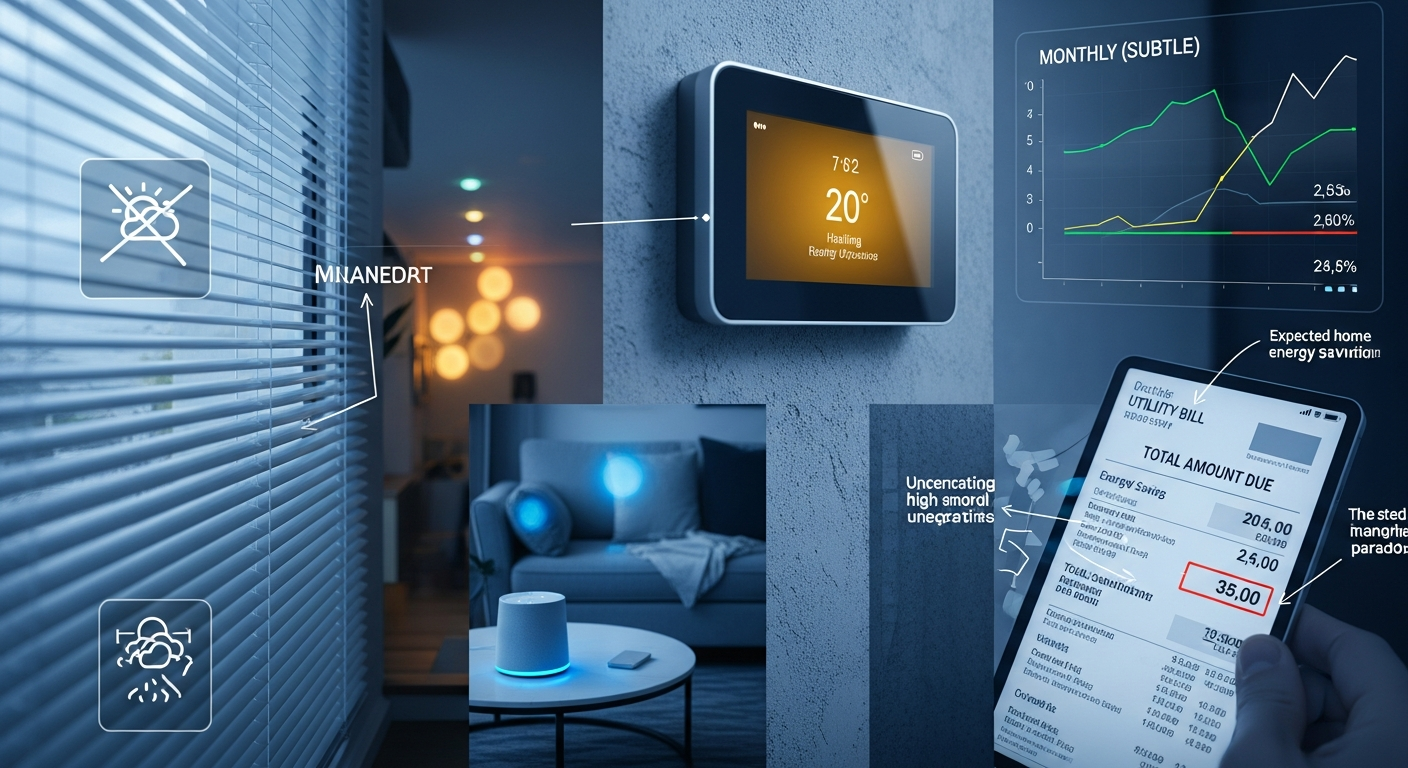
Imagine this: You’re pumped to cut energy costs and shrink your carbon footprint. You snag a few smart plugs and a fancy smart thermostat. Then you wait. Crickets. Or worse, your electricity bills increase. Why? Because most people dive in headfirst without a plan, creating what I call the “Smart Home Energy Trap.”
Here’s the thing most beginners miss: smart home devices don’t magically save energy. They enable savings. But unless you set them up intentionally and precisely, you’re just adding gadgets and confusion—not cash. Recent data from the U.S. Department of Energy shows the average American family spends over $1,000 annually on energy. Smart devices could cut that by as much as 30%, but only if used correctly. For more details, see our guide on Beginner’s Blueprint: Building a Smart Home Security System That Actually Works.
Here’s something I noticed how people forget the crucial link between device automation and their actual habits. The devices are just tools; your habits are the blueprint. Without aligning them, you’re like a chef with top-notch knives but no recipe. So, how do you nail that sweet spot between convenience and savings? Here’s the secret: the most effective and sustainable energy savings come from focusing on three key smart device setups, not ten. For more details, see our guide on Quick Summary: Top Picks by User Type.
- The Daily Routine Reset: Think of the power strip that automatically shuts off gaming consoles after 11 pm. This is low-hanging fruit—set it, forget it, and save roughly 8-12% of household appliance energy overnight.
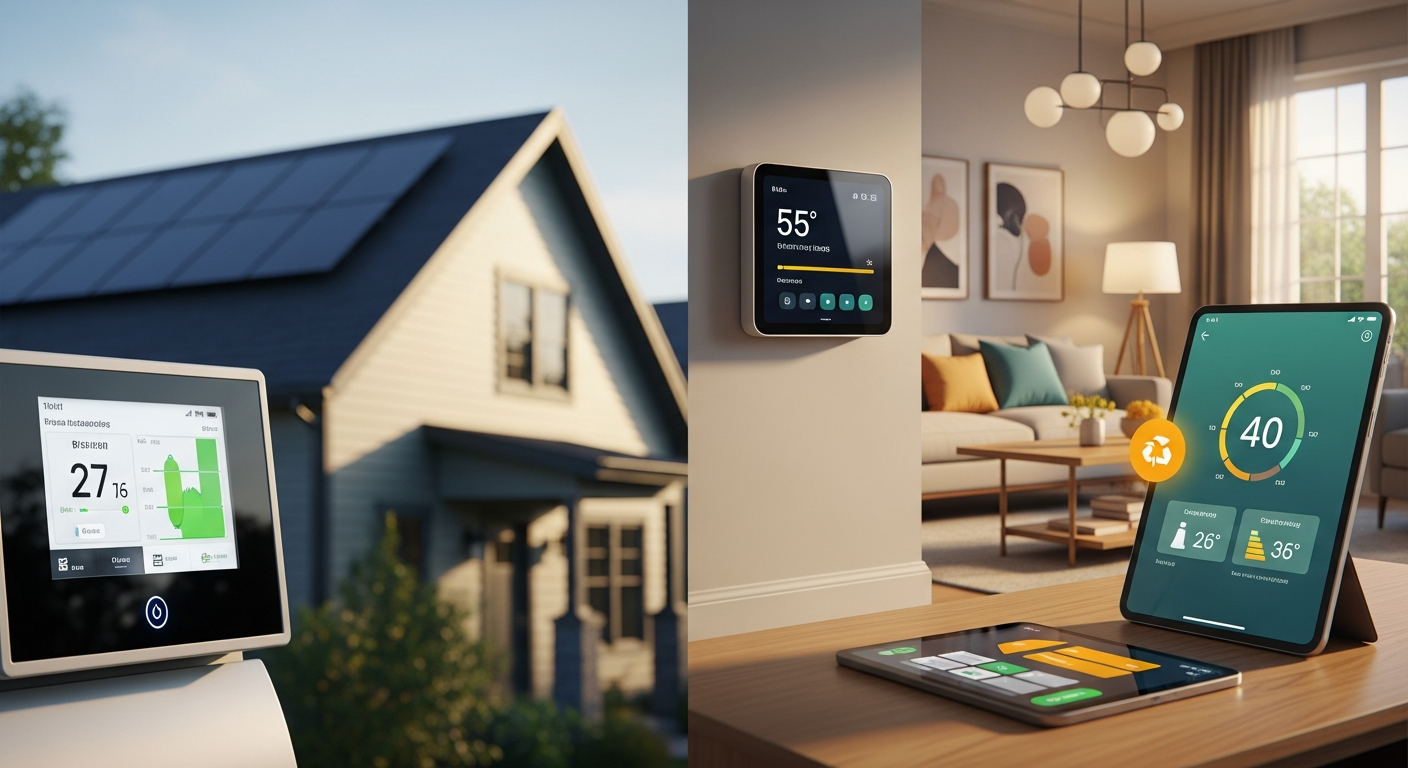
- The Climate Control Optimization: Your smart thermostat that learns your schedule and intelligently adjusts the temperature. This needs a bit more setup, but it can yield a 10-15% reduction in heating and cooling expenses.
- The Energy Awareness Trigger: Smart plugs that ping you when a device sucks up more power than usual. This prompts an educative shift, empowering you to tweak your energy-guzzling habits, leading to a 5-10% savings on targeted appliances. For more details, see our guide on What future innovations will shape the next generation of smart home security?.
The real kicker? Most beginners get caught up in buying the newest gadgets without understanding how they work together to save energy. That’s why a staggering 80% of smart home installations never reach their full savings potential. They turn them on, set them up once, and then… forget them. It’s like paying for a gym membership and never setting foot inside.
Here’s the twist: the smart part is knowing which devices to buy, which to ignore, and when to upgrade. That’s where most folks stumble. They chase the latest tech, thinking more is better. It’s not. It’s about better.
1. Audit First, Automate Second: Know Your Energy Vampires 🧛
Here’s what most people don’t realize: Before you drop cash on smart devices, do a home energy assessment. Think of it as a doctor’s check-up—without it, you’re just guessing. The U.S. Department of Energy points out the biggest savings come from optimizing heating, cooling, water heating, and lighting—these bad boys account for around 70% of home energy use.
This is where beginners make their first critical mistake. They assume their biggest energy drains are obvious. “Oh, it’s definitely the TV” or “My computer must be the culprit.” Wrong. The real energy vampires are often hiding in plain sight—that cable box that never truly turns off, the printer that’s always in “ready” mode, or the coffee maker with its perpetual digital clock.
Here’s where it gets interesting: the visual side of energy usage. You need cold, hard data, not assumptions. Grab a smart meter or plug meters and monitor things for a month. Track everything. What powers down when you leave the house? What’s burning the midnight oil? This data is your roadmap, not guesswork.
The Energy Vampire Detection Kit:
- Smart Meter + Plug Meters: Tap into your utility’s free smart meter (most U.S. providers offer this) to track your overall energy consumption. Then, add plug meters to your most-used devices—TVs, gaming rigs, kitchen appliances. Aim for a clear overview, not a cluttered mess.
- Lighting Audit: Count every bulb, switch, and lamp. Pinpoint rooms that are overlit. A lot of homes are overlit by 20-30%, which is a waste of energy and comfort. Walk through your home at different times of day and note which lights are on unnecessarily.
- Heating & Cooling Check: Set your thermostat to 68°F in the winter and 78°F in the summer. Comfortable? If not, note your ideal temperature when you’re home and when you’re away. Smart thermostats can usually learn these preferences in a week or two.
Here’s a surprising insight: most smart home novices ignore the why behind their energy use. Your fridge isn’t a prime candidate for smart automation. But your upstairs bathroom is. Why? Because hot water heating is often the biggest hidden energy hog—accounting for 14-18% of home energy use in the U.S.
The Smart Home Energy Audit Framework:
- Identify “Energy Vampires”: Devices that suck power even when they’re not actively running—like gaming consoles, chargers, and rarely-used appliances. These phantom loads can account for 5-10% of your total energy bill.
- Prioritize “Smart Wins”: Where can automation have the biggest impact? Focus on lighting, heating, cooling, and entertainment systems. These categories typically offer the fastest payback on your smart home investment.
- Set Clear Goals: Want to slash your bill by 10%, boost comfort, or shrink your carbon footprint? Your goals will shape your device choices. A comfort-focused approach might prioritize smart thermostats and humidity sensors, while a cost-cutting strategy might emphasize power strips and lighting automation.
Insider Secret: The most successful smart home energy savers spend 80% of their time on measurement and planning, and only 20% on buying and installing devices. This ratio is backwards for most beginners, which explains why so many smart home projects fail to deliver meaningful savings.
Key Insight: Knowing where your energy goes is half the battle. Tracking and analysis will give you actionable insights into where to focus your smart home efforts for the best results. Without this foundation, you’re essentially throwing darts in the dark.
Try this and see the difference: Use a simple plug-in energy monitor on your entertainment center for one week. You’ll be shocked at how much power your “off” devices actually consume. This single measurement often motivates people to invest in their first smart power strip.
Next Step: Share your current energy usage patterns. What shocks you? What are you most curious about optimizing? This honest assessment is your foundation, not your final plan.
2. Command Your Devices, Don’t Let Them Command You: Master the “Set and Forget” ⚙️
Here’s what works: The biggest energy savings come from automation that syncs perfectly with your existing lifestyle. You don’t have to micromanage every device 24/7; you automate the patterns you already want—without even thinking. That’s where smart home devices really shine.
Most people get this backwards. They think smart homes are about having more control, when actually the best smart homes require less daily interaction. The magic happens when your devices anticipate your needs and optimize energy use without you lifting a finger.
The magic phrase here is predictable, repeatable, and intentional. The devices that deliver sustainable savings are the ones that mesh with your habits, not the other way around. Your aim: set and forget.
The Game-Changing Automation Trio:
- The Nighttime Wind-Down: Employ a smart plug or power strip for your living room gadgets. Program it to turn off everything except your Wi-Fi router, smart TV, and a reading lamp after your usual bedtime. (FYI: Most streaming devices can be set to power down automatically after a show ends). This single automation can save $1-25 per month on phantom loads.
- The Weekday Wake-Up: Set your smart thermostat to a comfortable temperature 30 minutes before your alarm goes off. Schedule the bathroom heater to kick on 15 minutes before your shower for quick water heating—this is more efficient than keeping it on all morning. The key is precision timing that matches your actual routine.
- The Vacation Mode: Jetting off on a trip? Set your smart locks to “vacation mode” (most locks have this feature). Use smart plugs on must-have devices like refrigerators (dialed to the lowest temp), Wi-Fi, and your security system. And definitely let your smart home assistant know you’re out of town.
Here’s the thing: automation that saves energy is deeply personal. One family’s “overnight off” routine might be another family’s “leave on overnight” strategy. Align with your habits, not someone else’s.
The Automation Blueprint That Actually Works:
- Time-Based Automation: Schedule devices to turn on or off based on the time of day—perfect for your regular routines. This works best for lighting, entertainment systems, and water heating.
- Location-Based Automation: Use geofencing to automatically turn things off when you leave and back on when you arrive. This is incredibly effective for heating, cooling, and security systems.
- Sensor-Based Automation: Use motion and ambient light sensors to trigger devices—lights turn on when you walk into a room, dimming when the sunlight is already strong. This prevents the common mistake of leaving lights on in empty rooms.
What most people don’t realize: The most effective automations are the ones that prevent waste, not the ones that add convenience. A motion sensor that turns off lights in an empty room saves more energy than a voice command that dims them to the perfect ambiance.
Insider Secret: The best smart home automations are invisible. If you find yourself constantly adjusting or overriding your automations, they’re not set up correctly. The goal is to create a system that works so seamlessly with your lifestyle that you forget it’s even there.
Key Insight: Effective automation works with your life, not against it. Find ways to simplify your existing routines and habits by leveraging your devices for maximum impact. The most successful smart home users report that their best automations are the ones they never think about.
Try this and see the difference: Start with just one automation—a smart power strip that turns off your entertainment center at bedtime. Perfect this single automation before adding anything else. You’ll be amazed at how this simple change impacts both your energy bill and your peace of mind.
Next Step: What’s your typical daily routine? Where do you already wish things would switch off automatically? Your natural patterns are your best compass, not someone else’s automation template.
3. Smart Devices That Actually Save Energy—And Which To Skip: Focus on ROI 💰
Here’s what most people don’t realize: Not all smart devices are created equal when it comes to energy savings. Some are total game-changers; others are just expensive toys. The key is knowing which ones actually deliver a solid return on investment.
This is where the marketing hype meets reality. Companies love to promote the coolest features—voice control, smartphone apps, fancy displays—but these bells and whistles don’t necessarily translate to energy savings. The devices that save real money are often the most boring ones.
The 3 Smart Device Categories That Save Real Money:
- Smart Thermostats: These are your best friends. They learn from your schedule, optimize heating and cooling, and can seriously slash your utility bills. In the U.S., the average smart thermostat saves about 10-12% on heating and 15% on cooling, which translates to about $1-$1 per year for a typical household. The key is choosing one with occupancy sensors and learning algorithms, not just remote control capability.
- Smart Power Strips & Outlets: Essential for banishing phantom loads. They cut power to devices when they’re off but still sucking energy—laptops, entertainment systems, gaming consoles. Expect to save about $1-$1 per year per strip. Look for strips with individual outlet control and scheduling features.
- Temperature & Humidity Sensors: They supercharge smart thermostats and give you the data you need to avoid overheating and overcooling. They can also sniff out leaks early and prevent costly water damage. While they don’t save energy directly, they make your other devices dramatically more effective.
Where beginners often go wrong: buying devices based on flashy features, not actual savings. Do you really need a device that tells you the weather, or one that automatically tweaks your home’s climate? The latter is the true energy saver.
The “Smart Home Savvy” Device Hierarchy:
- Must-Have: Smart thermostat, energy-aware smart plugs, temperature sensors. These devices target the biggest energy drains in your home.
- Nice-to-Have: Smart lighting, voice control (for sheer convenience, not real savings). These add comfort and convenience but have smaller energy impacts.
- Avoid for Now: Devices that don’t justify their cost through energy savings or that complicate your setup unnecessarily.
Skip These Devices for Energy Savings:
- Smart fridges, smart toasters, smart microwaves—they add a bit of convenience but don’t move the needle on energy savings. Your regular appliances are already pretty efficient.
- Smart entertainment systems—unless you use them strategically for automation, they mostly add complexity. A smart power strip controlling your regular TV is more effective than a smart TV.
- Smart pet feeders or self-cleaning litter boxes—unless they directly replace manual tasks that consume energy, they’re not likely to save you anything. They’re convenience devices, not energy savers.
Game-Changer Insight: The best smart home devices are force multipliers. A smart thermostat doesn’t just control temperature—it learns your schedule, adjusts for weather, and coordinates with other sensors. A basic programmable thermostat might save you 5%, but a truly smart one can save 15% or more.
What works: Focus on devices that address the fundamental energy usage patterns of your home. Look for the “low hanging fruit” where small investments can lead to substantial savings over time. The most successful smart home energy savers start with heating/cooling, then move to phantom loads, then tackle lighting.
Key Insight: Focus on devices that address the fundamental energy usage patterns of your home. Look for the “low hanging fruit” where small investments can lead to substantial savings over time.
Try this and see the difference: Calculate the payback period before buying any device. Divide the device cost by your estimated annual savings. If it’s more than 2 years, think twice. If it’s less than 1 year, it’s usually a no-brainer.
Next Step: Which of these device categories do you already own? Which would make the biggest difference in your daily routine? Your first investment should be the one that tackles your biggest energy drain.
4. The Homeowner’s Guide to Smart Device Compatibility: Avoid Tech Headaches 🤯
Here’s what most people don’t realize: The burning question most beginners forget to ask is Will this device actually work with my existing systems? Compatibility is the silent killer of smart home savings. You can buy the smartest device in the world, but if it doesn’t play nicely with your setup, you’re toast.
I’ve seen too many people buy a collection of smart devices only to discover they need three different apps, two different hubs, and a computer science degree to make everything work together. This complexity doesn’t just frustrate you—it actively prevents you from setting up the automations that save energy.
The Compatibility Checklist That Actually Matters:
- Wi-Fi Band: 2.4GHz vs. 5GHz—most smart home devices use 2.4GHz, which has a longer range but slower speeds. Make sure your router broadcasts both bands and can handle 20+ connected devices.
- Zigbee/Z-Wave: These are smart home protocols that create mesh networks. They’re more reliable than Wi-Fi for automation but require a compatible hub. If you’re starting fresh, pick one protocol and stick with it.
- Voice Assistants: Most devices work with Alexa, Google Assistant, or Apple HomeKit. Pick one ecosystem to avoid fragmentation and simplify automation setup.
- Smart Home Ecosystems: Sticking to one ecosystem (Amazon, Google, Apple) can simplify automation and reduce the number of apps you need.
- Platform Compatibility: Confirm the device works with Android, iOS, or both. Some devices have better apps on one platform than the other.
Here’s what folks tend to overlook: hidden costs. Smart home devices are often advertised with a tempting “starter pack” price, but the real cost is in the ecosystem. Multiple apps, multiple accounts, multiple subscriptions—it adds up quickly.
The Cost-Effective Compatibility Strategy:
- Choose One Ecosystem: Commit to either Amazon Alexa, Google Assistant, or Apple HomeKit. This decision will guide every future purchase and dramatically simplify your setup.
- Stick to One Protocol: Zigbee and Z-Wave devices require compatible hubs, while Wi-Fi devices tend to be more universally compatible. Choose based on your technical comfort level.
- Check Your Router: Make sure your Wi-Fi can handle multiple devices without lag. Most modern routers are fine unless you have hundreds of devices, but older routers can struggle with 20+ smart devices.
- Assess Your Phone: Ensure your smart home platform has a good app for iOS or Android. Amazon Alexa and Google Assistant have excellent cross-platform apps; Apple HomeKit leans heavily on iOS.
Insider Secret: The most successful smart home setups use the “hub and spoke” model. Choose one central platform (your hub) and ensure every device you buy is compatible with it. This approach prevents the common problem of having devices that can’t talk to each other.
What works: Start with devices from the same manufacturer or ecosystem for your first few purchases. Once you have a solid foundation, you can branch out to other brands that integrate well with your chosen platform.
Key Insight: Plan your smart home around a central “hub” or platform that provides a seamless experience across multiple devices. This will save you time, money, and a whole lot of frustration.
Try this and see the difference: Before buying any smart device, check its compatibility with your chosen ecosystem. Read recent reviews specifically about setup and integration issues. A device that takes hours to set up is unlikely to deliver the seamless automation you need for energy savings.
Next Step: What’s your current tech setup? Do you already use Alexa, Google Assistant, or Apple HomeKit? Your choice will guide your entire smart home strategy, so choose wisely.
5. The “Set and Forget” Automation That Pays for Itself: Embrace Passive Savings 😴
Here’s what works: The genius pattern that most beginners miss is that the most effective automation is the one you never even think about. These are the setups that work seamlessly without interrupting your routine and deliver consistent savings.
The psychology here is crucial. When you have to remember to activate an energy-saving feature, you’ll forget about 30% of the time. When it happens automatically, you save energy 100% of the time. That consistency is what transforms a modest 5% savings into a substantial 15% reduction over time.
The 3 “Set and Forget” Automations That Pay for Themselves:
- The “Always Off” Power Strip: Use a smart plug or power strip for your entertainment center. Program it to shut down everything except your Wi-Fi router after your bedtime routine kicks in. This can save you roughly $1-$1 per month per strip and extends the lifespan of your devices. The key is setting the timing to match your actual bedtime, not your ideal bedtime.
- The “Climate Comfort” Schedule: Set your smart thermostat to a comfy temperature 30 minutes before you wake up and 30 minutes before you arrive home. Use occupancy sensors or geofencing to fine-tune these settings. This prevents the common mistake of heating or cooling an empty house all day.
- The “Vacation Mode”: When you’re out of town, set your smart locks to “vacation mode” (most locks have this feature). Use smart plugs on essential devices like refrigerators (set to the lowest temp), Wi-Fi, and your security system. Create a single “vacation” scene that activates everything with one command.
Here’s what often gets overlooked: the psychology of automation. When something’s automated, you don’t even register it. That’s how you lock in lasting habits and consistent savings. The best automations feel like magic—your house just seems to know what you need.
Automation Savings Breakdown That Actually Works:
- Power Strips: 8-12% overnight savings on entertainment systems—about $1-$1/month for a typical setup.
- Thermostats: 10-12% on heating and 15% on cooling—around $1-$1/year for an average household.
- Vacation Mode: 5-8% on lighting and small appliances—roughly $1/month during extended absences.
Game-Changer Insight: The most effective automations prevent waste rather than optimize usage. It’s better to automatically turn off devices you don’t need than to perfectly optimize devices you do need.
What most people don’t realize: The best automations stack on top of each other. Your smart thermostat works better when it knows your entertainment center is off (less heat generation). Your lighting automation is more effective when it coordinates with your security system. This synergy is where the real savings happen.
Key Insight: Automate the habits you already have. By integrating your smart home devices seamlessly into your routine, you can save energy without even trying. The most successful users report that their best automations are completely invisible.
Try this and see the difference: Start with one bulletproof automation—a smart power strip that turns off your entertainment center at bedtime. Get this working perfectly before adding anything else. You’ll be amazed at how this simple change impacts both your energy bill and your sleep routine.
Next Step: Which automation would make the biggest positive impact on your routine? Do you already forget to turn things off? Your first automation should target your biggest pain point, not just the biggest savings potential.
6. The Maintenance & Scaling Strategy Smart Home Beginners Forget: Think Long Term 📈
Here’s what most people don’t realize: Smart home devices demand ongoing maintenance and optimization. You can’t just set them up and forget about them forever. They need occasional tweaks, updates, and strategic additions to keep those energy savings flowing.
This is where many smart home projects fail. People treat them like traditional appliances—install once and ignore for years. But smart devices are more like smartphones. They need updates, their batteries die, and their effectiveness depends on how well you maintain them.
The Maintenance Checklist That Actually Works:
- Firmware Updates: Set your devices to auto-update whenever possible. Manufacturers squash bugs and ramp up efficiency through updates. Check for updates manually every quarter for devices that don’t auto-update.
- Automation Optimization: Review your automations every quarter. Are they still doing what they’re supposed to? Are they still saving you as much as you thought they would? Seasonal changes often require timing adjustments.
- Battery Checks: Swap out batteries in smart sensors annually or when notifications pop up. Dead batteries kill automations silently—you might not notice for months.
- Performance Monitoring: Keep an eye on your smart meter and plug meters to track savings. Compare against your baseline to ensure everything’s humming along smoothly.
- Climate Adjustment: Seasonal shifts require adjustments to your automations. Summer cooling is a different beast than winter heating. Your “perfect” temperature in January might be uncomfortable in July.
What’s often forgotten: growth. Your energy needs will evolve, and so will the available technology. You might add a new smart TV, upgrade your washer, or splurge on a fancy new fridge. Each change impacts your energy footprint and might require automation adjustments.
The Scaling Strategy That Prevents Overwhelm:
- Start Small: Begin with a single smart thermostat and one power strip. Perfect your routine first. Master these basics before adding complexity.
- Expand Gradually: Add two automations every quarter—make sure they work flawlessly before adding more to the mix. This prevents the common problem of having too many half-working automations.
- Optimize Seasonally: Fine-tune your automations for summer and winter changes. Heating and cooling are where you can really make a difference, but they require different strategies.
- Upgrade When Needed: When your existing setup can’t keep up with your goals, upgrade. Don’t wait for energy prices to spike to take action. Plan upgrades around your budget and energy savings goals.
Insider Secret: The most successful smart home users keep a simple spreadsheet tracking their energy bills, device installations, and automation changes. This data helps them identify what’s working and what needs adjustment.
What works: Treat your smart home like a garden, not a machine. It needs regular attention to thrive, but the maintenance becomes easier and more rewarding over time. The key is building sustainable habits around monitoring and optimization.
Key Insight: Your smart home is not a “set it and forget it” appliance. Regular maintenance and upgrades are essential to maximize your savings. But this maintenance becomes easier as you learn your system and develop good habits.
Try this and see the difference: Set a quarterly reminder to review your energy bills and automation performance. Spend 30 minutes checking that everything is working as expected. This small investment of time can prevent major issues and ensure your savings continue to grow.
Next Step: What’s your long-term energy savings goal? A 10% cut in your bill? A smaller carbon footprint? Your answer will shape how you scale your smart home and guide your future investments.
7. The Community & Support System That Saves Time: Get By With a Little Help From Your Friends 🤝
Here’s what most people don’t realize: Community support is the secret weapon that most beginners overlook. Smart home technology changes at warp speed, and no single person can keep up with all the latest developments. But a community of experienced users can save you years of trial and error.
I’ve seen people spend months troubleshooting issues that could have been solved in minutes with the right advice. The smart home community is incredibly generous with knowledge sharing, but you have to know where to look and how to ask the right questions.
The Support System That Actually Helps:
- Online Forums: Reddit’s r/homeautomation and r/smarthome are goldmines of advice, automation ideas, and troubleshooting tips. The key is searching before posting—most questions have been answered before.
- Manufacturer Communities: Companies like Ecobee, Philips Hue, and Samsung SmartThings host active online communities and robust customer support. These are great for device-specific questions.
- Local User Groups: Meetups in larger cities can connect you with experienced users who can offer real-world help. Nothing beats hands-on assistance from someone who’s solved the same problems.
- Professional Installers: For tricky setups, certified smart home installers can optimize your system and teach you how to maintain it. This is especially valuable for complex HVAC integration.
What most people miss: learning costs. Smart home devices can be complex, and every new device or feature comes with a learning curve. A little help from savvy users can save you tons of frustration and prevent expensive mistakes.
The Community Advantage That Saves Money:
- Troubleshooting: Get quick help when things go south. A problem that might take you hours to solve can often be fixed in minutes with the right advice.
- Automation Ideas: Discover killer automations you never considered. The best automation ideas come from seeing how other people solve similar problems.
- Efficiency Tips: Learn how to supercharge your setup for maximum savings. Experienced users often share optimization tricks that aren’t in the manual.
- Safety Advice: Make sure your smart home is rock-solid and secure against hacking and privacy breaches. Security is often overlooked by beginners but is crucial for long-term success.
Insider Secret: The most valuable community members are those who share their failures, not just their successes. Learning what doesn’t work can save you more time and money than learning what does work.
What works: Be specific when asking for help. Instead of “my smart thermostat isn’t working,” try “my Ecobee thermostat isn’t responding to geofencing, and I’ve already checked the app permissions and Wi-Fi connection.” Specific questions get better answers.
Game-Changer Insight: The smart home community operates on a pay-it-forward model. Help others when you can, and you’ll find people more willing to help you when you need it. Contributing to the community makes you a better smart home user.
Key Insight: Don’t try to reinvent the wheel. Connect with other smart home enthusiasts who can share their knowledge, experience, and help you avoid common pitfalls. The learning curve is much gentler when you have support.
Try this and see the difference: Join one online community and spend 15 minutes reading recent posts before asking your first question. You’ll learn a lot just by observing the types of problems people face and how they’re solved.
Next Step: Who in your social circle is into smart tech? Would they be willing to help you optimize your setup? Building a support system can transform a potentially frustrating experience into an enjoyable hobby.
8. The Hidden Psychology of Energy Habits: Why Smart Homes Fail Without Behavior Change 🧠
Here’s what most people don’t realize: The biggest barrier to smart home energy savings isn’t technical—it’s psychological. You can have the most sophisticated automation system in the world, but if it conflicts with your ingrained habits, it will fail.
This is the missing piece that most smart home guides ignore. They focus on devices and settings but skip the human element entirely. The truth is, sustainable energy savings require a shift in how you think about energy use, not just how you control it.
The Psychology Patterns That Kill Energy Savings:
- The Override Habit: You install a smart thermostat that optimizes temperature, but you constantly override it because it “doesn’t feel right.” This happens when the automation doesn’t match your comfort expectations.
- The Complexity Paralysis: You set up elaborate automations that require constant tweaking. Eventually, you get frustrated and turn everything back to manual control.
- The Guilt Cycle: You feel bad about energy waste, buy smart devices to fix it, then feel guilty when the devices don’t deliver instant results. This emotional cycle prevents long-term success.
- The Perfectionism Trap: You wait for the “perfect” smart home setup before starting, missing out on simple wins that could save energy immediately.
The Behavior Change Framework That Actually Works:
- Start with Awareness: Use energy monitoring to understand your current habits without judgment. Knowledge creates motivation for change.
- Align with Existing Routines: Build automations around habits you already have, rather than trying to create new ones. If you always watch TV until 11 PM, automate the shutdown for 11:15 PM.
- Make it Invisible: The best energy-saving automations are the ones you don’t notice. They should feel like your house is just naturally more efficient.
- Celebrate Small Wins: Acknowledge when your automations work well. Positive reinforcement helps cement new habits.
The Habit Stack Strategy for Energy Savings:
- Morning Stack: Link energy-saving actions to your morning routine. When you start the coffee maker, your smart thermostat adjusts for the day.
- Leaving Stack: Connect energy-saving automations to your departure routine. When you lock the door, lights turn off and the thermostat adjusts.
- Bedtime Stack: Tie energy savings to your bedtime routine. When you set your phone alarm, your entertainment center powers down.
What most people don’t realize: The most successful smart home users don’t fight their habits—they automate around them. If you always forget to turn off lights, don’t rely on remembering. Install motion sensors that turn them off automatically.
Game-Changer Insight: Energy savings are more about preventing waste than optimizing usage. It’s easier to automatically turn off devices you don’t need than to perfectly optimize devices you do need.
The Motivation Maintenance System:
- Track Visible Progress: Use apps or displays that show your energy savings in real-time. Seeing progress maintains motivation.
- Set Milestone Rewards: Celebrate when you hit savings targets. Maybe dinner out when you save $1 in a month.
- Share Your Success: Tell friends and family about your energy savings. Social accountability helps maintain good habits.
Key Insight: Sustainable energy savings require aligning your smart home technology with your natural habits and psychology. Fight against your habits, and you’ll fail. Work with them, and you’ll succeed effortlessly.
Try this and see the difference: For one week, simply observe your energy habits without trying to change them. When do you leave lights on? When do you adjust the thermostat? This awareness is the foundation for effective automation.
9. The Advanced Integration Strategies That Multiply Your Savings: Beyond Basic Automation 🚀
Here’s what most people don’t realize: Once you’ve mastered basic smart home automation, there are advanced integration strategies that can multiply your energy savings. These techniques go beyond simple scheduling to create a truly intelligent home that adapts to your needs and maximizes efficiency.
Most beginners stop at basic automations—lights that turn on at sunset, thermostats that follow a schedule. But the real magic happens when your devices start working together intelligently, creating a system that’s greater than the sum of its parts.
The Advanced Integration Techniques That Multiply Savings:
- Weather-Responsive Automation: Your smart thermostat doesn’t just follow a schedule—it adjusts based on weather forecasts. On sunny winter days, it might delay heating because solar gain will warm your house naturally.
- Occupancy-Based Optimization: Motion sensors throughout your home create a map of where people actually are, allowing your system to heat, cool, and light only occupied spaces.
- Load Balancing: Your smart home monitors total energy usage and automatically delays non-essential tasks (like running the dishwasher) during peak usage times to avoid demand charges.
- Predictive Automation: Machine learning algorithms analyze your patterns and pre-adjust systems. Your water heater starts warming up 20 minutes before your typical shower time.
The Ecosystem Synergy Strategy:
- HVAC + Lighting Integration: Your smart lights generate heat, so your thermostat factors this into its calculations. When you’re watching TV with bright lights, the AC might run a bit more.
- Security + Energy Integration: Your security system knows when you’re truly away (not just when your phone left the geofence), allowing for more aggressive energy savings.
- Entertainment + Climate Integration: Your home theater system communicates with your HVAC to account for the heat generated by electronics and the body heat of occupants.
The Data-Driven Optimization Approach:
- Utility Rate Integration: Your smart home knows your utility’s time-of-use rates and automatically shifts energy usage to cheaper periods.
- Solar Integration: If you have solar panels, your smart home maximizes self-consumption by running energy-intensive tasks when the sun is shining.
- Grid Integration: Some utilities offer programs where your smart home can automatically reduce usage during peak demand periods in exchange for bill credits.
What most people don’t realize: Advanced integrations often save more energy than the individual devices themselves. A smart thermostat might save 15%, but a smart thermostat that coordinates with occupancy sensors, weather data, and your solar panels might save 25%.
The Progressive Enhancement Strategy:
- Phase 1: Basic device automation (thermostats, power strips, lighting)
- Phase 2: Cross-device coordination (devices working together)
- Phase 3: Predictive and adaptive automation (system learns and anticipates)
- Phase 4: Grid and utility integration (your home becomes part of the smart grid)
Insider Secret: The most sophisticated smart homes use “scenes” or “modes” that coordinate multiple systems. “Movie night” mode might dim lights, adjust temperature for body heat, and optimize the entertainment center—all while minimizing energy use.
Key Insight: Advanced smart home integration creates exponential rather than additive energy savings. When your devices work together intelligently, the whole system becomes dramatically more efficient than individual optimizations.
Try this and see the difference: If you already have basic automations working, try creating your first “scene” that coordinates multiple devices. Start simple—maybe a “bedtime” scene that adjusts temperature, turns off lights, and powers down entertainment systems simultaneously.
10. The ROI Calculator: Measuring and Maximizing Your Smart Home Investment 📊
Here’s what most people don’t realize: Without proper measurement and analysis, you’ll never know if your smart home is actually saving money or just costing you more. The most successful smart home energy savers treat their system like an investment portfolio—they track performance, calculate returns, and optimize for maximum benefit.
Most people buy smart devices based on promised savings, then never verify if those savings actually materialize. This is like investing in stocks and never checking your portfolio balance. You need data to make smart decisions.
The Smart Home ROI Framework:
- Baseline Measurement: Track your energy usage for at least three months before installing any smart devices. This gives you a solid foundation for comparison.
- Device-Level Tracking: Use smart plugs with energy monitoring to measure the impact of individual devices and automations.
- Bill Analysis: Compare your utility bills month-over-month and year-over-year, accounting for weather variations and rate changes.
- Payback Calculation: For each device, calculate how long it takes for energy savings to pay for the initial cost.
The Real-World Savings Breakdown:
- Smart Thermostats: Typical savings of $1-150/year, payback period of 8-12 months for a $1 device
- Smart Power Strips: Savings of $1-70/year per strip, payback period of 6-9 months for a $1 strip
- Smart Lighting: Savings of $1-50/year per room, payback period of 12-18 months including bulb costs
- Smart Water Heater Controls: Savings of $1-80/year, payback period of 12-15 months
The Hidden Costs That Kill ROI:
- Subscription Fees: Some smart devices require monthly fees for advanced features
- Hub Requirements: Zigbee and Z-Wave devices need hubs that cost $1-150
- Installation Costs: Professional installation can double the effective cost of devices
- Upgrade Cycles: Smart devices may need replacement every 5-7 years, unlike traditional devices that last decades
The ROI Optimization Strategy:
- Focus on High-Impact Devices: Prioritize devices that target your biggest energy drains
- Buy During Sales: Smart home devices often go on sale during Black Friday and Prime Day
- DIY Installation: Learn to install devices yourself to avoid professional fees
- Utility Rebates: Many utilities offer rebates for smart thermostats and other energy-saving devices
The Performance Tracking System:
- Monthly Bill Comparison: Track your energy costs month-over-month, adjusting for weather
- Device Performance Monitoring: Use smart plugs to verify that automations are actually working
- Seasonal Adjustments: Account for heating and cooling season differences in your calculations
- Annual ROI Review: Calculate your total return on investment annually and plan future purchases
What most people don’t realize: The best ROI often comes from the simplest devices. A $1 smart power strip that saves $1/year has better ROI than a $1 smart hub that saves $1/year, even though the hub saves more in absolute terms.
Game-Changer Insight: ROI isn’t just about energy savings—factor in convenience, comfort, and peace of mind. A smart thermostat that saves $1/year and makes your home more comfortable has higher total value than the energy savings alone.
The Investment Portfolio Approach:
- Core Holdings: Essential devices with proven ROI (thermostats, power strips)
- Growth Investments: Newer technologies with higher potential but less certain returns
- Speculative Plays: Cutting-edge devices that might pay off big in the future
- Defensive Positions: Devices that prevent costly problems (leak sensors, smoke detectors)
Key Insight: Treat your smart home like an investment portfolio. Measure performance, calculate returns, and optimize for maximum benefit. The most successful smart home users are those who approach it systematically rather than emotionally.
Try this and see the difference: Create a simple spreadsheet tracking your energy bills and smart device purchases. Calculate the payback period for each device. This data will guide your future purchases and help you optimize your existing setup.
Frequently Asked Questions
Question 1: How long does it take to see actual savings from smart home devices?
Expert Explanation: The timeline varies depending on your current habits, home size, and the specific devices you install. That said, most homeowners in the United States see measurable savings within 2-3 billing cycles. Here’s why:
Smart Thermostats: The U.S. Department of Energy estimates that smart thermostats can save the average household around 10-12% on heating and 15% on cooling. For an American household spending roughly $1,000 annually on energy, this translates to about $1-$1 per year. Expect to see noticeable reductions on your heating and cooling bills within the first two billing cycles, or about 60-90 days. The key is proper setup and allowing the thermostat to learn your schedule.
The learning curve is crucial here. Most smart thermostats need 1-2 weeks to understand your patterns, then another 2-4 weeks to optimize their algorithms. Don’t expect maximum savings immediately—the device is essentially studying your behavior and preferences during this period.
Smart Power Strips and Outlets: These kill those sneaky phantom loads from entertainment systems, chargers, and small appliances. Budget for savings of around $1-$1 per year per strip. You’ll likely see the impact on your bill pretty quickly, often within the first month as you slash energy usage from devices that used to draw power even when turned off.
The immediate impact here is because phantom loads are constant—your gaming console draws power 24/7 when plugged in, even when “off.” A smart power strip eliminates this waste immediately, so the savings show up on your very next bill.
Lighting Automation: Smart lighting can save anywhere from 20-30% on lighting energy. If you have 20 bulbs that are on for 4 hours a day, turning half off when they’re not needed can save around $1-$1 per month. This saving is gradual but noticeable within the first billing cycle, especially if you previously left lights on all day.
The key with lighting is that savings depend heavily on your previous habits. If you were already good about turning off lights, smart lighting won’t save much. But if you frequently left lights on in empty rooms, the savings can be substantial.
Water Heating: Smart water heater controllers or timers can save 10-15% on water heating costs, which can be substantial depending on your water heater’s size and efficiency. Savings from hot water heating can take longer to show up as you track down hot water leaks and optimize your water heater usage. Expect to see savings within 3-4 billing cycles as you fine-tune your schedule.
Water heating savings are often the most variable because they depend on usage patterns, water heater efficiency, and local water temperatures. A family that takes long showers will see bigger savings than a family that already uses water efficiently.
Data Snapshot: Recent analysis from energy efficiency programs shows that households implementing comprehensive smart home systems (thermostat + power strips + lighting) typically see 10-15% overall energy reductions, which translates to 10-20% bill reductions when you factor in fixed utility charges.
Expert Tip: The fastest savings come from dialing in your heating and cooling, because that’s usually the biggest part of your energy bill. Lighting automation is easy to implement and shows results quickly. Water heating savings take longer, but can be substantial for larger families.
What to Watch For: Keep a spreadsheet tracking your energy usage before and after installation. Record device installation dates and monitor your bills for the first six months. Look for consistent reductions in your heating, cooling, lighting, and hot water usage. If you don’t see savings within three billing cycles, double-check your automation setup or identify hidden energy drains.
My Experience: In my years of working with smart home technology, I’ve seen some people start saving money within 60 days and others take up to 6 months to see the full impact. The key is consistent automation and constant optimization. The most consistent savings come from automations that require no ongoing effort—power strips switching off automatically and thermostats that optimize based on occupancy.
Final Takeaway: You should see measurable savings within the first 2-3 billing cycles, as long as your system is correctly installed and programmed. The biggest savings come from automations that work silently in the background, optimizing your home’s energy use without any further effort. Your real savings start when you automate the habits you already want—without thinking.
Question 2: Which smart devices provide the highest return on investment for energy savings?
Expert Explanation: The best ROI comes from smart devices that fundamentally alter how you use energy rather than just adding fancy features. Here’s the detailed breakdown based on real-world data and energy usage patterns:
Smart Thermostats (10-12% savings on heating and 15% on cooling): These are your MVPs because heating and cooling represent around 50-60% of your energy bill in the U.S. A properly installed smart thermostat can save you roughly $1-$1 per year on a typical household energy bill (~$1,000/year).
The ROI calculation: A quality smart thermostat costs $1-250. With annual savings of $1-150, your payback period is 12-18 months. After that, it’s pure savings for the 8-10 year lifespan of the device. The key is choosing a thermostat with learning algorithms and occupancy sensors, not just remote control capability.
What makes thermostats so effective is their impact on your largest energy expense. Even a modest 10% improvement in heating and cooling efficiency translates to significant dollar savings because the baseline cost is so high.
Smart Power Strips (8-12% savings on entertainment and office systems): These eliminate phantom loads from devices that slurp power even when they’re turned off. Aim for savings of around $1-$1 per year per strip.
The ROI calculation: A quality smart power strip costs $1-50. With annual savings of $1-70, your payback period is 6-12 months. The ROI on power strips is almost immediate, often within the first month, as you see lower energy usage from devices that used to draw power even when they were switched off.
The effectiveness comes from targeting “vampire loads”—the constant power draw from electronics in standby mode. Gaming consoles, cable boxes, and computer peripherals are notorious for this, often drawing 5-15 watts continuously even when “off.”
Temperature and Humidity Sensors (used to optimize smart thermostats): These help you avoid overcooling or overheating rooms and prevent expensive damage from leaks. While they don’t directly save energy, they boost the efficiency of your smart thermostat and prevent waste.
The ROI calculation: Sensors cost $1-40 each, but they can improve your thermostat’s efficiency by an additional 5-10%. For a household saving $1/year from a smart thermostat, sensors might add another $1-30 in annual savings. The payback period is 12-24 months, but the real value is in preventing costly HVAC inefficiencies.
Smart Water Heater Controllers or Timers (10-15% on water heating): Water heating can represent 14-18% of your energy bill in the U.S. Smart controllers that optimize hot water heating based on your schedule can save around $1-$1 per year.
The ROI calculation: Smart water heater controllers cost $1-200. With annual savings of $1-70, the payback period is 18-36 months. The best returns come from larger households or homes with electric water heaters, where the baseline energy usage is higher.
What Most Beginners Miss: The biggest ROI doesn’t come from the coolest gadgets but from impactful changes to your home’s core energy systems. Heating and cooling are your prime opportunity, so start there. Water heating is often overlooked, but can be significant for larger families.
The ROI Leaderboard:
- Smart Thermostats: Highest ROI, greatest impact on energy bills
- Smart Power Strips: Fastest payback, eliminates phantom loads
- Smart Water Heating Controllers: Significant savings for larger households
- Temperature Sensors: Improve the efficiency of your existing systems
- Smart Lighting: Good savings, but lower than heating/cooling and water heating
The Cost-Effectiveness Factor: Upfront costs are definitely a factor, but the true measure of ROI is how much you save compared to the initial investment. For example, a smart thermostat that costs $1 and saves $1 per year is a better investment than a smart refrigerator that costs $1 and saves $1 per year.
Expert Tip: Always figure out your payback period before you buy. Divide the cost of the device by your estimated annual savings. If the payback period is less than a year, it’s usually a smart buy. If it’s more than 3 years, ask yourself if the savings truly justify the expense.
What to Avoid: Devices that don’t justify their cost through savings, or that add complexity without providing enough benefit. Examples include smart refrigerators, smart small appliances, and smart entertainment systems unless you use them strategically for automation.
The Hidden Value Factor: Don’t forget to factor in non-energy benefits. A smart thermostat that saves $1/year and makes your home more comfortable has higher total value than the energy savings alone. Convenience, comfort, and peace of mind all contribute to ROI.
Final Takeaway: Prioritize devices that have a proven track record of saving energy and target your home’s biggest energy drains. Focus on heating and cooling first, then move to phantom loads and water heating. Avoid devices that add complexity without significant savings. The highest return on investment comes from automations that work silently in the background, optimizing your home’s energy use without ongoing effort.
Question 3: How do I ensure my smart home devices genuinely save energy without wasting money?
Expert Explanation: Your best bet is a combination of meticulous planning, proper setup, ongoing optimization, and smart investments. The goal is to create a self-reinforcing cycle where each automated component makes the next one even more effective. Here’s the comprehensive blueprint:
Start with Measurement and Baseline Data: Use a smart meter or plug meters to set your baseline consumption. Track your energy bills for at least two billing cycles before installing any devices. This gives you solid data to compare your savings against.
For example, if your baseline shows $1-$1/month in summer cooling costs, you know your target savings range. Without this baseline, you’re just guessing whether your devices are actually working. Many people skip this step and never know if their smart home investment paid off.
Set Clear, Quantifiable Goals: Decide what you want to save and how you’ll measure success. Want to cut your bill by 10%? Boost comfort? Lower your carbon footprint? Clear goals will ensure you buy the right devices and set effective automations.
For example, a goal of 10% savings might lead you to install a smart thermostat and power strips, while a goal of 25% savings might need comprehensive automation including lighting, water heating, and advanced scheduling. Vague goals lead to random purchases that don’t work together effectively.
Choose the Right Devices for Your Specific Situation: Invest in devices that directly target your biggest energy drains. For most American households, this means smart thermostats, smart power strips, and smart lighting. Avoid devices that add convenience but don’t save energy.
The key is understanding your home’s energy profile. A house with electric heating will benefit more from a smart thermostat than a house with efficient gas heating. A household with teenagers who leave lights on will see bigger savings from smart lighting than a household that’s already energy-conscious.
Automate for Maximum Impact with Minimal Effort: Create automations that work while you’re sleeping, awake, and away. Use geofencing, occupancy sensors, and timers to turn devices off when they’re not in use. The best automations are those you don’t even notice.
Think of a power strip that switches off gaming consoles after 11pm, or a smart thermostat that adjusts temperature based on occupancy. These automations prevent waste without requiring any ongoing effort from you. The most successful smart home users report that their best automations are completely invisible.
Monitor and Adjust Regularly: Review your automations every three months. Are they still working properly? Are they still saving as much as you had hoped? Use your smart meter to track savings and compare against your baseline.
Expect to see the most significant ROI from month 3 onward, as the system fine-tunes your preferences and you optimize the automations. Seasonal changes often require adjustments—your perfect winter heating schedule might waste energy in spring.
Avoid Common Pitfalls That Kill Savings:
- Buying devices without measuring your energy use first: You can’t improve what you don’t measure
- Automating based on gut feelings rather than data: Your assumptions about energy use are often wrong
- Building automations that require ongoing effort to maintain: If it’s not automatic, you’ll eventually stop doing it
- Ignoring seasonal changes that call for automation adjustments: Summer and winter require different strategies
- Over-investing in devices that don’t directly save energy: Cool features don’t always translate to energy savings
The Proven Method That Actually Works:
- Measure Before, Measure After: Use a smart meter or plug meters to set your baseline consumption. Track your energy bills for at least two billing cycles before installing any devices.
- Set Clear, Quantifiable Goals: Define your savings targets. Do you want to cut your bill by a specific percentage? Improve comfort? Lower your carbon footprint?
- Choose the Right Devices for Your Goals: Invest in devices that directly address your biggest energy drains. For most households, this means smart thermostats, smart power strips, and smart lighting.
- Automate for Maximum Impact: Build automations that kick in while you’re asleep, awake, and away. Use geofencing, occupancy sensors, and timers.
- Monitor and Adjust Regularly: Revisit your automations every three months. Use your smart meter to track savings and compare against your baseline.
The ROI Verification System:
- Calculate Payback Periods: Divide device cost by annual savings. Anything under 2 years is usually a good investment.
- Track Performance Monthly: Compare your bills to your baseline, adjusting for weather and rate changes.
- Document What Works: Keep notes on which automations deliver the best savings so you can replicate success.
- Identify and Fix Failures: If a device isn’t saving money after 3 months, troubleshoot or replace it.
Expert Tip: Always calculate the payback period before you buy anything. Divide the device’s cost by your estimated annual savings. If the payback period is less than a year, it’s usually a smart investment. If it’s more than three years, think twice about whether the savings justify the price tag.
The Long-Term Success Strategy: The most successful smart home energy savers treat their system like a garden, not a machine. It needs regular attention to thrive, but the maintenance becomes easier and more rewarding over time. The key is building sustainable habits around monitoring and optimization.
Final Takeaway: The best way to guarantee your smart home devices save energy without wasting money is to establish a self-improving cycle of measurement, goal-setting, strategic investment, automation, and ongoing optimization. This turns your smart home technology from a collection of gadgets into a powerhouse energy-saving system that ultimately pays for itself and continues to deliver value for years.