Transcription Audio
Quick Summary: Top Picks by User Type
18 décembre 2025
Listen to audio:
Transcript Text
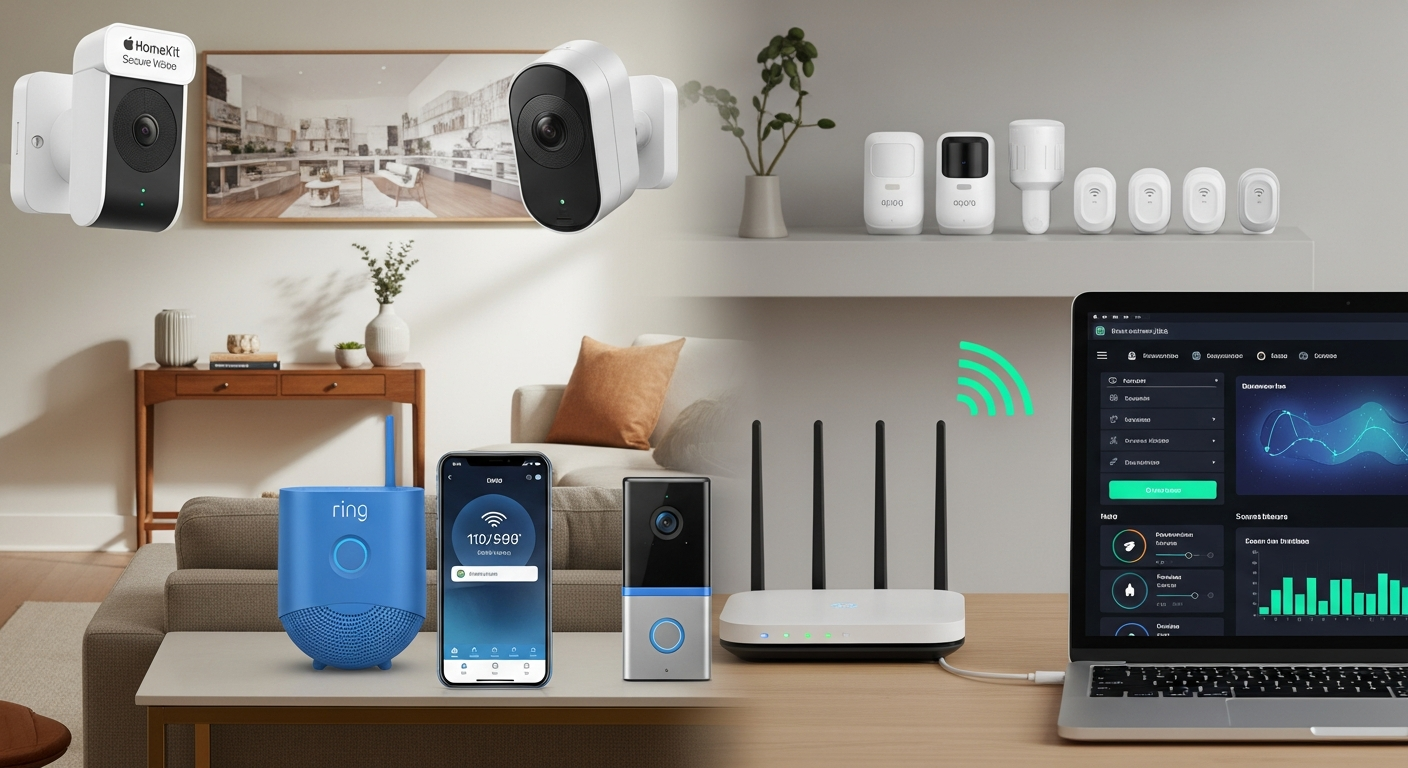
Hello and welcome. Today we’re talking about real peace of mind—the kind you feel when you turn off the lights, lock the door, and know your home can watch over itself. Here’s the modern twist: your locks, cameras, doorbells, and sensors are all little computers. When they’re built well, they stay quiet until it matters. When they’re not, they’re noisy, miss the moments you care about, and sometimes open doors you’d rather keep shut. After years of testing at home and in the lab, the setups that deliver calm nights do four things: - Think locally - Store what matters locally - Encrypt everything - Stay connected even when internet or power doesn’t Why it matters: these devices hold your life patterns—when you leave, when your kids get home, who visits, what’s said in your kitchen. Treat them like any computer with personal data. That mindset leads to smarter choices. Pillar one: on‑device detection. Think of it like a guard dog that knows the difference between a squirrel and a stranger. Cameras that recognize people or packages on‑device give you fewer phantom pings and fewer “motion detected” clips of wind-blown leaves. Most real-world alarm activations are false—think 98 out of 100. That wastes time, costs cities money, and can cost you in fines. When I switched to good on‑device smarts and well‑drawn motion zones, nuisance alerts were cut in half. Life got quieter; the important alerts stood out. Pillar two: resilience. Outages happen—storms, construction, ISP hiccups. The best systems have battery and cellular backup plus local video recording. I’ve had multi-hour internet failures where only the base station with LTE kept notifications flowing. Cameras kept recording to local storage; the alarm stayed online; monitoring could still reach first responders. In big weather events, that’s the difference between “we still had eyes on home” and “we had nothing.” Pillar three: security discipline. Pick vendors that treat security like a daily habit, not a box sticker: signed firmware, automatic updates, clear privacy controls, and transparent patching. You shouldn’t have to be a security engineer—just choose platforms that make it the default. There’s also a dollars-and-sense angle. Professional monitoring and verified alarms can bring faster response and smoother insurance claims. Some centers are certified to higher standards; some systems pass accurate data directly to 911. Many insurers offer premium discounts that can offset the monthly fee. So, what should you buy? Three great paths: 1) Best for most homes: Ring Alarm Pro with Ring Protect Pro. - Why: The base station doubles as a Wi‑Fi 6 router, so your network and security brain live together. With the plan, you get cellular and battery backup, and the option for local video on a microSD card with Ring Edge. - In testing: During a six-hour internet outage, it failed over to cellular, kept recording locally, and still sent alerts that mattered. The app is polished, geofencing worked, and the accessory ecosystem is huge—contact sensors, floodlights, a doorbell that can detect people and packages. - Trade‑offs: Monthly plan for best features. Some folks have concerns about law enforcement integrations—read the policies and choose what you enable. 2) Best for privacy-first homes: Apple HomeKit Secure Video with Aqara sensors and a hub. - Why: End-to-end encrypted video that only you can see. Footage is analyzed locally on your Apple TV or HomePod and encrypted before any cloud touches it. Many automations run locally, so things keep working even if your internet is out. - Aqara sensors are reliable, budget‑friendly, and integrate cleanly. - Notes: You’ll want iCloud+ for video storage. Camera choices are more curated. Setup is smoothest if your household is already on Apple devices. 3) Best for pro‑grade local control with no subscription: Ubiquiti UniFi Protect. - Why: Own the whole stack—local NVR, wired PoE cameras, excellent image quality. Pay upfront for hardware, then no monthly fees. Because everything is local, it keeps working if the internet dies. - Trade‑offs: Learning curve, likely cable runs, higher upfront costs for multiple high‑resolution cameras. But for a long‑term “it just runs” setup, it’s a joy—if you don’t mind a Saturday with a drill and ladder. How to choose? Ask three questions: 1) Do you want professional monitoring? If a real person calling dispatch when you can’t is important, pick a system designed for it. Ring Alarm Pro shines here. 2) Is privacy your top priority? If end‑to‑end encrypted video and local automations make you breathe easier, go Apple HomeKit Secure Video with Aqara. 3) Comfortable being your own IT department? If yes, and you want it all in‑house with zero monthly fees, UniFi Protect delivers a pro‑level experience. Whichever path you pick, a few quick wins pay off immediately: - Use unique passwords and enable two‑factor authentication. - Put smart devices on their own Wi‑Fi network or VLAN, separate from laptops and work devices. - Turn on automatic updates everywhere. - Spend 15 minutes drawing motion zones around walkways and doors—not streets and trees. - Add a doorbell or front camera with on‑device person/package detection. It’s like upgrading from a motion bulb to a doorman who recognizes faces. - Power and connectivity are your safety net: add battery backups for your base station and key cameras. If your system supports cellular backup, enable and test it. Use local storage—microSD or an NVR—so footage survives internet outages. Think of those backups as seatbelts and airbags. You hope you won’t need them; you’ll be glad you have them. A word on noise versus signal: a good security setup should feel boring most days. That quiet is the point. If you’re getting pinged every 10 minutes, you’ll start ignoring alerts. In week one, tune zones, tweak sensitivity, and teach the system what “normal” looks like at your home. You want interruptions only when a package actually landed or a gate actually swung open. Also look for vendors with: - Transparent privacy policies - Regular security audits - Bug bounty programs or public changelogs - Easy, granular privacy controls in the app And if you go the pro-monitoring route, check: - Whether the monitoring center is UL listed or holds higher certifications - If your city supports enhanced call verification or direct data connections for faster response - Whether your insurer offers discounts for monitored burglary, fire, or water leak sensors Let’s recap the essentials: - Treat every device like a small computer with your personal data on it. - Favor on‑device detection to cut noise and boost accuracy. - Build resilience: battery, cellular, and local storage. - Pick vendors that ship secure defaults and automatic updates. - Choose the path that fits your priorities: Ring for monitored all‑in‑one, Apple for privacy-first, UniFi for pro local control. - Do the simple things: strong passwords, 2FA, separate networks, auto‑updates, well‑drawn motion zones. If you want the deep dive—the exact models I tested, setup steps, and trade‑offs after weeks of living with them—check out the written guide. It’s the playbook I wish I had before I wired my first home, and it’ll save you time, money, and headaches. Alright, go make one thoughtful move today. Turn on two‑factor. Add a doorbell with on‑device detection. Order that battery backup you’ve been meaning to buy. Small steps stack up to big peace of mind—and that’s the whole point. Thanks for listening. Stay safe, sleep well, and let your home do the quiet work in the background.